ineo 223/283/363/423 8-5
8.2 To register i-Option LK-101 v2/LK-102/LK-105
8
8.2 To register i-Option LK-101 v2/LK-102/LK-105
To use the functions of i-Option LK-101 v2/LK-102/LK-105, i-Option LK-101 v2/LK-102/LK-105 must be
registered to MFP.
This section describes the procedure to register i-Option LK-101 v2/LK-102/LK-105 to MFP. Confirm the
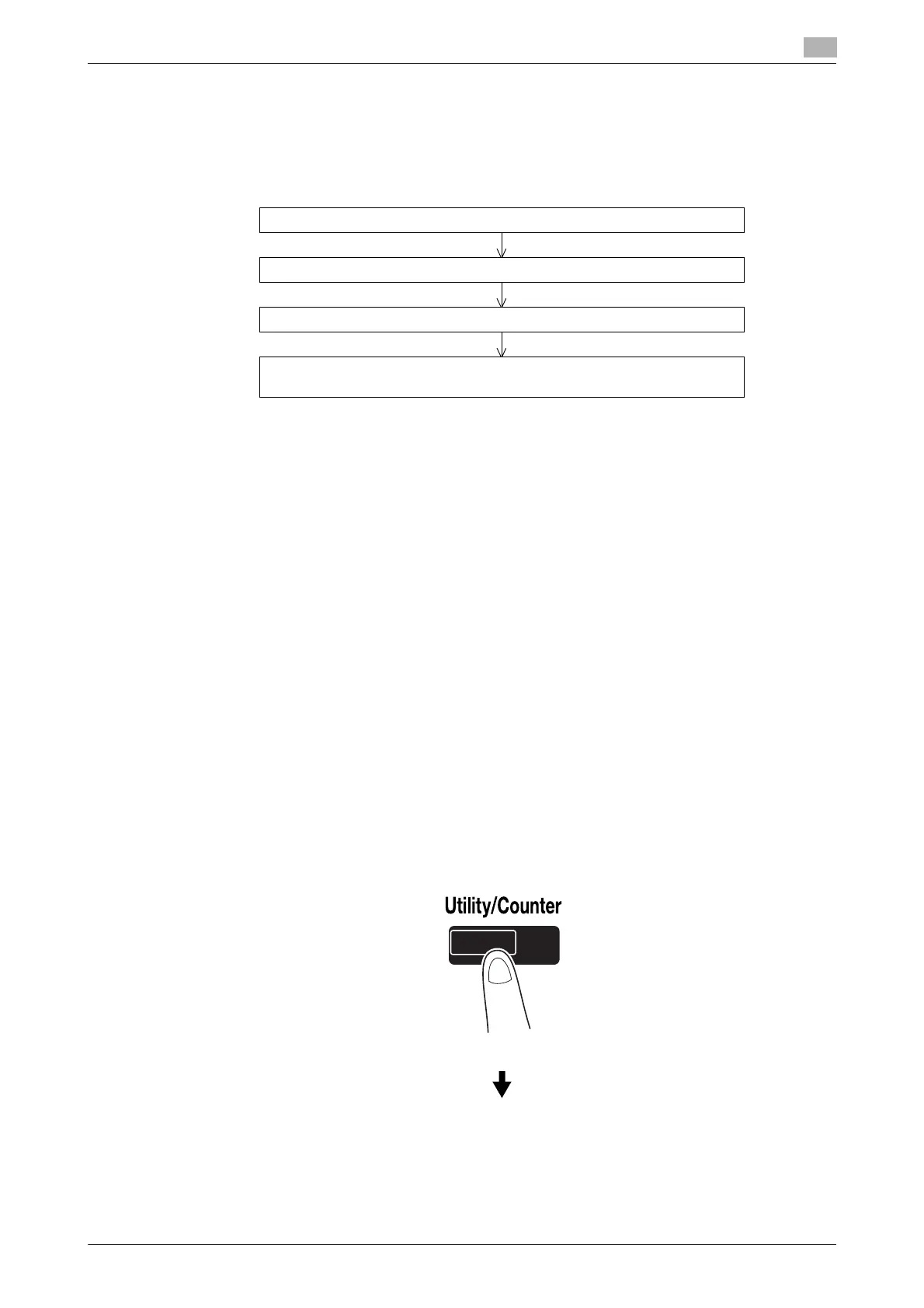
following operation flow, and for details on settings, refer to the description on page 8-5 of this manual.
Registering i-Option LK-101 v2/LK-102/LK-105
There are the following two methods to register i-Option LK-101 v2/LK-102/LK-105 to MFP.
- From the control panel of MFP
- From Web Connection
Procedure to register from the control panel of MFP is described here. For the procedure to specify from
Web Connection, refer to Chapter 9 of the [User's Guide Network Administrator].
Procedure to enable i-Option LK-101 v2/LK-102/LK-105 functions
1 Purchasing i-Option LK-101 v2/LK-102/LK-105.
% Purchase i-Option LK-101 v2/LK-102/LK-105 in advance. i-Option LK-101 v2/LK-102/LK-105
contains the token certificate.
The token certificate contains the following contents:
Product Name
Token Number
Number of Devices Allowed
The Web site URL of the License Management Server (LMS)
% For details on purchasing i-Option LK-101 v2/LK-102/LK-105, contact your service representative.
2 Issuing a request code.
% Press the [Utility/Counter] key.
Purchase i-Option LK-101 v2/LK-102/LK-105.
From the control panel of MFP, issue a request code.
From the computer, register in the License Management Server (LMS).
From the control panel of MFP, enable i-Option LK-101 v2/LK-102/LK-105
functions.



 To Next Page