ineo 223/283/363/423 2-35
2.7 Basic box operation (using saved documents)
2
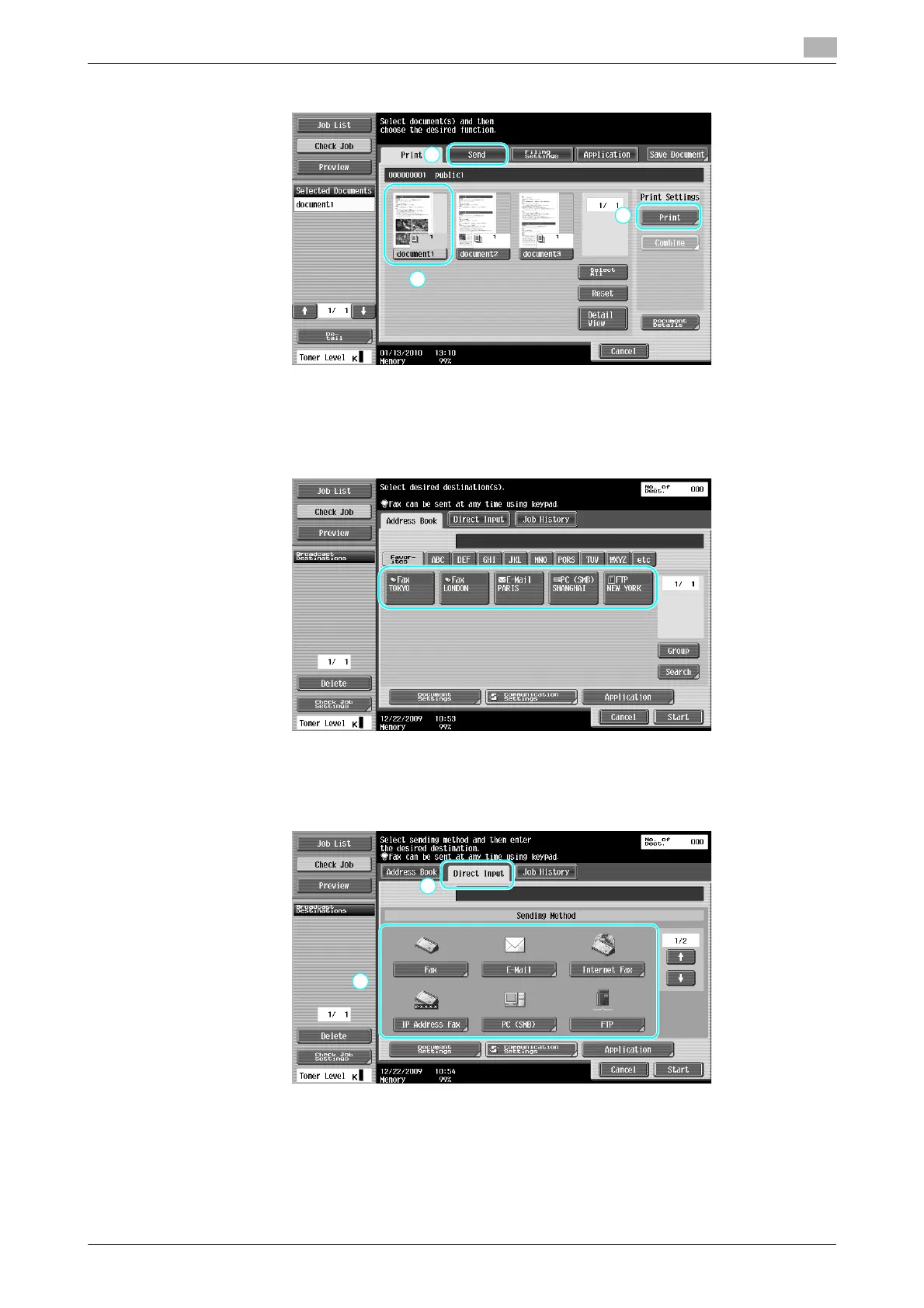
2 Press [Send], select the document to be sent, and then press [Send].
% If multiple data items are selected, [Bind TX] is enabled, and you can print multiple saved data items
at one time. Up to 10 data can be sent at the same time. For details, refer to chapter 7 of the [User’s
Guide Box Operations].
3 Select the destination.
% If destinations are already registered, a registered destination can be selected. For details on
registering destinations, refer to page 6-3 of this manual.
% To directly type in the destination address, press [Direct Input], select the transmission method, and
then type in the destination address.
% A document can be sent to multiple destinations at the same time. For details on sending a
document to multiple destinations, refer to page 6-22 of this manual.
% If necessary, press [Communication Settings], and specify the desired settings. For details, refer to
chapter 7 of the [User’s Guide Box Operations].
% Press [Preview] to check the preview image.



 To Next Page