ineo+ 220/280/360 (Version 3) 3-37
3.13 Checking the number of prints
3
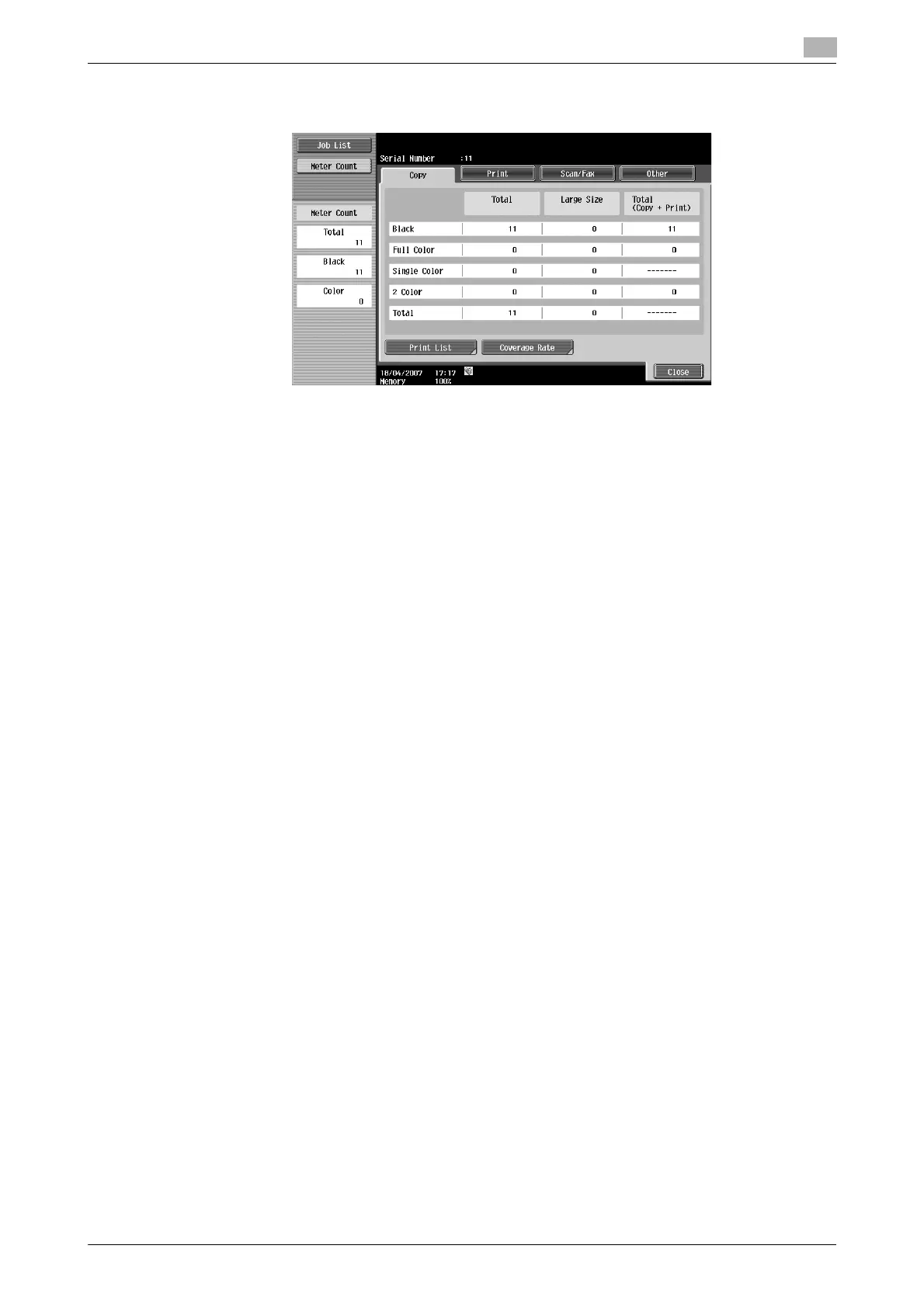
Total: Displays the total number of pages copied using the "Black" setting, the "Full Color" setting, the "Single
Color" setting, the "2 Color" setting, and the total for all Color settings.
Large Size: Displays the total number of pages copied on large-sized paper using the "Black" setting, the
"Full Color" setting, the "Single Color" setting, the "2 Color" setting, and the total for all Color settings.
Total (Copy + Print): Displays the total number of pages copied and printed using the "Black" setting, the "Full
Color" setting, and the "2 Color" setting.
Reference
- To print the list, press [Print List].
- To view the amount of toner that was used, press [Coverage Rate].
d Reference
For details, refer to chapter 8 of the [User’s Guide Copy Operations].
The following information can be viewed on the Copy tab.









 To Next Page