ineo+ 220/280/360 (Version 3) 1-57
1.16 Replacing consumables
1
Replacing a drum unit
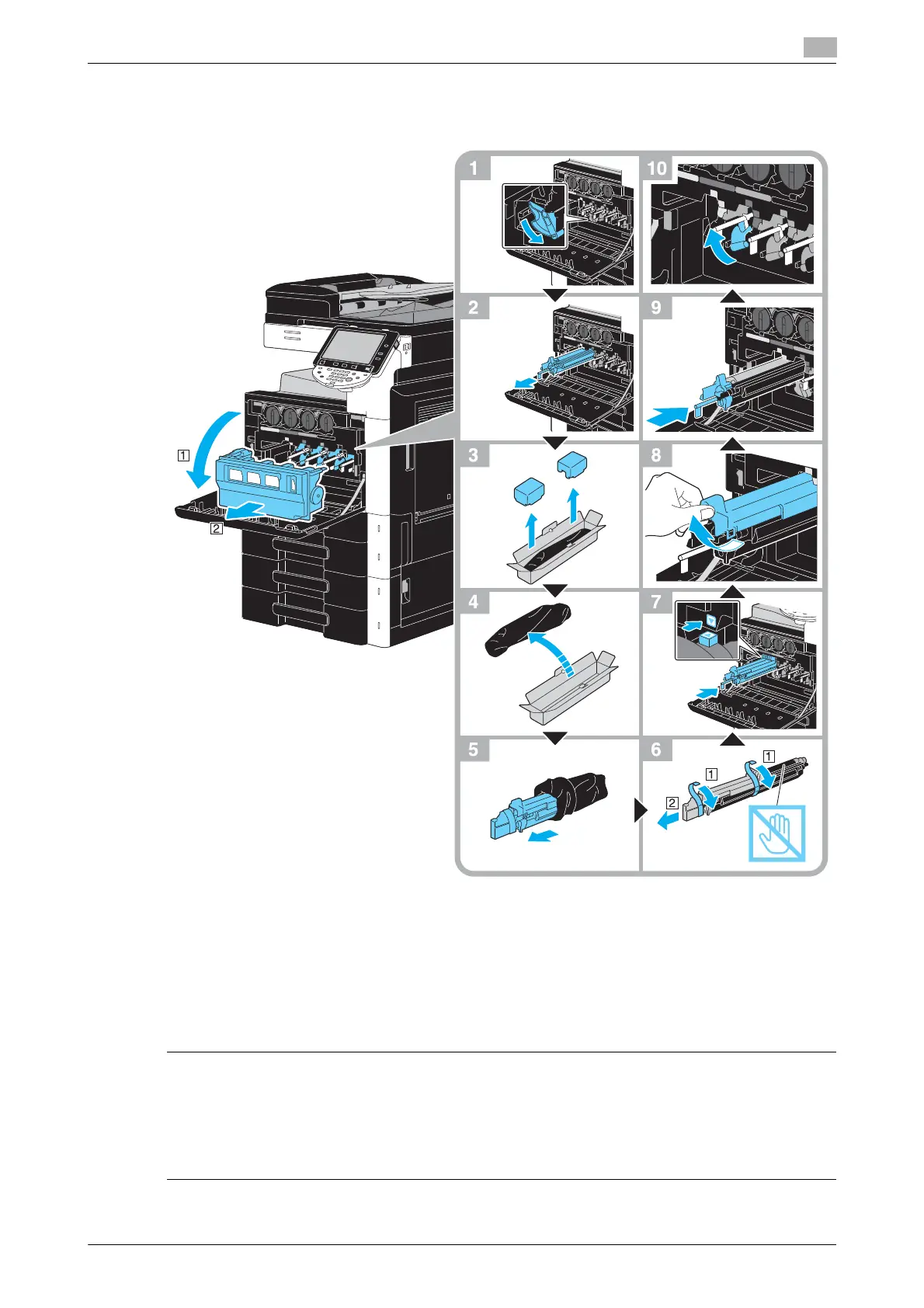
The following procedure describes how to replace a drum unit.
NOTICE
Keep used drum units in their black plastic bags inside their boxes to be collected by your service
representative.
The drum unit may be easily damaged by light. Leave the drum unit in the black plastic bag until immediately
before it is to be installed.
If a drum unit other than black is empty, printing can continue using black. Press [Continue], and then select
the job to be printed.
7 CAUTION
Precautions for toner spills
- Be careful not to spill toner inside the machine or get toner on your clothes or hands.
- If your hands become soiled with toner, immediately wash them with soap and water.
- If toner gets in your eyes, immediately flush them with water, and then seek professional medical
attention.









 To Next Page