ineo+ 220/280/360 (Version 3) 1-37
1.14 Loading paper
1
Loading paper into the LCT
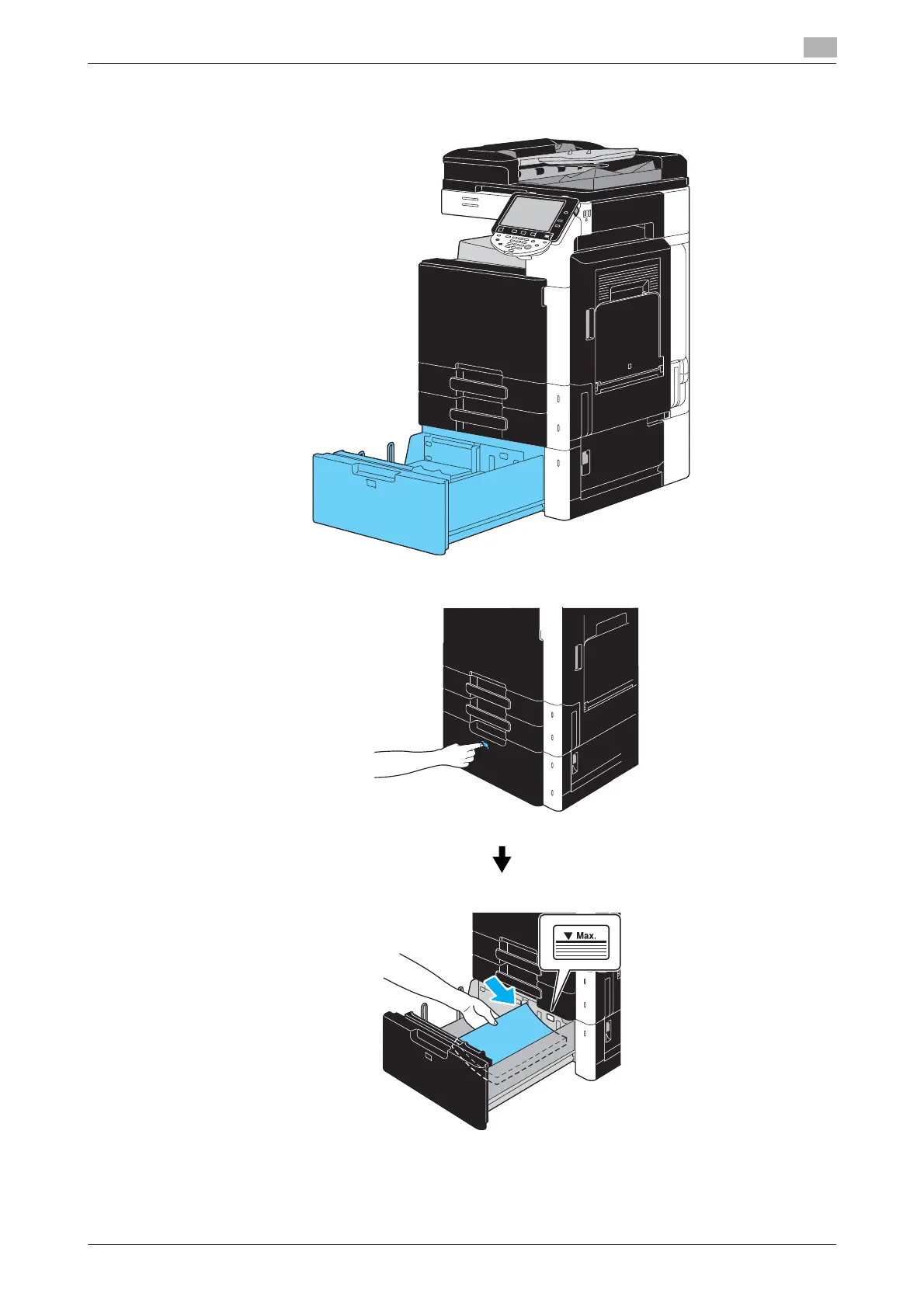
Follow the procedure described below to load paper into the LCT.
% Load the paper into the tray.
% Press tray release button to pull out the LCT.
% Load the paper so that the surface to be printed on faces upward.
% Do not load so many pages that the top of the stack is higher than the , mark.









 To Next Page