ineo+ 220/280/360 (Version 3) 2-27
2.6 Basic box operation (saving data in a user box)
2
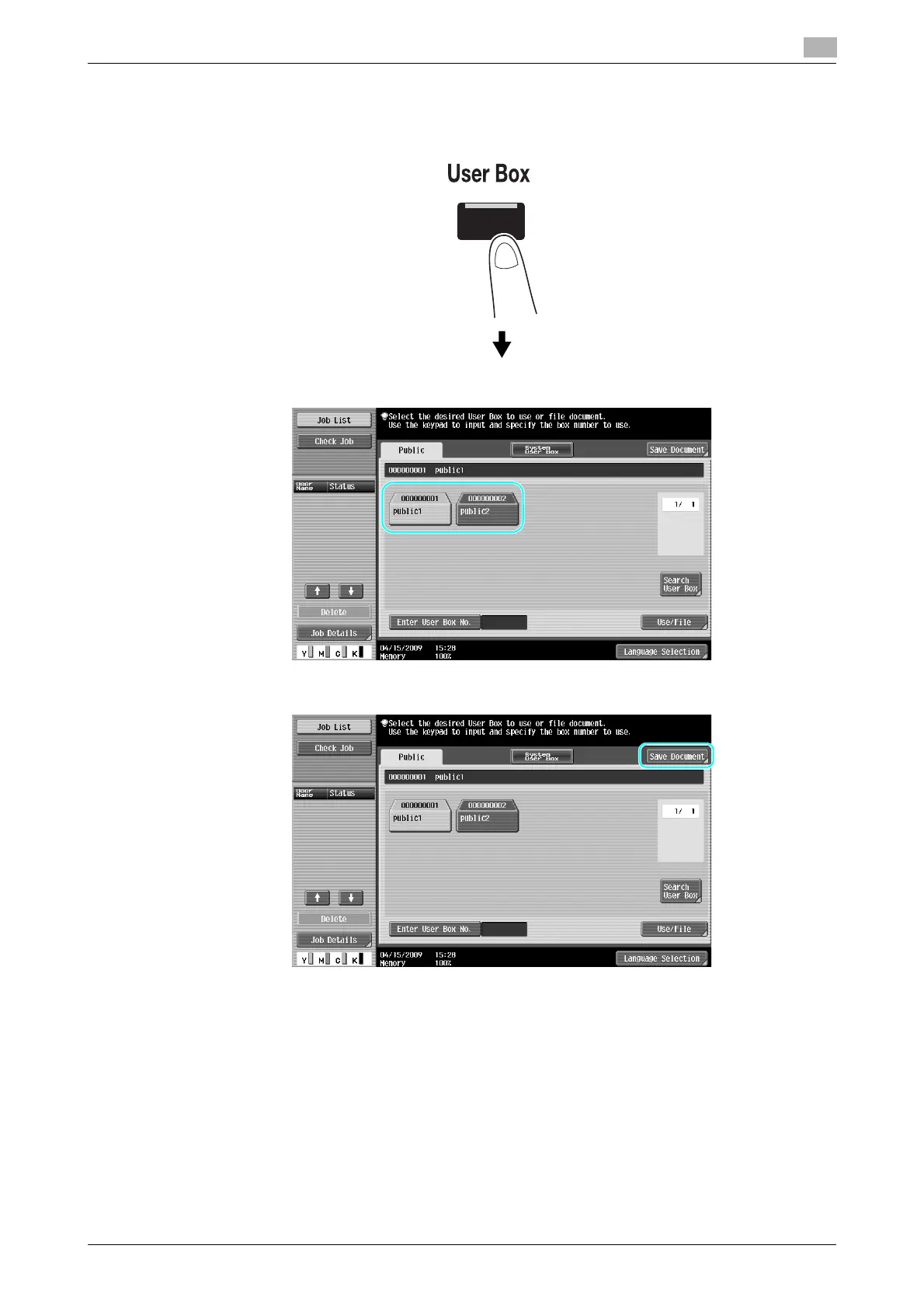
Saving data in a user box with a User Box mode operation
1 Select the user box where the document is to be saved.
2 Press [Save Document].
% The user box can also be specified by pressing [Enter User Box No.], then typing in the box number.
% To search for a user box name, press [Search User Box].
% After pressing [Save Document], you can select a user box to save a document.
% If necessary, you can directly save a document stored in external memory, cellular phone, or PDA
from a User Box.
% For details on functions using an external memory, refer to page 2-36 of this manual.
% For details on using a document in a cellular phone or PDA, refer to page 2-44 of this manual.









 To Next Page