cleention
DEVO Fl 2E
Welcome to use the DEVO F12E transmitter
3.16 Flap Rate
This function can set the Flap Rate in all the flight modes. 0% is set the neutral center of Flap angle. It is
possible to set the Flap Rate of either upward or downward direction. There are total five flight modes, each
one of which should be previously set at Device Select in Mode Menu (Refer to "2.9 Device Select").
Setting method:
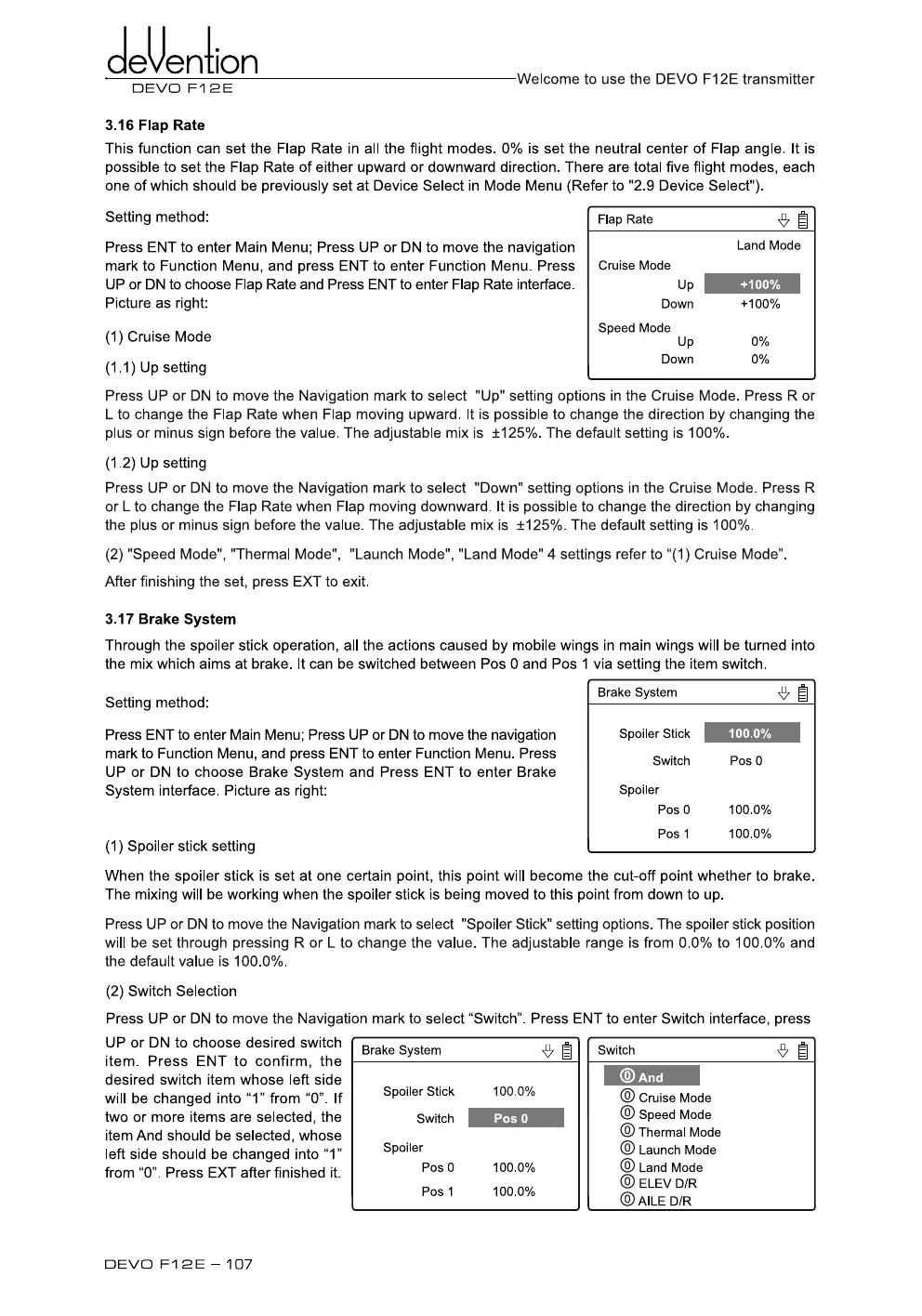
Press ENT to enter Main Menu; Press UP or DN to move the navigation
mark to Function Menu, and press ENT to enter Function Menu. Press
UP or DN to choose Flap Rate and Press ENT to enter Flap Rate interface.
Picture as right:
Flap Rate
•
g
Land Mode
Cruise Mode
Up
+100%
Down
+100%
(1)
Cruise Mode
Speed Mode Up
0%
(1.1) Up setting
Down
0%
Press UP or DN to move the Navigation mark to select "Up" setting options in the Cruise Mode. Press R or
L
to change the Flap Rate when Flap moving upward. It is possible to change the direction by changing the
plus or minus sign before the value. The adjustable mix is ±125%. The default setting is 100%.
(1.2) Up setting
Press UP or DN to move the Navigation mark to select "Down" setting options in the Cruise Mode. Press R
or L to change the Flap Rate when Flap moving downward. It is possible to change the direction by changing
the plus or minus sign before the value. The adjustable mix is ±125%. The default setting is 100%.
(2)
"Speed Mode", "Thermal Mode", "Launch Mode", "Land Mode" 4 settings refer to "(1) Cruise Mode".
After finishing the set, press EXT to exit.
3.17 Brake System
Through the spoiler stick operation, all the actions caused by mobile wings in main wings will be turned into
the mix which aims at brake. It can be switched between Pos 0 and Pos 1 via setting the item switch.
Setting method:
Press ENT to enter Main Menu; Press UP or DN to move the navigation
mark to Function Menu, and press ENT to enter Function Menu. Press
UP or DN to choose Brake System and Press ENT to enter Brake
System interface. Picture as right:
(1)
Spoiler stick setting
Brake System
1
Spoiler Stick
Switch
Spoiler
Pos 0
Pos 1
100.0%
Pos 0
100.0%
100.0%
When the spoiler stick is set at one certain point, this point will become the cut-off point whether to brake.
The mixing will be working when the spoiler stick is being moved to this point from down to up.
Press UP or DN to move the Navigation mark to select "Spoiler Stick" setting options. The spoiler stick position
will be set through pressing R or L to change the value. The adjustable range is from 0.0% to 100.0% and
the default value is 100.0%.
(2)
Switch Selection
Press
UP
or DN to move the Navigation mark to select "Switch". Press ENT to enter Switch interface, press
UP or DN to choose desired switch
item. Press ENT to confirm, the
desired switch item whose left side
will be changed into "1" from "0". If
two or more items are selected, the
item And should be selected, whose
left side should be changed into "1"
from "0". Press EXT after finished it.
Brake System
•
1
Switch
Spoiler Stick
100.0%
Switch
Pos 0
Spoiler
Pos 0
100.0%
Pos 1
100.0%
And
© Cruise Mode
© Speed Mode
©
Thermal Mode
© Launch Mode
© Land Mode
OO
ELEV D/R
oO
AILE D/R
DEVO Fl 2E — 107



 To Next Page