cleUention
Welcome to use the DEVO F12E transmitter
DEVO Fl 2E
(4.2) Statues Setting
Press UP or DN option to choose the State setting after adjusting the date
point. Press R or L keys, there are two options of "Inhibit" or "Active"(Choose
"point-L" or "point -H", there is no state menu that will be shown),If you
don't want to change the date,then choose "Inhibit"(default setting is
"Inhibit"). If you want to change the date, then choose "Active", "Output "
item will be expanded.
(4.3) Output Setting
Tail Curve
Flight Mode
Normal Mode
Pitch
Normal
Exponential
Off
Point
Point - 1
Status
Output
0%
-100%
0%
Press UP/DN to make the navigation mark choose "output" set, press R to increase point's output; the minimum
amount is +100%; press L to decrease point' output amount; the maximun amount is -100%.
(4.4) The methods to set "Stunt 1","Stunt 2", "Stunt 3" ,"Stunt 4", "Throttle Hold" refer to "Normal Mode".after
finished, press EXT to exit.
Notes: If an AVCS Gyro is used,this function is not necessary.
3.11 Dual Pitch
The " Dual pitch " should be activated in " Device output " if want to set this function. Seven-Point adjustment
method is allowed to set up all the pitch curves respectivly, in each flight mode, which includes Normal flight,
Stunt 1, Stunt 2, Stunt 3, Stunt 4, Throttle Curve . "Throttle Curve should be activated if want to use ( refer
to "3.5 Throttle Curve ", "Stunt 3" , " Stunt 4" .The Flight Mode Extra Switch should be activated in " Device
Select" , refer to 2.9 Device Select.
Press ENT to enter Main Menu, and then press UP or DN to move the
navigational mark to select Function Menu.Press ENT to enter the Function
Menu and then press UP or DN to select Dual Pitch and press ENT to
enter the Dual Pitch interface which will show the setted output channel
and the point.
Press DN to select "Point< L "; Press R to increase point output values,
the maximum is +100%, Press L to decrease point output values, the
minimum is -100%.
Dual Pitch
Channel
Gear
Point < L
Active
0%
Point - L
Active
0%
Point - 1
Inhibit
Dual Pitch
1
Channel
Gear
Point < L
Active
0%
Point - L
Active
0%
Point - 1
Inhibit
3.12 Swash Mix
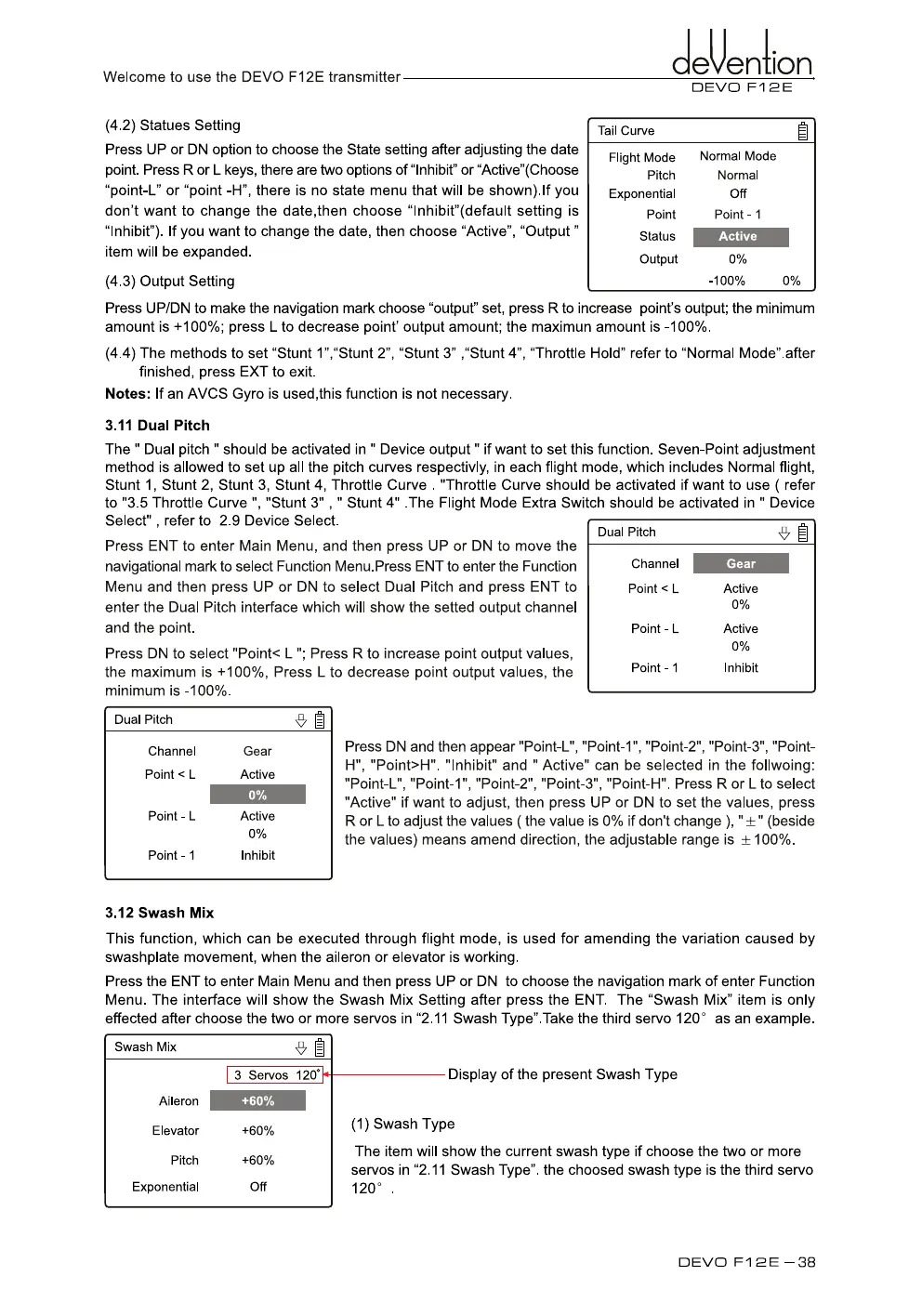
Press DN and then appear "Point-L", "Point-1", "Point-2", "Point-3", "Point-
H", "Point>H". "Inhibit" and " Active" can be selected in the follwoing:
"Point-L", "Point-1", "Point-2", "Point-3", "Point-H". Press R or L to select
"Active" if want to adjust, then press UP or DN to set the values, press
R or L to adjust the values ( the value is 0% if don't change ), "±" (beside
the values) means amend direction, the adjustable range is ± 100%.
This function, which can be executed through flight mode, is used for amending the variation caused by
swashplate movement, when the aileron or elevator is working.
Press the ENT to enter Main Menu and then press UP or DN to choose the navigation mark of enter Function
Menu. The interface will show the Swash Mix Setting after press the ENT. The "Swash Mix" item is only
effected after choose the two or more servos in "2.11 Swash Type".Take the third servo 120° as an example.
Swash Mix
1
3 Servos 1201
4
—
Display of the present Swash Type
(1) Swash Type
The item will show the current swash type if choose the two or more
servos in "2.11 Swash Type". the choosed swash type is the third servo
120° .
Aileron
+60%
Elevator
+60%
Pitch
+60%
Exponential
Off
DEVO Fl 2E — 38



 To Next Page