Website: www.devicewell.com Email: support@devicewell.cn 11
6. Control Panel and Interface
Before using the HD Mini Switcher HDS7105, please take a few minutes to read this section.
This chapter will introduce you the panel and interface of the HD switcher to facilitate your
subsequent use and operation.
The new high-strength characteristics of the new aluminum alloy with high-strength
characteristics improve the anti-drop, anti-shock and shock-proof capabilities of the whole
machine, and effectively protect the internal components of the equipment. Ultra-lightweight
features make the unit easier to transport and maintain without the need for additional equipment;
it also offers unparalleled thermal performance.
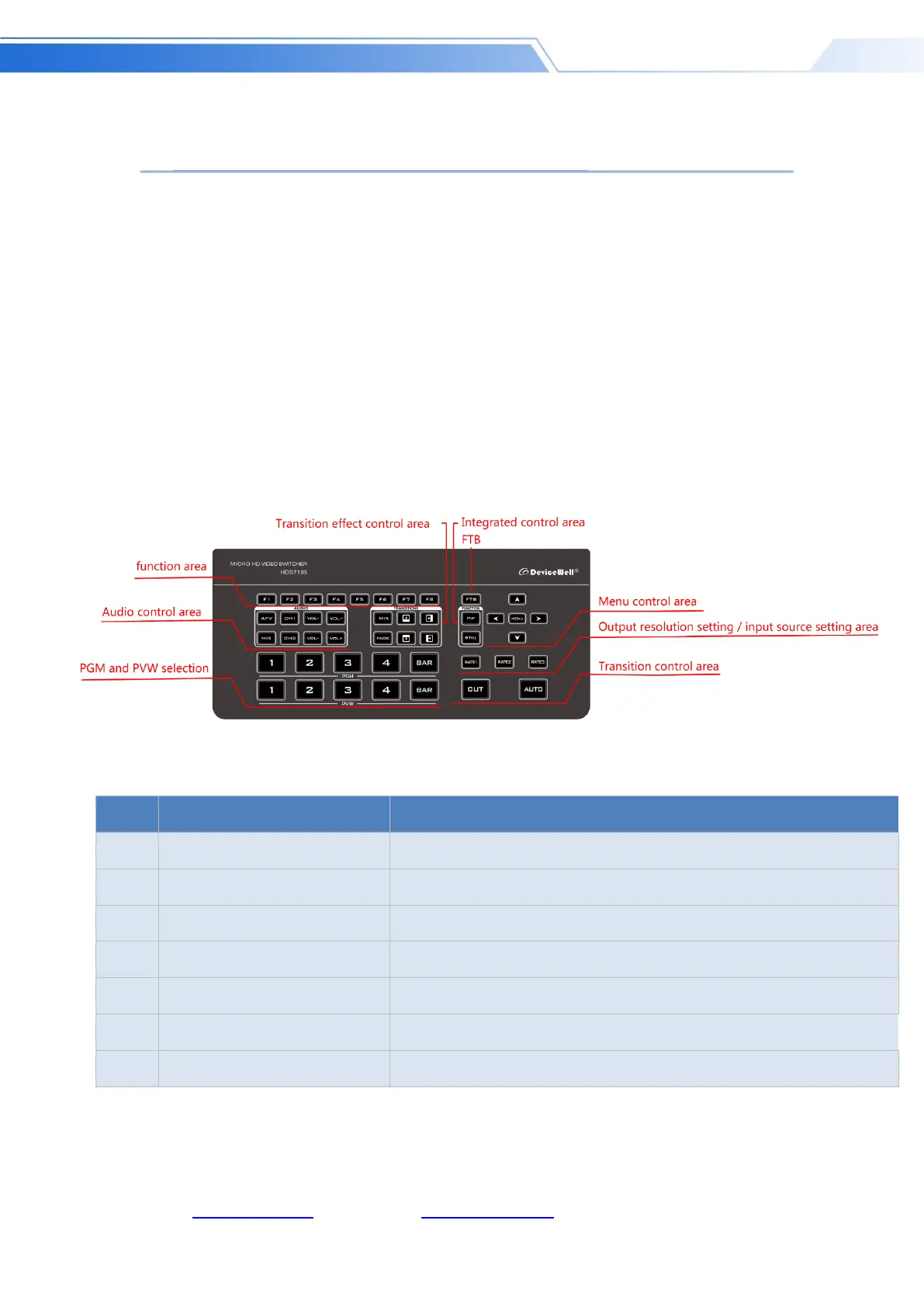
6.1 Control Panel
6.1.1 Area Description
Currently supports F1/F2/F3 functions
Mainly set the audio follow-up mix and audio volume control
Transition effect control area
Select transition effects
Setting menu information with keys
Live and preview selection
Control transition switching and transition rate adjustment



 To Next Page