Website: www.devicewell.com Email: support@devicewell.cn 15
6.1.2.3 Transition Effect Control Area
There are 3 transition modes:
MIX transitions, FADE, and Wipes, where the Wipes include: up, down,
left, and right.
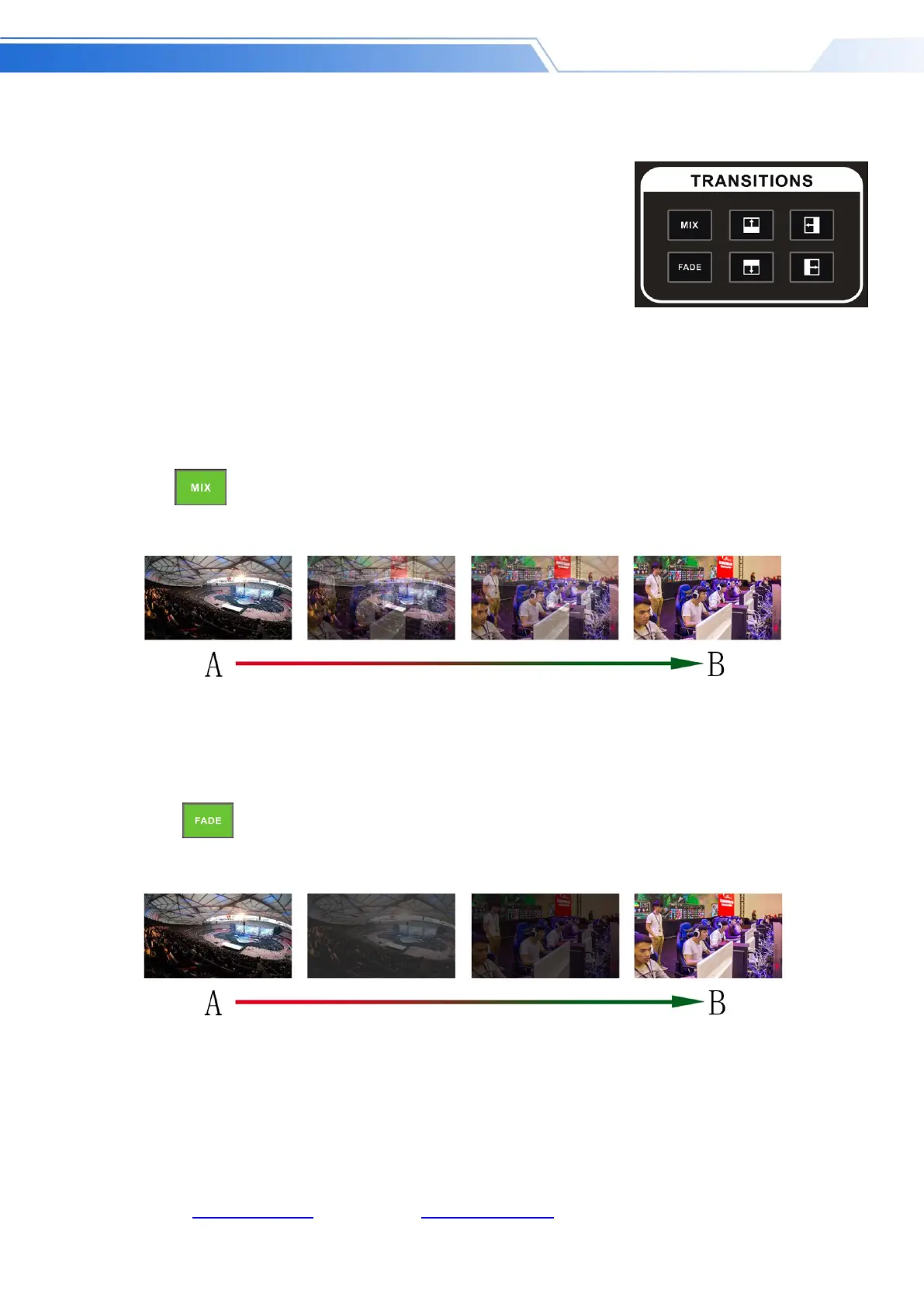
MIX Transition
MIX special effects are transition effects. After setting the transition, the main output will fade
from the original live picture and then transition to the new live picture until it completely
disappears.
Click in the special effect control area (green light is displayed after pressing), and then
click or use AUTO or CUT to switch. The effect is shown below.
FADE Transition
Click in the special effect control area (green light is displayed after pressing), and then
click or use AUTO or CUT to switch, the effect picture is below.
Four special effects wipe transitions
There are four types of transition modes in wipe, which are up / down / left / right. .
MIX transition effects, superimposed on the A picture and
gradually superimposed the B picture, until the transition to
the end, the picture is completely replaced by the B picture
FADE in and fade out effects, A gradually darkens the
picture until it is completely black, and then gradually
changes from black to B picture.



 To Next Page