Website: www.devicewell.com Email: support@devicewell.cn 34
1. Synchronize time
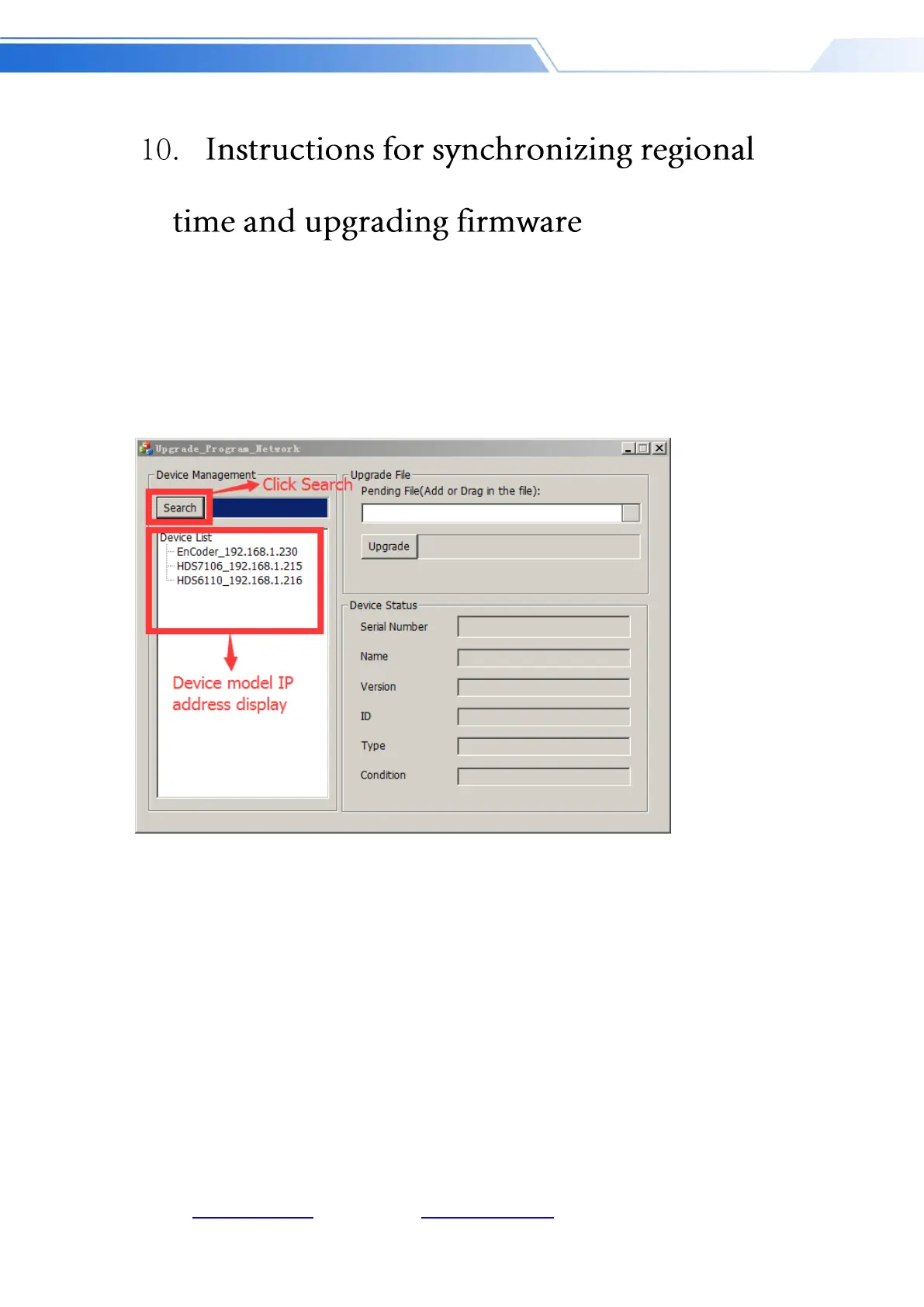
Prepare a network cable, connect the RJ45 interface of the switcher to the local area network,
open the software provided by DeviceWell to synchronize the time, and click to search for the
device. If the device can be found normally, the time on the switcher will automatically
synchronize with the computer time. No further action required; as shown below
2.Upgrade the device
Continue the above steps, double-click the device model you want to upgrade in the left device
column, drag the pragram provided by DeviceWell into the upgrade tool, click the upgrade button,
the device will automatically upgrade, and the software will display the upgrade success after
successful upgrade; as shown below (note that the device cannot be powered off and unplugged
during the upgrade process)



 To Next Page