Website: www.devicewell.com Email: support@devicewell.cn 35
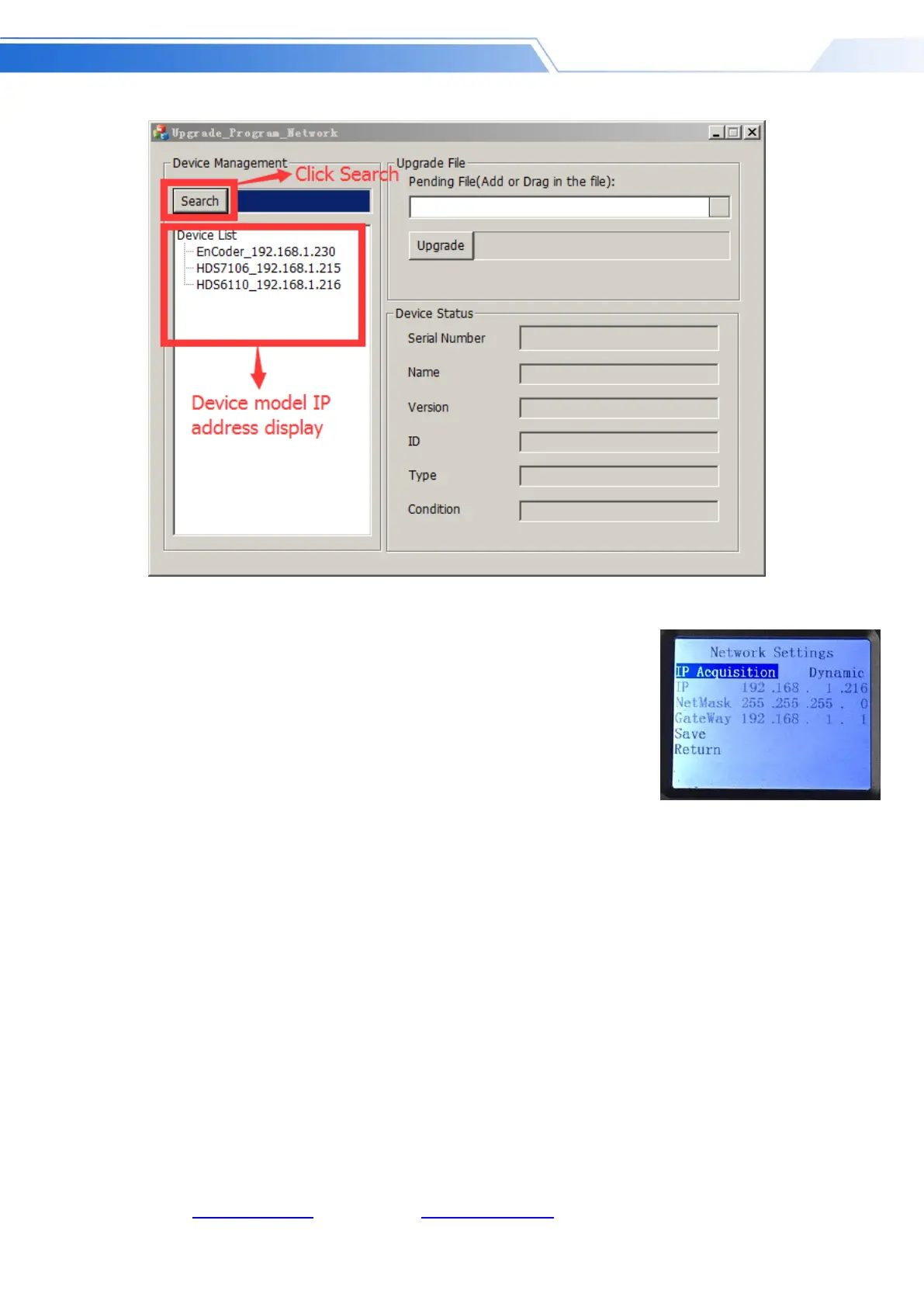
3.What to do if the software cannot find the device
The first method: first check whether the IP settings of the switcher device
are set to dynamic IP acquisition (DHCP), and operate the network setting
function in the menu through the knob; if the switcher has been set for
dynamic IP acquisition, connect the LAN cable of the LAN to the switcher ,
Your LAN will automatically assign an IP address to the switcher. At this time,
you can search for the device again when you search again; as shown below
The second method: directly connect the switcher to the computer with a network cable, first set
the switcher to the static IP function, and use the knob to operate the network setting function in
the menu;
Fix the switcher with an IP address. For example, if the switcher is fixed at 192.168.1.20, the
computer must be set to a fixed IP address.
To set the IP address of the computer, open the Network and Sharing Center → click Local Area
Connection → click Properties → double-click Internet Protocol Version 4 (TCP IPv4). An IP
address setting page will appear. Select the IP address below and manually fill it in IP address
192.168.1.30, manually fill in the subnet mask 255.255.255.0, and finally click OK.



 To Next Page