Website: www.devicewell.com Email: support@devicewell.cn 23
1080p25 / 1080p24 / 1080i50 / 1080i60
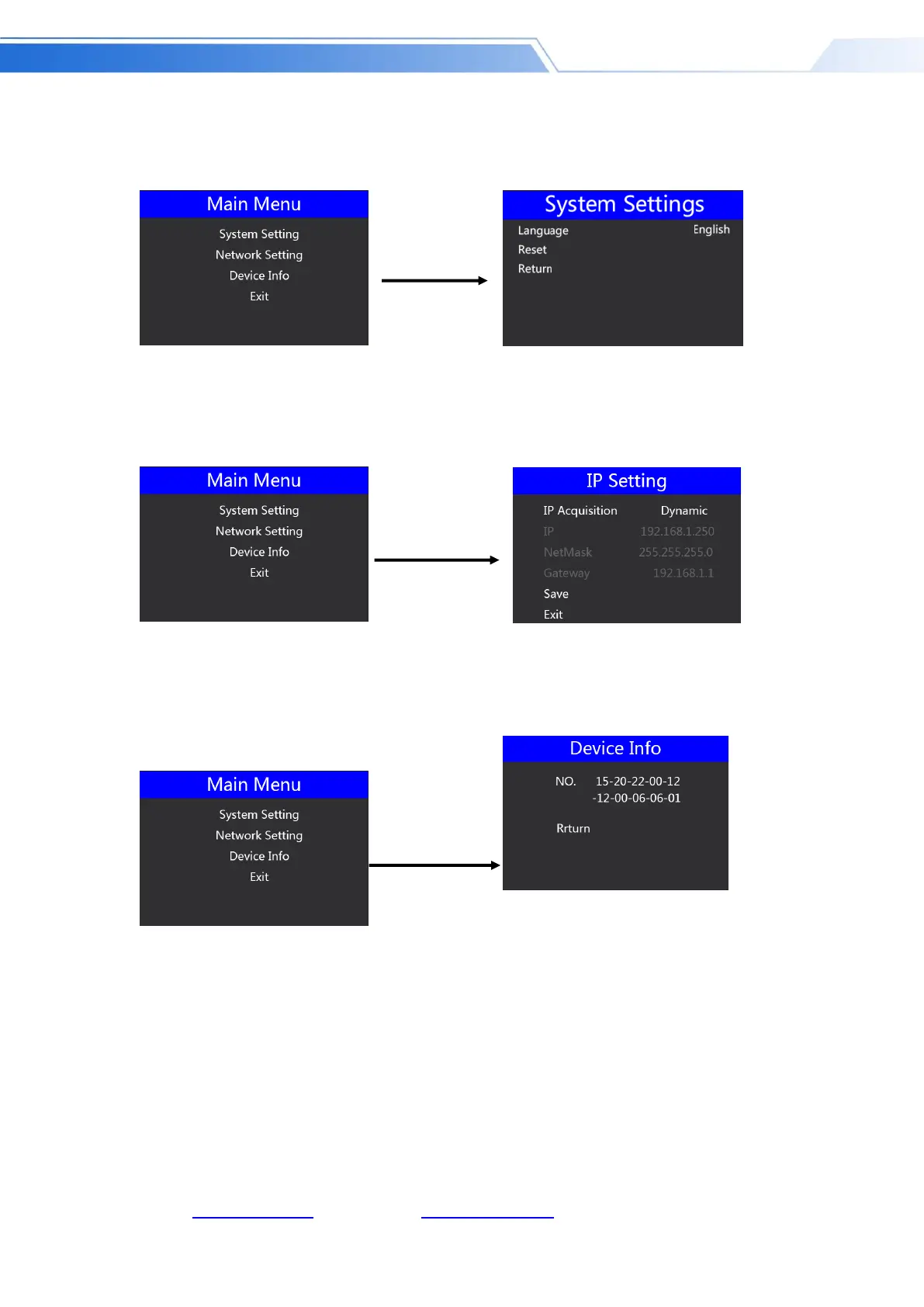
System settings
In the system setting menu, you can choose between two languages: Chinese or English; if you
encounter an unknown error during use, you can choose to restore the factory Settings, reset.
Network settings
In the network setting menu, you can choose in the IP acquisition: dynamic IP or static IP. After
selecting the static IP, you can also set the IP address, subnet mask, and network management
settings accordingly, and save and return.
Device information
In the device information menu, you can read the serial number of the device. You cannot modify
it here.



 To Next Page