EasyManua.ls Logo

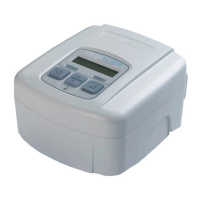
DeVilbiss SleepCube nCPAP - User Manual

DeVilbiss SleepCube nCPAP
92 pages
Print Icon
To Next Page IconTo Next Page
Loading...
SleepCube
nCPAP Device
Model DV53/DV54/DV54-P
Service Manual

Table of Contents

Questions and Answers

  • D
    Donald WoodAug 3, 2025
    What to do if the DeVilbiss SleepCube nCPAP blower does not start when powered up?
    • S
      Sarah AndersonAug 3, 2025
      If the blower does not start when powered up: * First, remove the cover. * Then, check for disconnected wire harnesses and reconnect them if necessary. * Next, check the fuses. Without AC power, measure the resistance across the F1 fuse with an ohmmeter. If the resistance is not between 0.0 to 0.5 ohms, the fuse is open, and the power supply board should be replaced. * If all fuses are closed, install a blower that is known to work properly and power up the unit. If the new blower works, replace the old blower. If the new blower still doesn't work, replace the control board. * Finally, replace the cover.
  • M
    melissa72Aug 11, 2025
    Why is my DeVilbiss SleepCube nCPAP blower so loud?
    • D
      Dr. Chris FoleyAug 11, 2025
      If your DeVilbiss Medical Equipment blower is making excessive noise, consider the following steps: 1. Remove the cover and control board. 2. Check the assembly of the foam, blower, and silicone isolator for correct placement. 3. Inspect the blower for any visible space between the blower halves; if you see a space, press the halves back together. 4. If the assembly is incorrect, reassemble the components properly. 5. If the assembly is correct, the blower should be replaced. 6. Replace the control board and cover.
  • N
    normanjerryAug 19, 2025
    What to do if my DeVilbiss Medical Equipment shows calibration failure with error code E95?
    • L
      leonsusanAug 19, 2025
      If your DeVilbiss Medical Equipment displays a calibration failure with error code E95, you can try the following: 1. Remove the cover. 2. Check for damage or loose connections on the air intake filter, intake foam components, and all internal tubing. Replace or reconnect components as needed. 3. Remove the control board. 4. Check for signs of water damage to the blower assembly and pressure sensor; replace damaged components. 5. Inspect the blower. If there's a visible space between the top and bottom sections, press them together to eliminate the space. 6. Repeat the Manual Calibration Procedure. 7. If the error codes persist, replace the control board. 8. Replace the cover.
  • F
    fgibsonAug 27, 2025
    How to fix pressure out of tolerance on DeVilbiss SleepCube nCPAP?
    • K
      kclementsAug 27, 2025
      If the pressure is out of tolerance (Pressure ± 1.0 cmH2O of setting), you can try the following: 1. Remove the cover. 2. Check for disconnected, occluded, or kinked tubing on the pressure sensor or chassis. Correct any issues. 3. Check for damage to any foam pieces and/or tubing and replace the component if damaged. 4. Remove the control board. 5. Check for signs of water damage to the blower assembly, pressure sensor and replace the component if damaged. 6. Inspect the blower. If a space is visible between the top and bottom sections, press the halves together to eliminate the space. 7. Repeat the pressure test. 8. If the pressure remains out of tolerance, re-calibrate the unit. 9. If the pressure remains out of tolerance, replace the control board. 10. Replace cover.

Summary

General Information

Testing

Alerts and Device Faults

Calibration

Manual Calibration

Detailed procedure for manually calibrating the internal pressure sensor and motor current.

Service Instructions

Cover Removal

Step-by-step guide for safely removing the outer cover of the PAP device.

Cover Replacement

Step-by-step guide for properly reassembling the PAP device cover.

Control PC Board Removal

Instructions for safely removing the main control PC board from the device.

Control PC Board Replacement

Procedures for installing a new control PC board and configuring device settings.

Power Supply Board Removal

Instructions for safely removing the power supply board from the PAP unit.

Power Supply Board Replacement

Procedures for installing a new power supply board and connecting harnesses.

Blower Removal

Step-by-step guide for removing the blower assembly from the PAP unit.

Blower Replacement

Instructions for installing a new blower assembly, including foam and harness routing.

KeyPad & LCD Display Removal and Replacement

Guide for removing and replacing the keypad and LCD display components.

General Information DV5 HH

Safeguards

Safety precautions specific to servicing the DV5HH heated humidifier system.

Maintenance and Testing DV5 HH

Service Instructions DV5 HH

Removing the DV5 HH base cover

Detailed steps for safely removing the bottom base cover of the DV5HH unit.

Warranties

DV54;DV53 Warranty

Warranty terms and conditions for the DeVilbiss IntelliPAP and SleepCube devices.

DV5 HH Warranty

Warranty terms and conditions for the DeVilbiss Heated Humidifier System.

DeVilbiss SleepCube nCPAP Specifications

General IconGeneral
BrandDeVilbiss
ModelSleepCube nCPAP
CategoryMedical Equipment
LanguageEnglish

Related product manuals