EasyManua.ls Logo

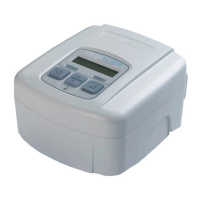
DeVilbiss SleepCube DV54 Series - User Manual

DeVilbiss SleepCube DV54 Series
112 pages
Print Icon
To Next Page IconTo Next Page
Loading...
EN
DeVilbiss
®
SleepCube
®
Positive Airway Pressure
Device
CAUTION–Federal (U.S.A.) law restricts this device to sale by, or on the order of a
physician.
Assembled in USA of US & Imported Parts. Instruction Guide.
ES
Dispositivo de presión positiva en las vías respiratorias
SleepCube
®
de DeVilbiss
®
PRECAUCIÓN–La ley federal de EE. UU. limita la venta de este dispositivo a
médicos o a personas que dispongan de la correspondiente orden médica.
Montaje efectuado en EE. UU. con piezas fabricadas en EE. UU. e importadas. UU.
Guía de instrucciones.
FR
Appareil de ventilation spontae en pression positive
SleepCube
®
de DeVilbiss
®
ATTENTION–En vertu de la loi fédérale américaine, cet appareil ne peut être vendu
que par un médecin ou sur ordonnance de ce dernier.
Assemblé aux États-Unis avec des pièces des États-Unis et des pièces importées.
Guide d’instructions.
0044
DV54 Series

Table of Contents

Questions and Answers

  • A
    Anne CordovaAug 14, 2025
    What to do if airflow stops unexpectedly during use of DeVilbiss SleepCube DV54?
    • N
      Nathaniel MaddoxAug 14, 2025
      If the airflow from your DeVilbiss Medical Equipment stops unexpectedly, first, make sure your mask fits well by adjusting it and the headgear. If you're breathing through your mouth, contact your home care provider for a chin strap or a different mask. If the issue continues, you can disable the Auto-OFF feature in the Advanced Menu.
  • M
    Mary BeckAug 17, 2025
    How to troubleshoot a blank display on DeVilbiss SleepCube DV54?
    • V
      Veronica ScottAug 18, 2025
      If your DeVilbiss Medical Equipment display is blank, check that the power cord is securely connected to both the SleepCube and the power outlet. If you're using a DC power source, ensure the cable connections are secure and that your battery is charged. Also, try a different power outlet to ensure the current one is working.
  • A
    Andre WeberAug 21, 2025
    Why do I have dryness of throat or nose using DeVilbiss Medical Equipment?
    • P
      phoustonAug 21, 2025
      If your throat or nose feels dry while using DeVilbiss Medical Equipment, it may be due to inadequate humidity. You can solve this by adding a DeVilbiss DV5 Heated Humidifier or increasing the heater setting on your current humidifier.
  • H
    Holly BlairAug 25, 2025
    What to do for skin irritation from DeVilbiss Medical Equipment mask?
    • J
      James HayesAug 26, 2025
      If your skin becomes irritated where the mask touches your face while using DeVilbiss Medical Equipment, try loosening the headgear to reduce pressure. If that doesn't help, contact your physician or home care provider, as your mask may not be the right size or shape for you.
  • R
    richard62Aug 27, 2025
    Why is the air from my DeVilbiss flow generator too warm?
    • A
      Anthony WalterAug 27, 2025
      If the air from your DeVilbiss flow generator seems too warm, start by cleaning or replacing the air filter(s). Also, make sure the air inlet isn't blocked and that the room temperature isn't too high. Keep the SleepCube away from heaters, so it draws in air at room temperature. If the problem continues, contact your home care provider.
  • J
    johnnguyenAug 31, 2025
    How to stop gurgling noise in DeVilbiss SleepCube DV54 hose?
    • D
      Diana CarpenterAug 31, 2025
      If condensation is collecting in the hose of your DeVilbiss Medical Equipment, creating a gurgling noise, the humidification setting might be too high, or the room temperature might be fluctuating. Try reducing the humidifier heater setting and/or increasing the room temperature.
  • P
    Patrick StephensSep 3, 2025
    Why won't my DeVilbiss SleepCube start when breathing into the mask?
    • C
      Christopher FosterSep 3, 2025
      If your DeVilbiss SleepCube doesn't start when you breathe into the mask, first, try using the ON/OFF button to start it. Ensure the device is properly connected to a power outlet. Breathe deeply in and out to activate the Auto-ON feature. If you're using a full face mask with an anti-asphyxia valve, the Auto-ON feature may not work; use the ON/OFF button instead. Also, check that the air supply port plug is fully inserted and the humidifier chamber is correctly placed and latched.
  • G
    gpetersonSep 6, 2025
    What to do if OSA symptoms return with DeVilbiss SleepCube DV54?
    • G
      gcollinsSep 7, 2025
      If you experience a recurrence of OSA symptoms while using your DeVilbiss Medical Equipment, first, check and clean or replace the air filter, and move the device away from dusty areas. If symptoms persist, it is important to contact your physician.
  • J
    james32Sep 10, 2025
    What to do if DeVilbiss SleepCube DV54 Medical Equipment display shows a device fault?
    • S
      Stephanie DavisSep 10, 2025
      If the display on your DeVilbiss Medical Equipment shows a device fault, contact your home care provider for service, as this indicates an error that requires professional attention.

Summary

Symbols and Safety Precautions

Safety Warnings and Hazard Levels

Defines DANGER, WARNING, CAUTION, and NOTE for safety information.

Important Safeguards

Electric Shock Hazard Warnings

Details precautions against electrical shock during use.

Mask and Therapy Warnings

Advises on proper mask usage and device limitations.

Introduction to CPAP Therapy

Understanding Obstructive Sleep Apnea (OSA)

Explains what Obstructive Sleep Apnea is and its effects.

How CPAP Therapy Works

Describes the mechanism and benefits of CPAP therapy.

Key Features of SleepCube

SleepCube Device Components

Identifies and describes the physical parts of the SleepCube device.

SleepCube Keypad Overview

Explains the functions of the buttons on the SleepCube keypad.

System Assembly and Controls

Assembly Without Humidification

Step-by-step guide for setting up the device without a humidifier.

Keypad and Display Functions

Details the operation of basic controls like ON/OFF, HEATER, and DELAY.

Operating the SleepCube Device

Using the SmartFlex Feature

Details the pressure relief function for exhalation comfort.

Advanced Menu Controls

SmartCode and Adherence Score

Explains how to view therapy data and adherence scores.

SmartCode and Adherence Information

Accessing SmartCode data and adherence scores from the blower off menu.

Patient Messages and Alerts

Supplemental Oxygen Use

Oxygen Use Safety Warnings

Crucial safety precautions when using oxygen with the device.

Maintenance and Cleaning

Filter Maintenance

Instructions for checking, cleaning, and replacing air filters.

Filter Cleaning and Replacement

Detailed steps for cleaning standard filters and replacing optional filters.

Troubleshooting Common Issues

Mask and Headgear Troubleshooting

Addresses problems related to mask fit and sealing.

Device Operation Troubleshooting

Solutions for common device malfunctions and startup issues.

Airflow and Auto-OFF Issues

Solutions for airflow stopping unexpectedly or auto-off problems.

DeVilbiss SleepCube DV54 Series Specifications

General IconGeneral
TypeCPAP
RampYes
Altitude AdjustmentAutomatic
Data StorageSD card
HumidifierOptional
Noise Level26 dBA
Therapy ModesCPAP
Pressure Range4-20 cm H2O
Power Supply100 – 240 V AC, 50/60 Hz

Related product manuals