27
SE-DV54-1
EN
troublEShooting
Mask and Headgear
Clean the mask and headgear according to the manufacturer’s instructions.
TRoUblesHooTinG
� DangEr
Electric Shock Hazard - Do not remove the device cabinet; there are no
user-serviceable internal components. The cabinet should only be removed
by a qualified DeVilbiss provider.
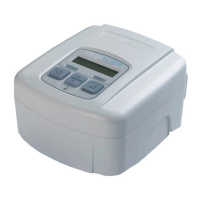
If you are having trouble with the operation of your DeVilbiss SleepCube, please refer to the
table below for a list of problems with possible causes and remedies. If you are unable to
resolve the problem by following the instructions, contact your home care provider for
assistance.
Problem Probable Cause Remedy
Nothing shows
on the display.
1. Device is not plugged in or the
power cord is not fully
inserted.
2. There is no outlet power.
1a. Verify that power cord is firmly
connected to the SleepCube and
the power outlet.
1b. If you are using a DC power
source make sure the cable
connections are secure. Verify that
your battery is charged.
2. Locate a suitable functioning
power source.
The SleepCube
does not start
when breathing
into the mask.
1. The Auto-ON feature has been
disabled.
2. There is no power to the
device.
3. Breath is not deep enough for
the Auto-ON feature to detect.
4. You are using a full face mask
that has an anti-asphyxia valve.
5. The air supply port plug is
missing or not fully inserted.
6. The humidifier chamber is not
fully engaged into the cradle or
is missing.
1. Use the ON/OFF button to start
and stop the device.
2. Verify that the power cord is firmly
connected to the device and the
power outlet.
3. Breathe deeply in and out to start
the SleepCube
4. Auto-ON may not work because
your exhaled breath escapes
through the open valve. Use the
ON/OFF button to start and stop
the device.
5. Make sure the air supply port plug
is fully inserted into the unit.
6. Slide the humidifier chamber fully
into the slot. Verify the latching
lever snaps into place.











 To Next Page