Network configuration 43
devolo dLAN pro 500 Wireless+
Keep in mind that, as long as the
dLAN pro 500 Wireless+ registers
connected stations, the wireless
network remains enabled. The
wireless network is not switched
off until the last station has logged
off.
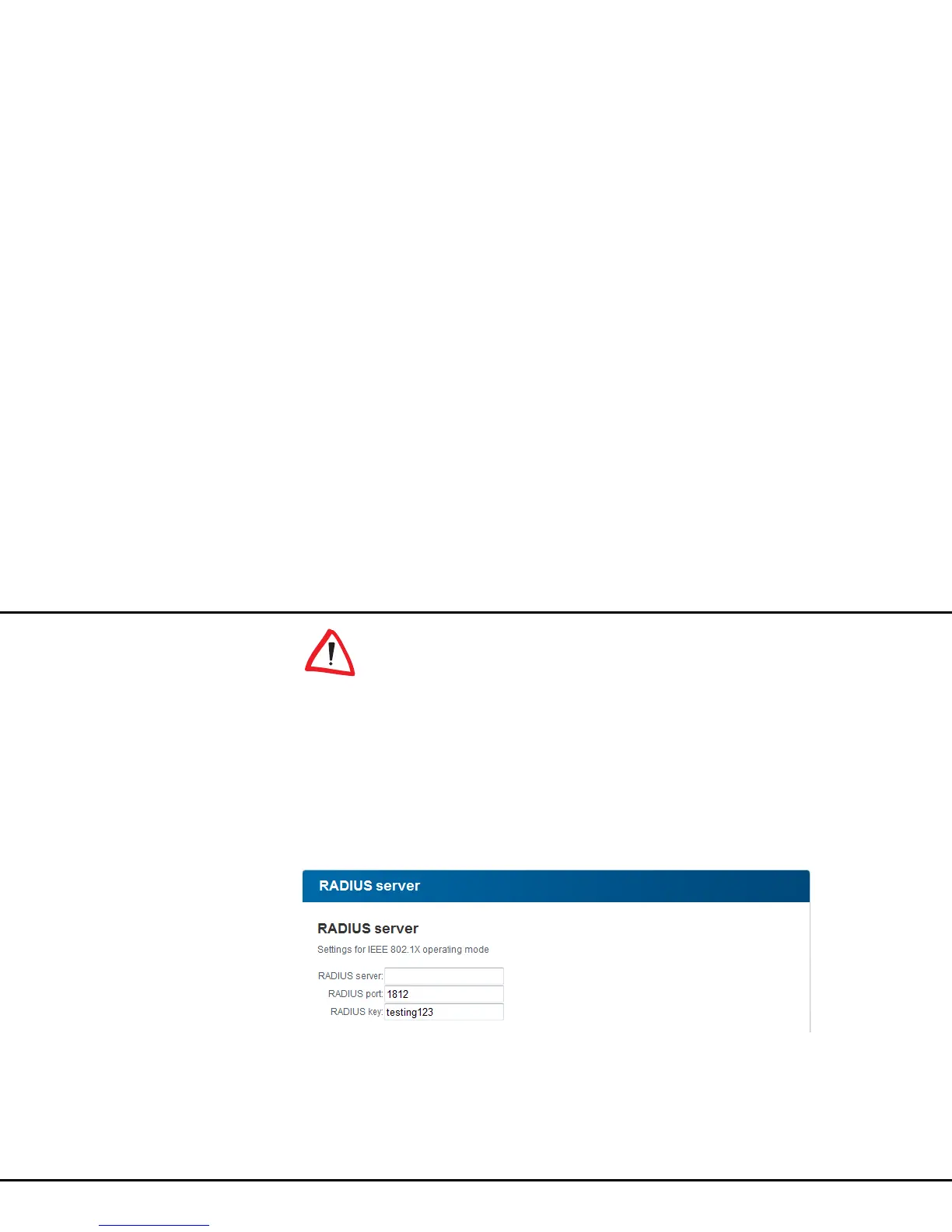
4.5.3 RADIUS server
In addition to the WPA/WPA2 Private Mode
encryption key, the dLAN pro 500 Wireless+ also
supports WPA/WPA2 Enterprise Mode (see 4.5.6
dLAN pro 500 Wireless+ as Access point or
4.5.9 dLAN pro 500 Wireless+ as a WLAN client).
In addition to the WLAN client and the access point,
there is also the Radius server in Enterprise Mode. As
a central authentication server, it assumes the user
administration for multiple access points.
If you would like to use a RADIUS server, assign a
name, Radius port and Radius key.
4.5.4 Parental controls
You can regulate Internet access for specific stations
based on time using this function. For instance, to pro-
tect your children from excessive Internet use, you can
define how long they may use the Internet per day.
Synchronisation with an Internet time server is neces-
sary to be able to use the parental controls. In this
case, the time server (Device configuration
Date and time Retrieve date and time auto-
matically) for the dLAN pro 500 Wireless+ has to be
enabled and an enabled Internet connection is also re-



 To Next Page