25 Network configuration
devolo dLAN WiFi Outdoor
4.3 Overview
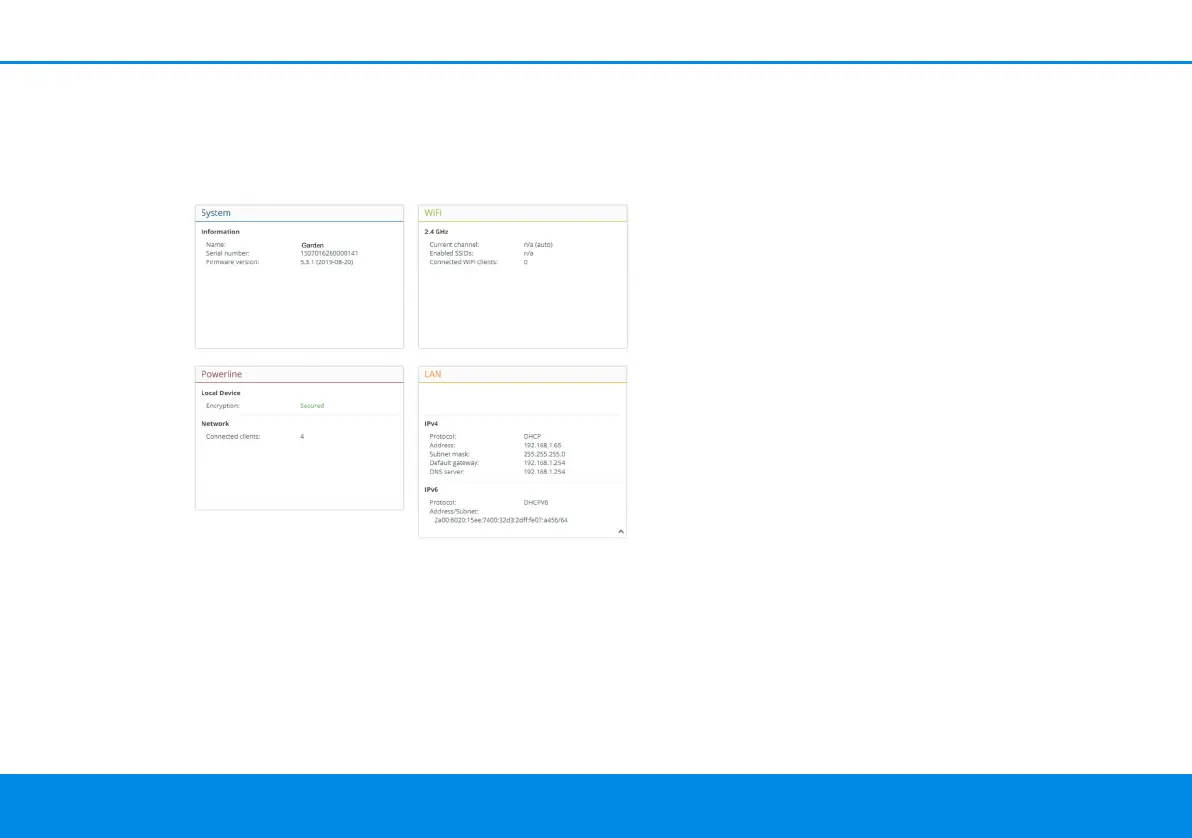
The Overview area shows the status of the
dLAN WiFi Outdoor and the connected PLC and
WiFi devices.
4.3.1System
Name: Device name
Serial number: Device serial number
Firmware version: Firmware version of the device
4.3.2WiFi
2.4 GHz
Current channel: used frequency channel in the
2.4-GHz frequency range
Enabled SSID: name of the enabled WiFi network
Connected WiFi clients: number of devices
connected to the network.
4.3.3Powerline
Local device
Encryption: status of encryption
Network
Connected clients: number of devices connected
to the Powerline network
4.3.4LAN
IPv4
Protocol: Display indicating whether DHCP is swit-
ched on or switched off
Address: IPv4 address in use
Subnet mask: IPv4 network mask in use
Default gateway: IPv4 gateway in use
dLAN WiFi Outdoor.book Seite 25 Mittwoch, 30. Oktober 2019 10:47 10



 To Next Page