Network configuration 34
devolo dLAN WiFi Outdoor
In a dLAN network, all connected components
must use the same password. This can be assigned
in different ways:
b Using devolo Cockpit or the
devolo Home Network App (see Chapter 3.4
Installation of devolo software),
b Only using the PLC button (see Chapter 2.4.1
PLC button and 3.3 Connecting the
dLAN WiFi Outdoor)
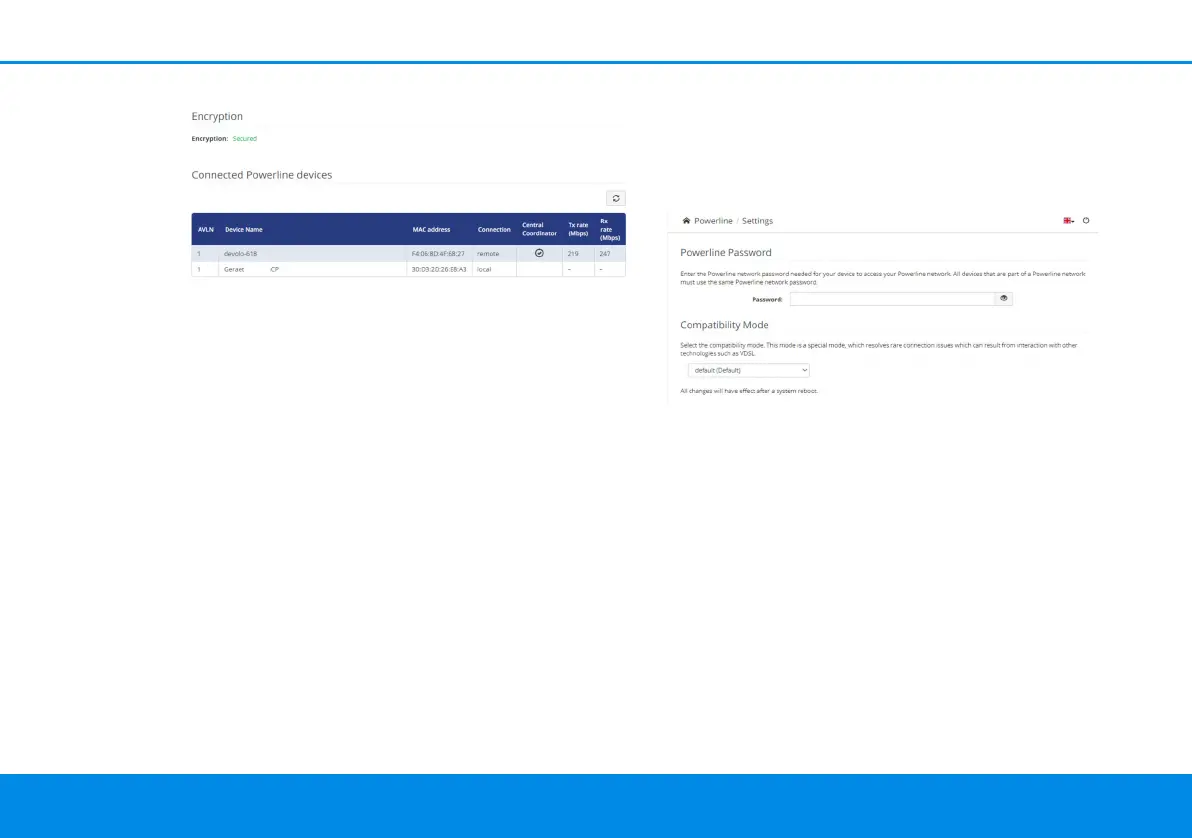
b Using the web interface, in the PLC menu
Powerline Settings:
Powerline Password
You can also assign your network a custom PLC
password you pick yourself. Enter this password for
each dLAN adapter in the Network password field
and confirm your settings by clicking the Disk icon.
Note that the custom password is not assigned
to the whole PLC network automatically. In-
stead, you must assign it separately to each of
your dLAN adapters.
4.5.1Add device
Using the encryption (PLC) button
If you would like to manually add a new dLAN de-
vice, press the encryption button within 2 minutes
on the device which you want to join your Powerli-
ne network and confirm with Start configuration.
dLAN WiFi Outdoor.book Seite 34 Mittwoch, 30. Oktober 2019 10:47 10



 To Next Page