Network configuration 32
devolo dLAN WiFi Outdoor
Setting the time period
Under Time Period, the desired time period can be
selected. After entering the interval, enter the
desired start and end times in hour and minute
format.
Confirm your settings by clicking the Disk icon.
If you want to delete a time quota (time limit) or a
time period from the list, click/touch the dustbin
icon.
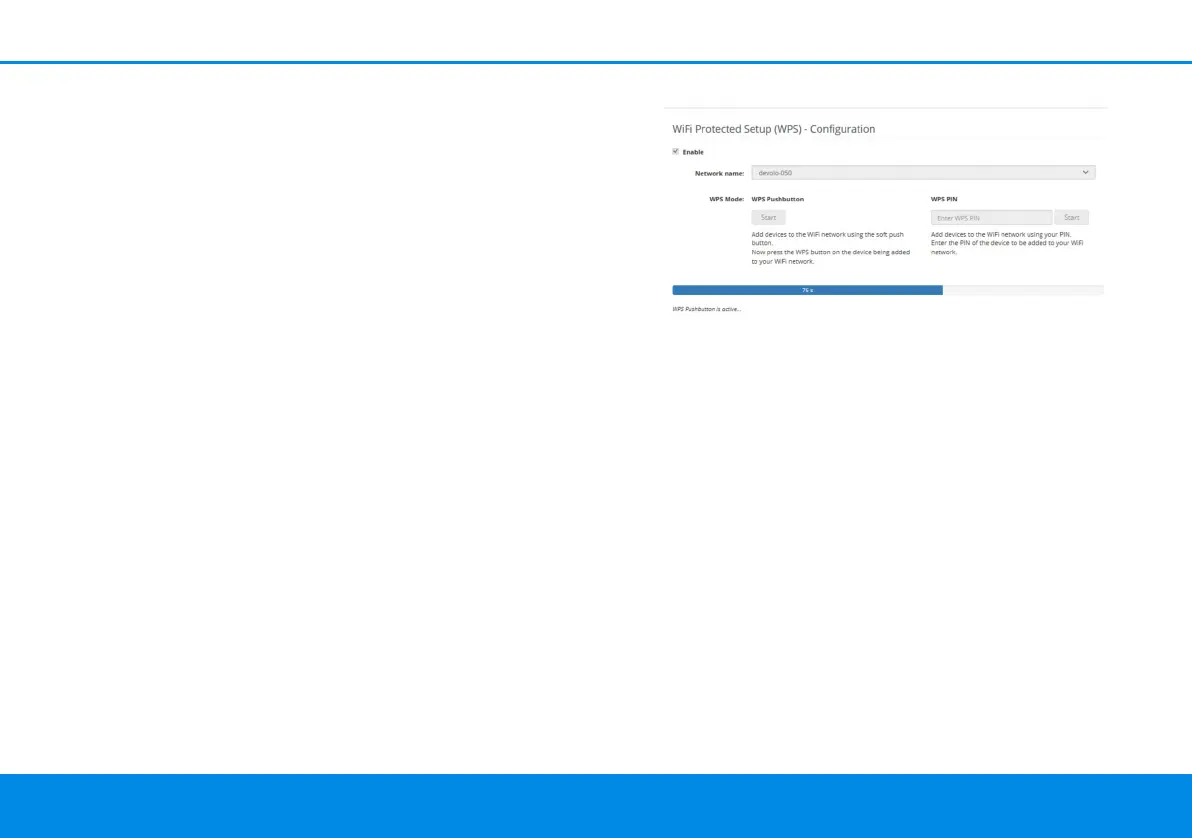
4.4.7WiFi Protected Setup (WPS)
WiFi Protected Setup (WPS) is one of the interna-
tional encryption standards developed by the WiFi
Alliance for easily and quickly setting up a secure
wireless network. The encryption keys of the re-
spective WiFi devices are transmitted automatical-
ly and continuously to the other WiFi device(s) in
the wireless network.
Enabling WPS encryption
In order to be able to use WPS encryption, activate
the Enable option.
The dLAN WiFi Outdoor offers two different vari-
ants for transmitting these encryption keys:
WPS using WPS pushbutton
1 Start the encryption process on the
dLAN WiFi Outdoor
a By pressing the WiFi button on the front
side of the device or
a By pressing the corresponding Start button
on the user interface under WiFi WPS
Pushbutton.
2 Then either press the WPS key of the WiFi
device you are adding or enable the WPS
mechanism in the WiFi settings of the WiFi
device. Now the devices exchange their encryp-
tion keys and establish a secure WiFi connec-
dLAN WiFi Outdoor.book Seite 32 Mittwoch, 30. Oktober 2019 10:47 10



 To Next Page