Network configuration 30
devolo dLAN WiFi Outdoor
In factory default condition of the
dLAN WiFi Outdoor Fast roaming is turned off by
default.
b In addition, the new air-time fairness feature
processes the requests of high-speed WiFi cli-
ents at higher priority. This prevents older
devices, which may require more time for a
download, from creating WiFi bottlenecks.
b Band steering ensures that all WiFi stations
automatically switch to the optimum fre-
quency band in order to use the best WiFi
connection at all times.
In order to turn the mesh functions on, activate the
Enable option.
The mesh function of the dLAN WiFi Outdoor is
switched on by default.
WiFi Clone
WiFi Clone makes it possible to simply copy the
WiFi configuration data of an existing WiFi access
point (e.g. your WiFi router) to all WiFi access
points (Single SSID). Start the procedure with the
Start setup option and then press the WPS button
of the device with the WiFi access data (SSID and
WiFi password) to be applied.
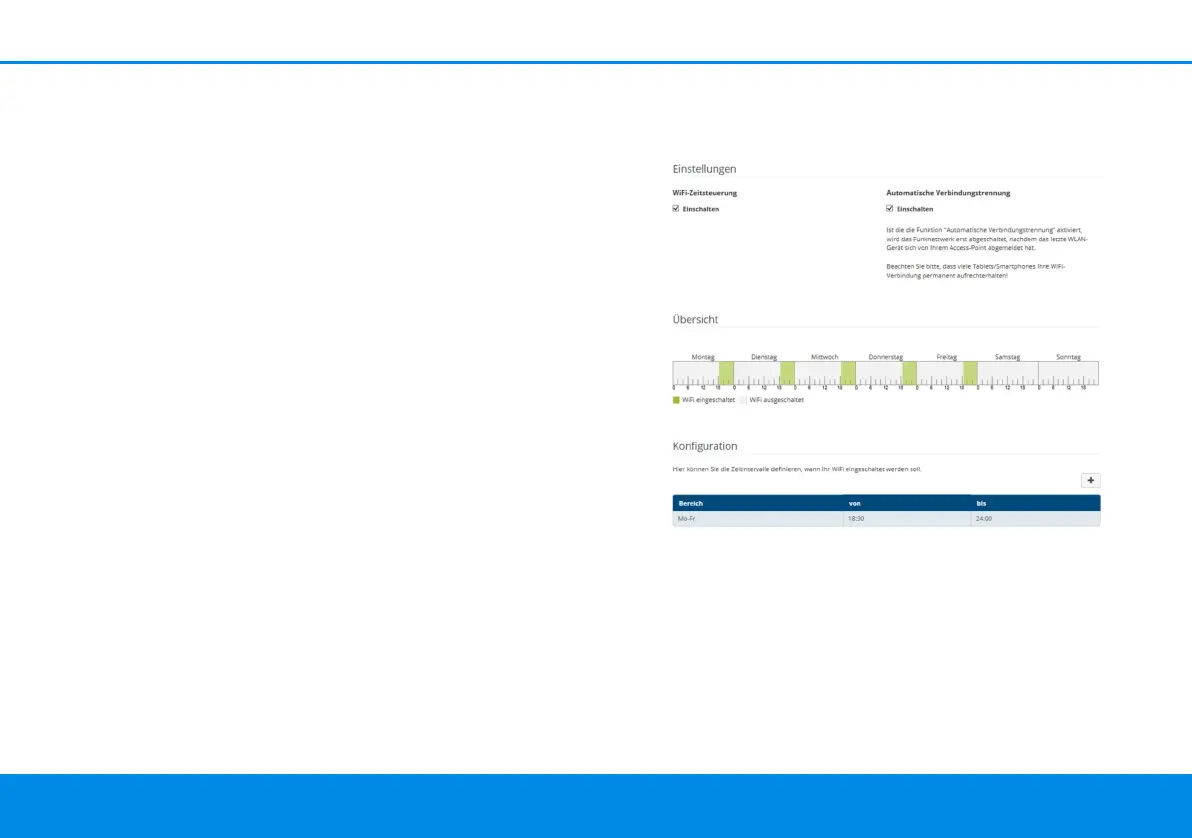
4.4.5Schedule control
The Schedule control area lets you define when
and if your WiFi is switched on and off.
Enabling WiFi schedule control
In order to be able to use time control, activate the
Enable option.
Configuration
You can define multiple time periods during which
your wireless network is to be enabled for each
dLAN WiFi Outdoor.book Seite 30 Mittwoch, 30. Oktober 2019 10:47 10



 To Next Page