DEWE-43A
TECHNICAL REFERENCE MANUAL
6. Using DEWE-43A in DewesoftX®
6.1. Connecting DEWE-43A
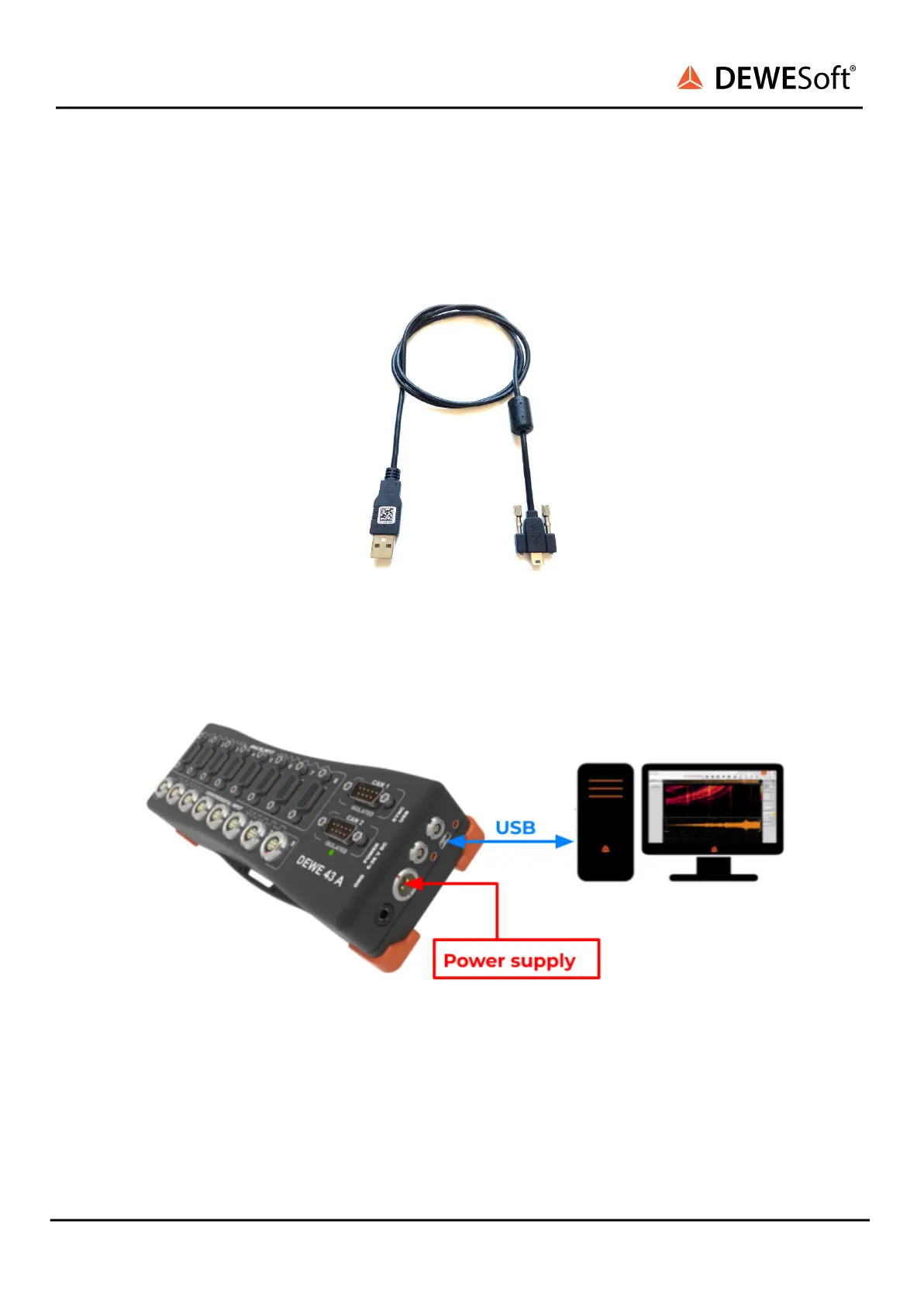
First connect the power supply to the connector named POWER IN of your DEWE-43A system/s.
Image 27: USB cable
Then connect the USB cable to the rear-side of the DEWE-43A system (see connector named USB
in Image 28. Finally connect the other side of the USB cable to the USB port of your computer.
Image 28: Simple PC connection
6.2. DewesoftX® Settings DEWE-43A
The connected device will show up in the DewesoftX® settings. Click on the Options button at the top
right, and then on the Settings item in the pop-up to open the DewesoftX® settings dialogue.
DEWE-43A V20-2 24/38


 To Next Page