31
DE-M040302E • DEWE-5000 • Technical Reference Manual • Printing version 2.2.3 • January 19, 2012
DEWESoft
One of the most powerful and yet
easy to use aspect of DEWESoft is
the creation of displays. Of course,
a few standard displays are built-
in for you, like screens for these
instruments:
DEWESoft
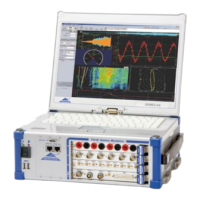
DEWESoft turns your hardware into a powerful data acquisition system. Our award-winning data acquisition package is
second to none when it comes to both pure recording power and ease of use. Normally this is a difcult balancing act:
providing lots of capability and performance, without making the user interface hard to learn. But we‘ve done it!
DEWESoft is the solution to acquire signals synchronous from different sources, display and store
them together and offer the data for post analysis.
Measure Scope Recorder FFT Video Export Print
Recorder (vertical and
horizontal recorder screens
are included)
Oscilloscope (free run,
triggered, with 2D and 3D
waterfall displays, and more)
FFT (with selectable axes, line
length, window, type,
averaging, overlapping,
weighting, and more)
Video – Scalable video
window with an assignable
recorder graph below
GPS – Track with background
map, plus speed, distance,
heading, etc.
Analyze Mode
REPLAY, EXPORT, SHARE DATA!
Here you can replay any captured data le, zoom in with the
recorder graph cursors, make measurements, print in full color
to any Windows printer, and export the data to a wide variety
of formats compatible with today‘s popular analysis software
packages, like Flexpro, Matlab, Excel, and many more.
You can even export a AVI video le from your recorded data to
create “moving documentation.“ NO LICENSE is needed to use
DEWESoft in the ANALYZE mode, so you can install the software
on all your computers, or even distrbute it to your customers, and
they can install it. In this way, all of your colleagues and customers
can replay your data les and do all of the functions that you can –
just give them the data le to open.
Software


 To Next Page