EasyManua.ls Logo

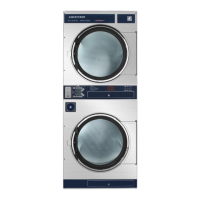
Dexter Laundry T-50 - User Manual

Dexter Laundry T-50
187 pages
Print Icon
To Next Page IconTo Next Page
Loading...
1
8514-311-001 REV PR
Original Instructions
Please read this information and retain for reference.
Dexter Laundry, Inc.
2211 West Grimes Avenue
Fairfield, Iowa 52556 - USA
OPERATOR’S MANUAL
INSTALLATION & OPERATION INSTRUCTIONS
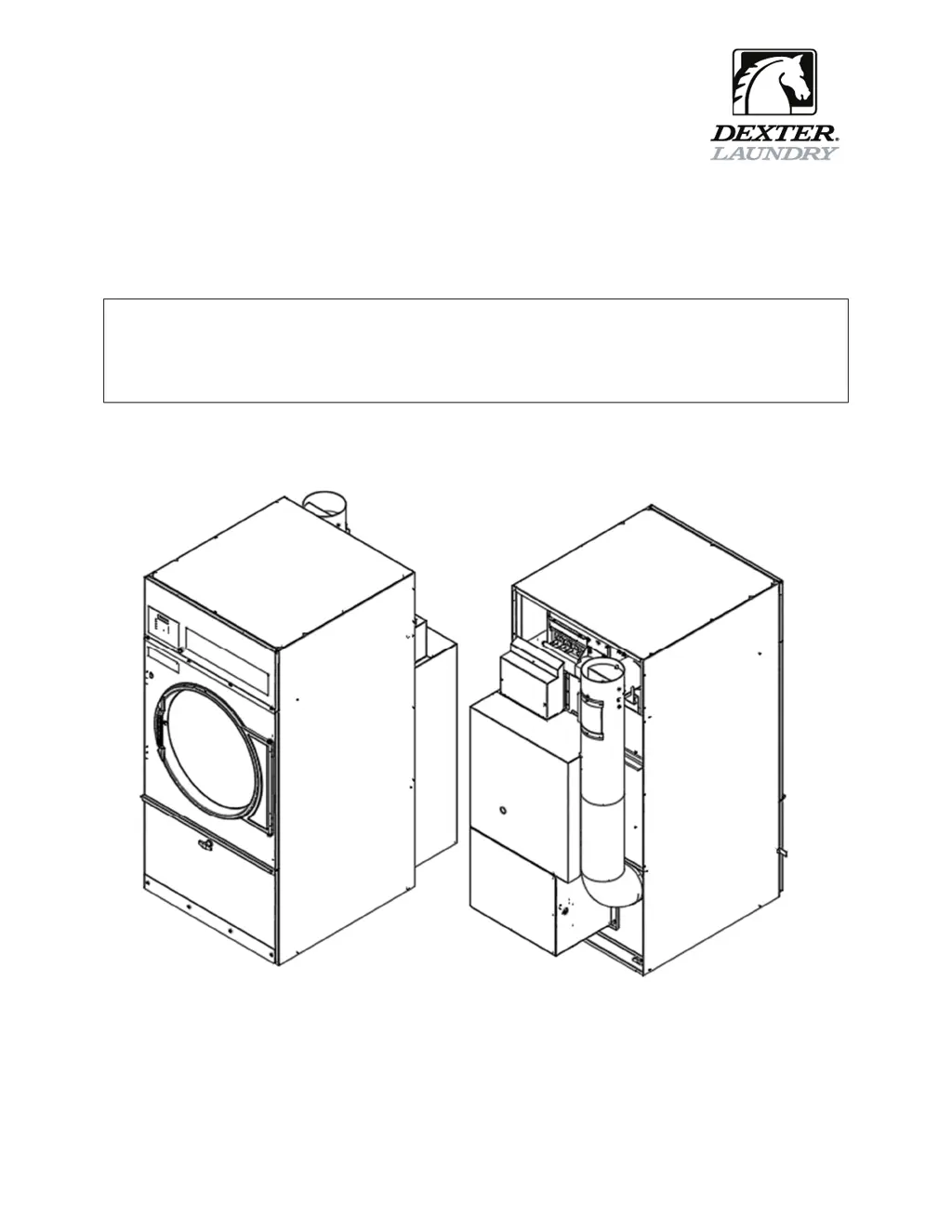
FOR INDUSTRIAL SINGLE POCKET GAS DRYERS

Table of Contents

Other manuals for Dexter Laundry T-50

Questions and Answers

  • K
    Kristina JonesSep 12, 2025
    What to do if my Dexter Laundry T-50 Dryer displays 'TEMP SENSOR SHORT'?
    • S
      Sarah WhiteSep 12, 2025
      If your Dexter Laundry Dryer displays 'TEMP SENSOR SHORT', inspect the temperature probe wires. Ohm test the temperature probe; it should read 10K Ohms at room temperature.
  • A
    Arthur PriceSep 9, 2025
    What does 'Close Door' mean on my Dexter Laundry T-50?
    • C
      Courtney MyersSep 10, 2025
      The 'Close Door' message on your Dexter Laundry Dryer indicates that either the loading door or the lint compartment door circuit is not closed. Inspect the door switches and wiring. Also, check the lint door paddle to ensure it fully engages the lint door switch.
  • M
    Madeline RosalesSep 8, 2025
    How to troubleshoot a 'Drive Overcurrent' error on my Dexter Laundry T-50 Dryer?
    • J
      Jerry WongSep 9, 2025
      To troubleshoot a 'Drive Overcurrent' error on your Dexter Laundry Dryer: 1. Check that the dryer cylinder turns freely by hand. If it doesn't, remove the belt and see if the motor turns freely. If the motor doesn't turn freely, replace it. Check for obstructions in the cylinder or check the bearings. 2. Check the motor wires for a short circuit. Separate and insulate any touching conductors; splice broken wires or replace the motor. 3. Check braking resistors to ensure they measure the correct resistance. Replace any resistors that don't measure properly.
  • B
    Barbara JonesSep 7, 2025
    What to do if my Dexter Laundry Dryer shows a 'Brown Out' error?
    • D
      Darren MercerSep 7, 2025
      If your Dexter Laundry Dryer displays a 'Brown Out' error, test the incoming power to ensure the transformer is on the correct tap. Inspect the control board, and visually check resistor R185. If the resistor appears burnt, replace the control board after correcting the voltage issue to the machine.
  • F
    Felicia StanleyAug 23, 2025
    Why is my Dexter Laundry Dryer taking so long to dry?
    • K
      Kathleen JenkinsAug 23, 2025
      Several factors can cause slow drying. Make sure the correct temperature setting is selected. Clean the lint screen. Ensure there are no air flow restrictions and that make-up air adheres to installation guidelines. Also, check the exhaust for any obstructions, following the installation guidelines.
  • C
    Caitlin WatkinsSep 5, 2025
    Why does my Dexter Laundry T-50 Dryer say 'Operation in Progress'?
    • C
      Chad WilliamsSep 5, 2025
      The 'Operation in Progress' message on your Dexter Laundry Dryer indicates that the current drying cycle hasn't finished. The error will automatically disappear once the operation is complete.
  • G
    greenrobertSep 4, 2025
    What to do if the Dexter Laundry T-50 Dryer tumbler turns, but there is no burner flame?
    • J
      justin06Sep 4, 2025
      If the tumbler of your Dexter Laundry Dryer turns, but there is no burner flame, check the following: * Ensure the gas shut-off valve is in the open position. * Follow the procedure for checking the ignition cycle listed in Dryer Ignition section of this manual.
  • M
    Misty HullSep 3, 2025
    How to fix a Dexter Laundry Dryer when the tumbler does not turn?
    • C
      charlesandersonSep 3, 2025
      If the tumbler on your Dexter Laundry Dryer isn't turning, there are a few things you can check: * Make sure the loading door is completely closed. * Ensure the lint compartment door is also completely closed. * Inspect the drive belts for wear and replace them if needed. If these steps don't resolve the issue, it could be a Variable Frequency Drive Fault, and you should contact a Dexter agent for assistance.
  • E
    Emily QuinnSep 2, 2025
    Why is my Dexter Laundry T-50 Dryer drying so slowly?
    • D
      David MarshallSep 2, 2025
      If your Dexter Laundry Dryer is drying clothes slowly, there might be several reasons: * Ensure the correct temperature setting is selected. * Clean the lint screen. * Check for any obstructions in the exhaust and follow the installation guidelines. * Adhere to the installation guidelines for static back pressure and make-up air to resolve airflow restrictions.
  • A
    Anna CrawfordAug 31, 2025
    What to do if Dexter Laundry T-50 Dryer displays 'Temp Sensor Short' or 'Temp Sensor Open'?
    • M
      Madison HouseSep 1, 2025
      If the control displays a 'Temp Sensor Short' or 'Temp Sensor Open' error code, press the programming button to clear the error code. If the error code persists, contact a Dexter agent for assistance.

Summary

Safety Information

Critical Safety Warnings

Essential warnings regarding injury, death, property damage, and correct usage.

Fire and Explosion Hazards

Warnings about flammable materials, gas leaks, and explosive atmospheres.

Specific Fire and Burn Warnings

Warnings related to oil-affected items, flammable fabrics, damaged glass, and burn hazards.

Physical Hazard and Electrical Warnings

Warnings about cuts, shock, and electrical hazards, plus fuse replacement.

Safety Symbol Meaning

Unit Specifications

Instructions

Dryer Installation

Guidance and requirements for installing the dryer.

Electrical Requirements

Outlines the electrical power specifications and connection requirements for the dryer.

Gas Requirements

Lists gas specifications and requirements for different dryer models.

Pressure Regulator Adjustments

Step-by-step guide for adjusting the gas pressure regulator.

Exhaust Installation

Instructions for properly installing the dryer exhaust system to prevent lint buildup and ensure airflow.

Use, Operation, and Misuse

Guidelines and warnings for operating the dryer correctly and safely.

Fire and Burn Hazard Warnings

Details hazards associated with flammable liquids, oils, and hot surfaces.

Starting and Running the Dryer

Guides for starting, running, and understanding the dryer cycle progression.

Maintenance

Procedures and schedules for maintaining the dryer.

Maintenance Precautions and Requirements

Safety precautions and requirements for performing maintenance tasks on the dryer.

Temporary Dryer Controller Programming Procedure

Step-by-step guide to temporarily modifying drying cycle parameters.

Permanent Dryer Controller Programming Procedure

Step-by-step guide for permanently modifying drying cycle parameters.

Servicing and Troubleshooting

Guidance for troubleshooting common issues and performing maintenance.

Servicing and Troubleshooting Overview

General precautions for servicing and an overview of troubleshooting common issues.

Declarations of Conformity

Dexter Laundry T-50 Specifications

General IconGeneral
BrandDexter Laundry
ModelT-50
CategoryDryer
LanguageEnglish

Related product manuals