EasyManua.ls Logo

Dexter Laundry T-50 - User Manual

Dexter Laundry T-50
187 pages
Print Icon
To Next Page IconTo Next Page
Loading...
1
8514-311-001 REV PR
Original Instructions
Please read this information and retain for reference.
Dexter Laundry, Inc.
2211 West Grimes Avenue
Fairfield, Iowa 52556 - USA
OPERATOR’S MANUAL
INSTALLATION & OPERATION INSTRUCTIONS
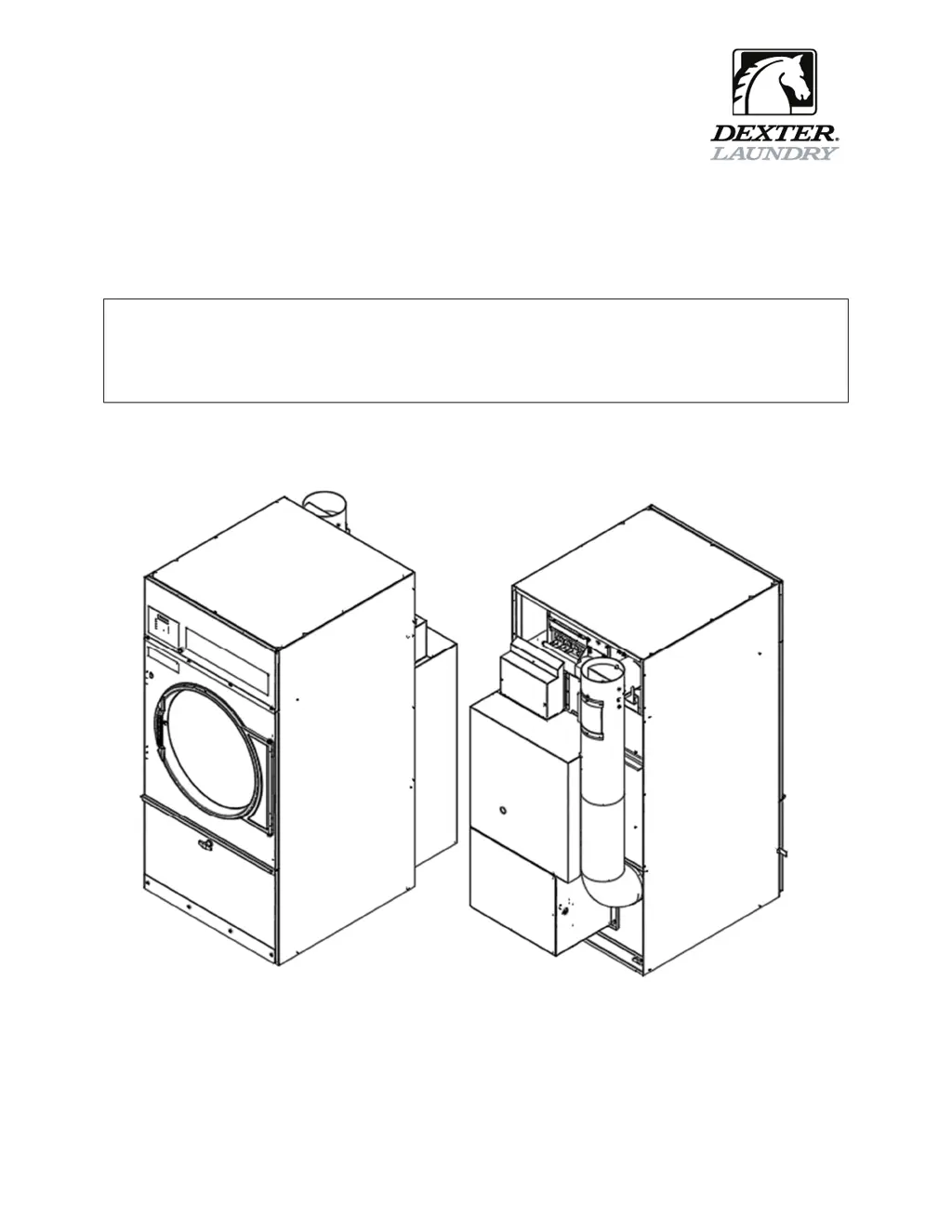
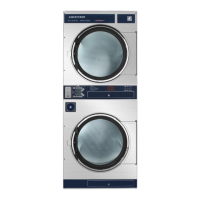
FOR INDUSTRIAL SINGLE POCKET GAS DRYERS

Table of Contents

Other manuals for Dexter Laundry T-50

Questions and Answers

  • K
    Katrina ThompsonAug 30, 2025
    What to do if Dexter Laundry Dryer tumbler turns, but there is no burner flame?
    • K
      Kenneth ScottAug 31, 2025
      If the tumbler turns but there's no burner flame, first, make sure the gas shut-off valve is in the open position. Then, follow the procedure for checking the ignition cycle listed in the Dryer Ignition section of this manual.
  • C
    Cindy DavisAug 29, 2025
    What to do if Dexter Laundry T-50 displays 'PCB Error' or 'Comm Error'?
    • A
      Ashley RogersAug 30, 2025
      If the control displays a 'PCB Error' or 'Comm Error' code, try cycling the power to the dryer to clear the error code. If the error persists, contact a Dexter Agent for assistance.
  • T
    Tamara BrownAug 28, 2025
    What to do if Dexter Laundry T-50 tumbler does not turn?
    • J
      Joseph Acosta MDAug 28, 2025
      If the tumbler isn't turning, first, ensure the control display shows drying time available; if not, add money as needed. Next, verify that the loading door and the lint compartment door are completely closed. Check the drive belts for excessive wear and replace them if necessary. If a Variable Frequency Drive Fault is displayed, contact a Dexter agent for assistance.
  • C
    catherine37Aug 27, 2025
    Why is my Dexter Laundry Dryer slow drying?
    • L
      Lisa PhillipsAug 27, 2025
      Several factors can cause slow drying. Check that the correct temperature setting is selected. Clean the lint screen. Ensure there are no air flow restrictions and that make-up air follows installation guidelines. Also, inspect the exhaust for obstructions and ensure it adheres to installation guidelines.
  • R
    rickyparkerAug 27, 2025
    Why Dexter Laundry T-50 tumbler turns, but there is no burner flame?
    • K
      Keith WhiteAug 27, 2025
      First, check that the gas shut-off valve is in the open position. If the issue continues, follow the procedure for checking the ignition cycle listed in the Dryer Ignition section of this manual.
  • S
    Samantha MccoyAug 25, 2025
    What does “Temp Sensor Short” or “Temp Sensor Open” error mean on Dexter Laundry T-50?
    • L
      lmontoyaAug 26, 2025
      If the display shows a “Temp Sensor Short” or “Temp Sensor Open” error code, it relates to the temperature sensor. Press the programming button to clear the error code. If the error continues, contact a Dexter agent for help.
  • W
    Wesley SpenceAug 25, 2025
    What does “PCB Error” or “Comm Error” code mean on my Dexter Laundry T-50 Dryer?
    • R
      rwestAug 25, 2025
      If you see a “PCB Error” or “Comm Error” code, it indicates a control error. Try turning the dryer off and then on again to clear the code. If the error persists, contact a Dexter Agent for assistance.

Summary

Safety Information

Critical Safety Warnings

Essential warnings regarding injury, death, property damage, and correct usage.

Fire and Explosion Hazards

Warnings about flammable materials, gas leaks, and explosive atmospheres.

Specific Fire and Burn Warnings

Warnings related to oil-affected items, flammable fabrics, damaged glass, and burn hazards.

Physical Hazard and Electrical Warnings

Warnings about cuts, shock, and electrical hazards, plus fuse replacement.

Safety Symbol Meaning

Unit Specifications

Instructions

Dryer Installation

Guidance and requirements for installing the dryer.

Electrical Requirements

Outlines the electrical power specifications and connection requirements for the dryer.

Gas Requirements

Lists gas specifications and requirements for different dryer models.

Pressure Regulator Adjustments

Step-by-step guide for adjusting the gas pressure regulator.

Exhaust Installation

Instructions for properly installing the dryer exhaust system to prevent lint buildup and ensure airflow.

Use, Operation, and Misuse

Guidelines and warnings for operating the dryer correctly and safely.

Fire and Burn Hazard Warnings

Details hazards associated with flammable liquids, oils, and hot surfaces.

Starting and Running the Dryer

Guides for starting, running, and understanding the dryer cycle progression.

Maintenance

Procedures and schedules for maintaining the dryer.

Maintenance Precautions and Requirements

Safety precautions and requirements for performing maintenance tasks on the dryer.

Temporary Dryer Controller Programming Procedure

Step-by-step guide to temporarily modifying drying cycle parameters.

Permanent Dryer Controller Programming Procedure

Step-by-step guide for permanently modifying drying cycle parameters.

Servicing and Troubleshooting

Guidance for troubleshooting common issues and performing maintenance.

Servicing and Troubleshooting Overview

General precautions for servicing and an overview of troubleshooting common issues.

Declarations of Conformity

Dexter Laundry T-50 Specifications

General IconGeneral
BrandDexter Laundry
ModelT-50
CategoryDryer
LanguageEnglish

Related product manuals