EasyManua.ls Logo

Deye Spring Series - User Manual

Deye Spring Series
31 pages
Print Icon
To Next Page IconTo Next Page
Loading...
User Manual
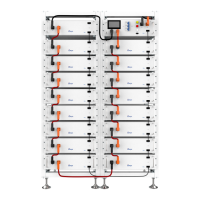
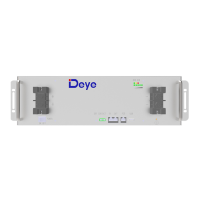
Spring series LFP Battery
RW-F10.2
Version V1.4

Questions and Answers

  • A
    Aaron CurtisAug 17, 2025
    What to do if my Deye Battery Pack has overvoltage protection?
    • J
      jamie40Aug 18, 2025
      If your Deye Battery Pack experiences overvoltage protection due to the busbar input voltage exceeding the normal value, inconsistent cells, or some cells deteriorating too fast (or having too high internal resistance), and the battery cannot be recovered, contact local engineers to rectify the fault.
  • R
    rdavisAug 20, 2025
    What to do if my Deye Battery Pack has under voltage protection?
    • K
      Kenneth StaffordAug 20, 2025
      If your Deye Battery Pack experiences under voltage protection because of a long mains power failure, inconsistent cells, or some cells deteriorating too fast (or having too high internal resistance) and the battery cannot be recovered, contact local engineers to rectify the fault.
  • C
    craigroseAug 22, 2025
    What to do if my Deye Battery Pack has charge or discharge high temperature protection?
    • J
      Joshua WhiteAug 23, 2025
      If your Deye Battery Pack shows a charge or discharge high temperature protection because the battery ambient temperature is too high, or there are abnormal heat sources around, and the battery cannot be recovered, contact local engineers to rectify the fault.
  • R
    Robert HernandezAug 26, 2025
    What to do if my Deye Battery Pack shows a BMS fault?
    • L
      Lauren RaymondAug 26, 2025
      If your Deye Battery Pack has a BMS fault due to a loose or disconnected welding point for cell voltage sampling, a disconnected voltage sampling terminal, a blown fuse in the voltage sampling circuit, or a failed cell temperature sensor, replace the battery.
  • A
    alozanoAug 27, 2025
    What to do if my Deye Battery Pack has electrochemical cell fault?
    • F
      fsandersAug 27, 2025
      If your Deye Battery Pack has an electrochemical cell fault, either due to large self-discharge causing the cell to over discharge below 2.0V after long-term storage, or due to damage from external factors like short circuits, pinpricks, or crushing, replace the battery.
  • A
    Amy RiveraAug 30, 2025
    What to do if my Deye Battery Pack has charge low temperature protection?
    • R
      Richard BeardAug 30, 2025
      If your Deye Battery Pack indicates charge low temperature protection because the battery ambient temperature is too low, and the battery cannot be recovered, contact local engineers to rectify the fault.
  • V
    Victoria CollinsSep 1, 2025
    What to do if my Deye Battery Pack has discharge low temperature protection?
    • R
      Robert SimsSep 1, 2025
      If your Deye Battery Pack indicates discharge low temperature protection because the battery ambient temperature is too low, and the battery cannot be recovered, contact local engineers to rectify the fault.
  • W
    William YoungSep 4, 2025
    What to do if my Deye Camera Accessories show a BMS fault?
    • D
      Donna SalazarSep 4, 2025
      If your Deye Camera Accessories are showing a BMS fault, it could be due to a loose or disconnected welding point for cell voltage sampling, a disconnected voltage sampling terminal, a blown fuse in the voltage sampling circuit, or a failed cell temperature sensor. In any of these cases, replace the battery.
  • A
    Andrew SandovalSep 6, 2025
    What to do if my Deye Camera Accessories have a charge or discharge high temperature protection?
    • M
      Monique SnowSep 7, 2025
      If your Deye Camera Accessories battery has charge or discharge high temperature protection activated, possibly due to a high battery ambient temperature or abnormal heat sources nearby, contact local engineers to rectify the fault.
  • J
    jchangSep 9, 2025
    What to do if my Deye Camera Accessories have an electrochemical cell fault?
    • J
      Juan WigginsSep 9, 2025
      If your Deye Camera Accessories have an electrochemical cell fault, it could be due to the cell over discharging to below 2.0V after long term storage because of large self-discharge, or the cell being damaged by external factors such as short circuits, pinpricks, or crushing. In either case, replace the battery.

Summary

Document Information

About This Manual

Describes product information, installation, operation, and maintenance guidelines.

How to Use This Manual

Guidance on reading and using the manual effectively for battery operations.

Safety Introductions

Reminding

Important safety instructions and warnings for battery installation and use.

Warning

Safety precautions before connecting the battery and during use.

Before Connecting

Pre-connection checks, power off, correct wiring, grounding, and parameter compatibility.

In Using

Safety measures during operation, including power off, compatibility, disassembly, and fire safety.

Product Introduction and Overview

Introduction to RW-F10.2

Overview of the DEYE RW-F10.2 LFP battery and its applications.

Product Features

Details on LFP battery chemistry, lifespan, BMS, modular design, networking, and environmental aspects.

Product Interface

Description of the front and side panel interface functions and ports.

Interface Components

Details on BMS Switch, PCS, IN/OUT ports, and LED indicators.

Grounding and BMS Functions

Information on grounding bolt and BMS protection/monitoring features.

Technical Data and Dimensions

Product Size

Physical dimensions and mounting diagrams of the RW-F10.2 battery unit.

Technical Data

Comprehensive specifications including battery chemistry, capacity, voltage, power, and operating conditions.

Application Solutions

Illustrations of typical system configurations and application scenarios for the battery.

Installation Preparation

Parts List

Inventory of all components included in the battery package for installation.

Installation Preparations

Includes explanation of symbols, required tools, and recommended safety gear.

Mounting Instructions

Installation Precautions

General precautions for indoor installation, avoiding sunlight, flammable areas, and extreme conditions.

Installation Location

Criteria for selecting a suitable installation location, including water proofing, flatness, and temperature.

Wall-Mounted Method

Step-by-step guide for mounting the battery on a wall, including distance and hole marking.

Floor-Mounted Method

Instructions for installing the battery using a floor-mounted method with supports.

System Configuration and Connections

Batteries in Parallel

Guidance on parallel connection modes for low-power and high-power systems.

Electrical Schematic

Diagram of electrical connections for individual battery modules.

Battery to Inverter Connection

Instructions for connecting single, two, or three batteries to an inverter.

System Operation and Monitoring

Visual Inspection of Connection

Checks to perform after connecting the battery, including cables, terminals, and covers.

System Startup and Shutdown

Procedures for powering on and off the battery system safely.

Monitoring Parallel Units

Methods for monitoring battery units through inverter or separate software.

Inspection, Cleaning, and Maintenance

Inspection and Cleaning

General recommendations, inspection guidelines, and cleaning procedures for the battery.

Maintenance and Storage

Information on maintenance-free nature, annual charging, and optimal storage conditions.

Troubleshooting and Battery Recovery

Troubleshooting

Guide to identifying and resolving common battery faults and protection issues.

Battery Recovery

Information on recycling processes for cathode, anode materials, and diaphragms.

Transportation Requirements

Transportation

Regulations and guidelines for the safe transport of lithium-ion batteries.

Deye Spring Series Specifications

General IconGeneral
BrandDeye
ModelSpring Series
CategoryBattery Pack
LanguageEnglish

Related product manuals