1. Make sure the system and all other peripheral devices connected to it has been powered-
off.
2. Disconnect all power cords and cables.
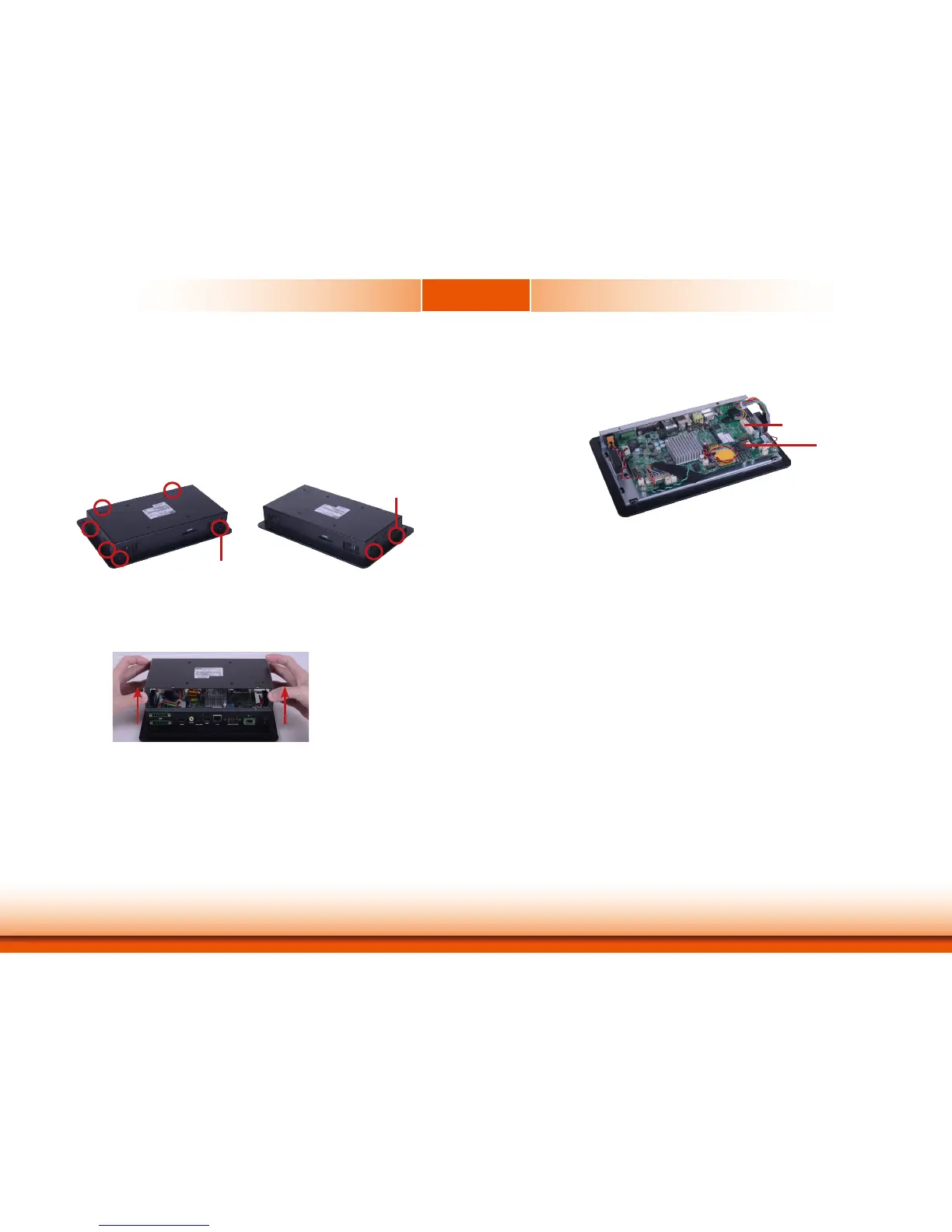
3. The 8 mounting screws on the rear side of the system are used to secure the cover to the
chassis. Remove these screws and then put them in a safe place for later use.
Removing the Chassis Cover
Mounting Screw
4. After removing the mounting screws, lift the cover up.
5. The Mini PCIe slot and SIM card slot are readily accessible after removing the chassis
cover.
Lift the Cover Upward
Mini PCIe Slot
SIM card slot
Mounting Screw
Chapter 2


 To Next Page