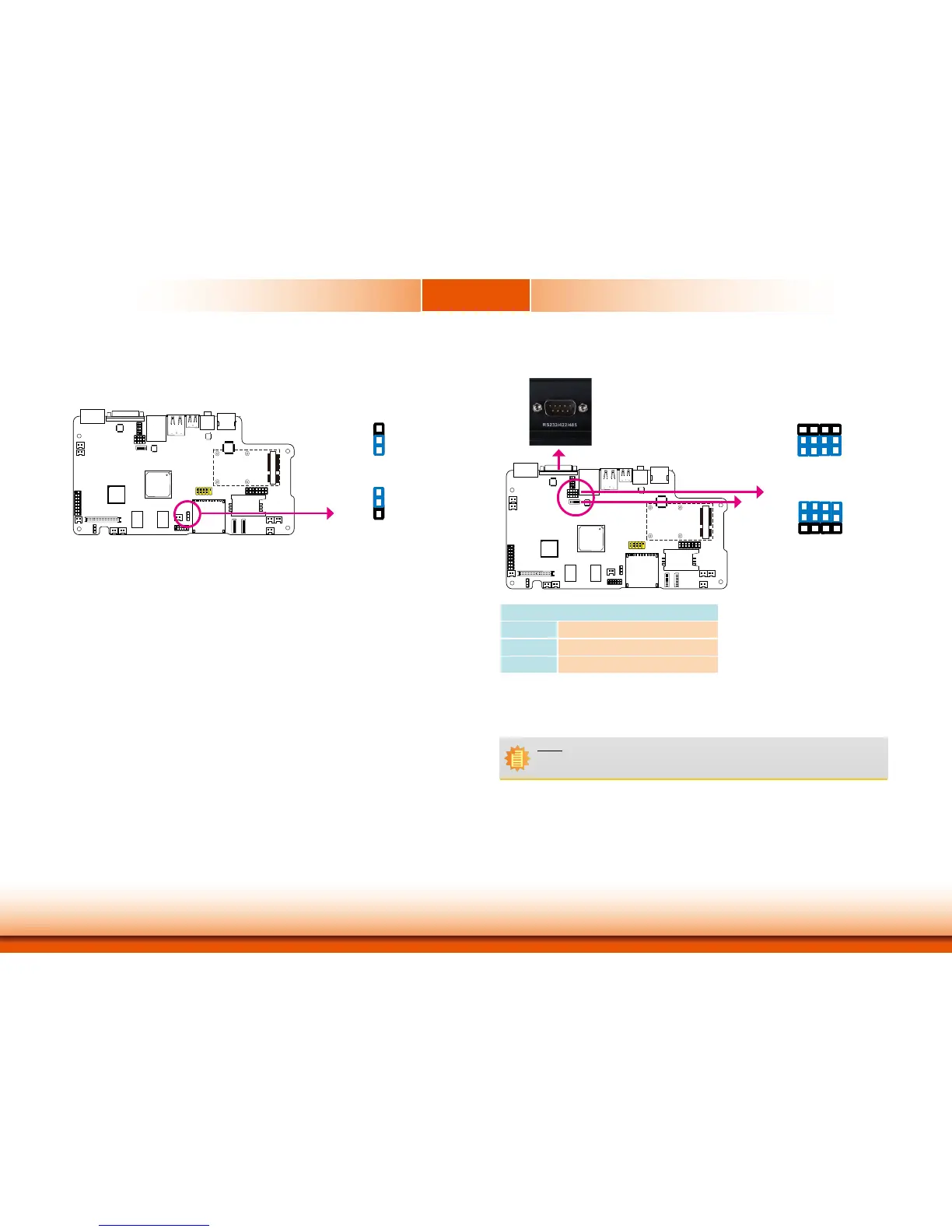
Jumper Settings
Clear CMOS Data
If you encounter the following,
a) CMOSdatabecomescorrupted.
b) You forgot the supervisor or user password.
youcanreconfigurethesystemwiththedefaultvaluesstoredintheROMBIOS.
ToloadthedefaultvaluesstoredintheROMBIOS,pleasefollowthestepsbelow.
1. Power-off the system and unplug the power cord.
2. SetJP1pins2and3toOn.WaitforafewsecondsandsetJP1backtoitsdefaultsetting,
pins1and2On.
3. Now plug the power cord and power-on the system.
JP1
2-3On:
ClearCMOSData
1-2On:
Normal (default)
3
1
2
3
1
2
COM RS232/RS422/RS485 Select
SW4(forCOM2)isusedtoconfiguretheCOMporttoRS232,RS422(FullDuplex)orRS485.
JP7isusedtoconfiguretheCOMportsetviathehardwaremodeorsoftwaremode.
Note:
IfyouusetheSW4toselectRS232/RS422/RS485,makesureJP7issetviathe
“Hardware Mode”.
12
10
3
1
1-4-7-10,2-5-8-11On:
Software Mode (default)
2-5-8-11,3-6-9-12On:
Hardware Mode
12
10
3
1
RS232/RS422/RS485 Select: COM (SW4)
RS232
1On,2-3Off
RS422
1,2On,3Off
RS485
2On,1,3Off
SW4
JP7
COM:
RS232/422/485



 To Next Page