www.dfi .com
24
Chapter 4 Mounting Options
Chapter 4
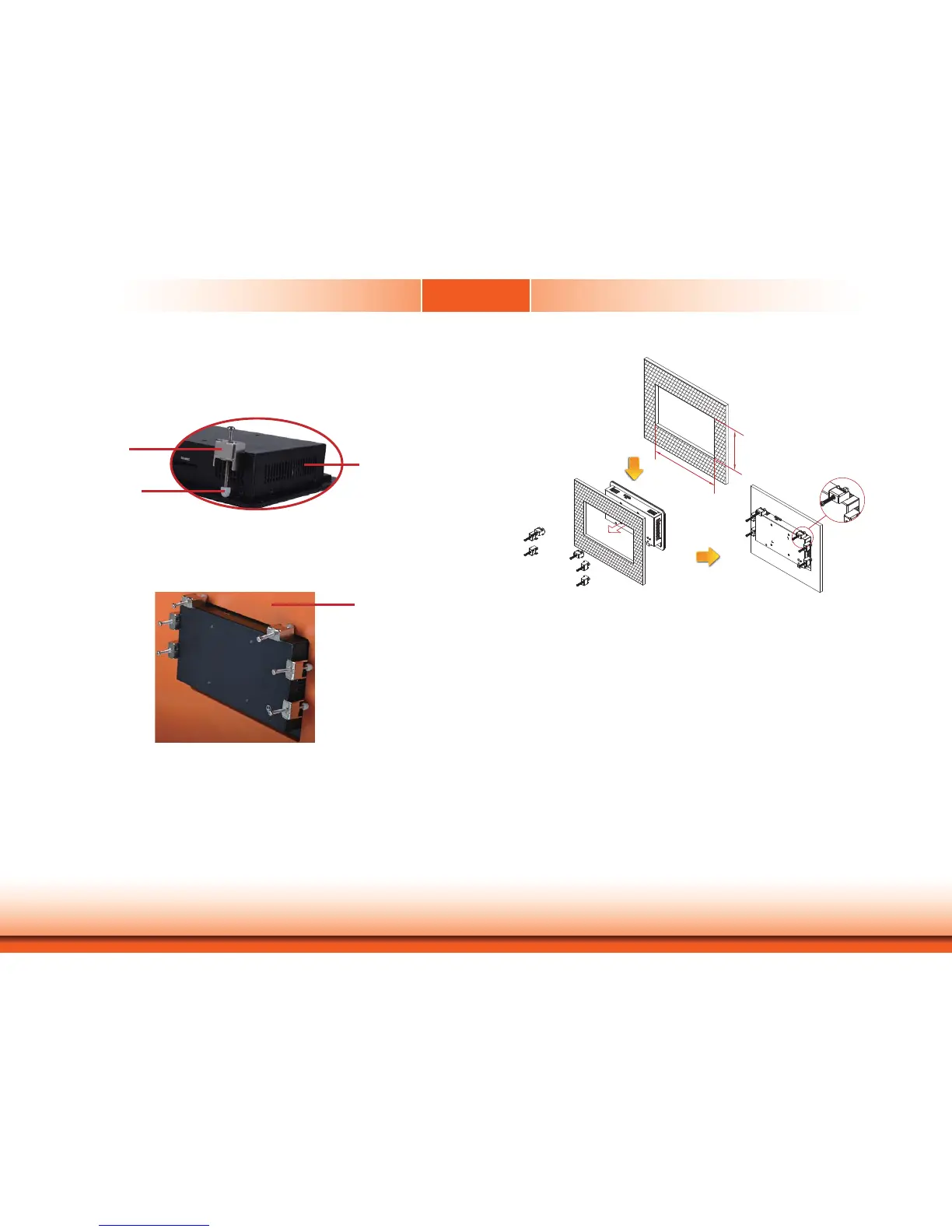
4. Slide the Panel PC through the hole until it is properly fi tted against the panel.
5. Position the mounting clamps along the rear edges of the Panel PC, fi tting them into the slits
that are around the Panel PC.
Slit for mounting
the clamp
Mounting
clamp
White plastic
cap
6. The fi rst and second clamps must be positioned and secured diagonally prior to mounting the
rest of the clamps. Tighten the clamp’s screw using an electric screwdriver until the white
plastic cap touches the panel. Do not over tighten the screws to prevent damaging the Panel
PC. The illustration below shows all clamps properly mounted.
Panel wall
128.60
217.60


 To Next Page