www.dfi .comAppendix A BSP User Guide
30
Appendix A
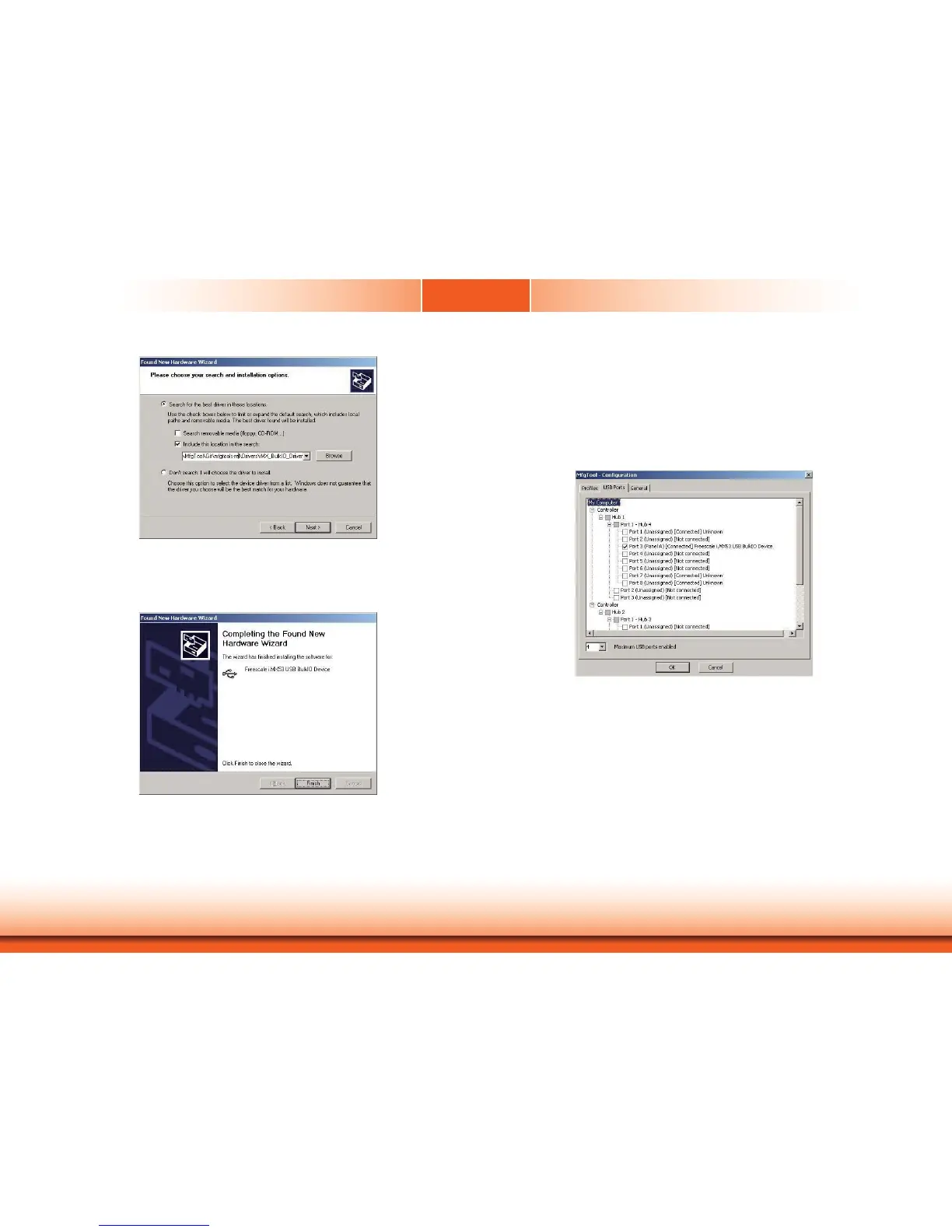
Input your driver location:
YourDiskVolume:\mfgtools-rel\Drivers\iMX_BulkIO_Driver and click “Next.”
Click the “Finish” button to finish the driver installation.
Step 4
Click the “Scan” button on the main dialog to auto scan the devices connected to your PC.
The other way is to click the “Options” menu at upper-right corner, and further click configura-
tion item. Then, a popup window as shown below will appear. Click the “USB Ports” tab and
you can view all the USB ports. Choose the one which your device is connected and click the
“OK” button to close the window.


 To Next Page