32
2
Hardware Installation
1
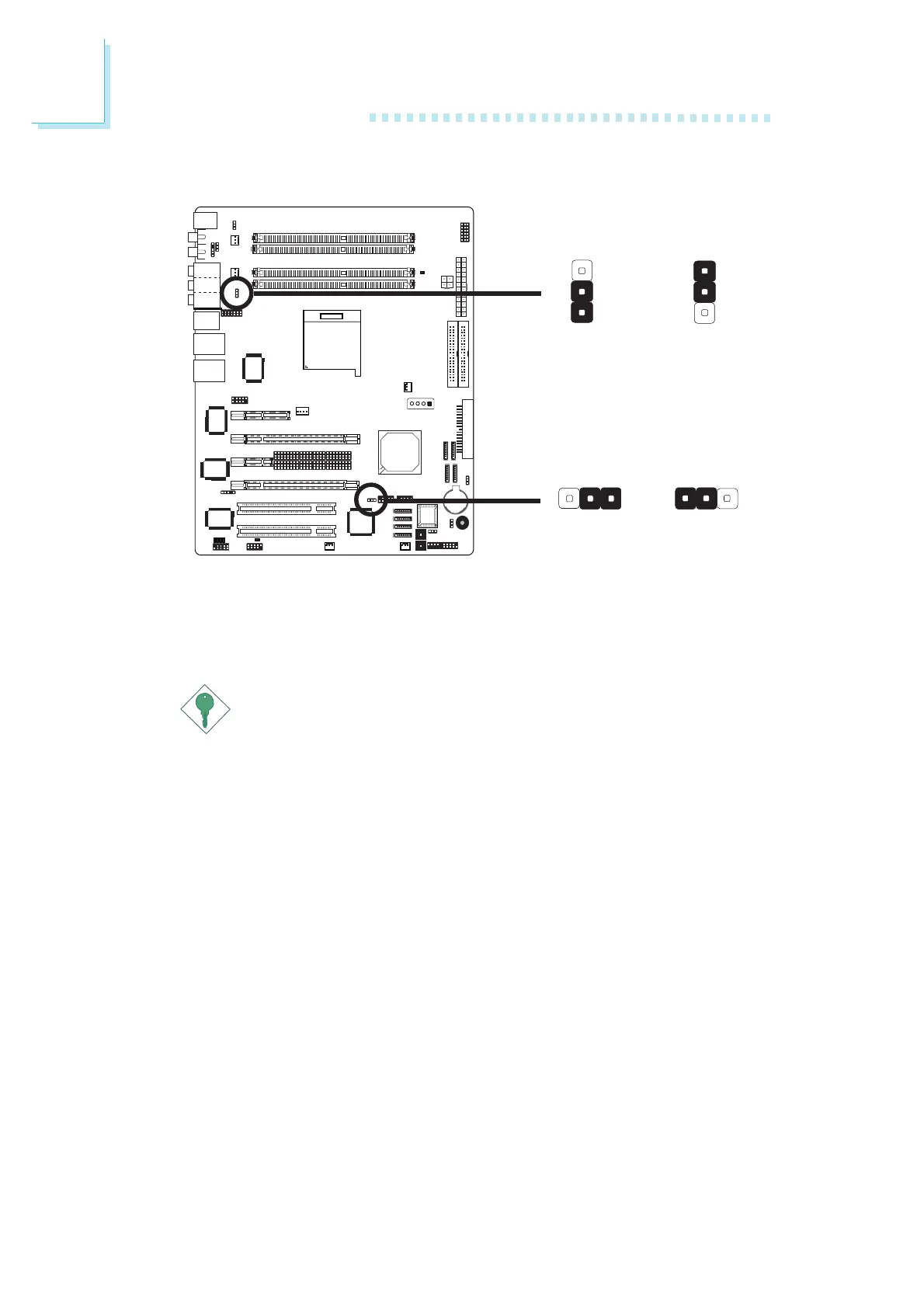
USB Power Select
X
USB 1-6
(JP5)
3
1
2
3
1
2
2-3 On: 5VSB1-2 On: 5V
(default)
2-3 On: 5VSB
1-2 On: 5V
(default)
X
USB 7-10
(JP6)
JP5 and JP6 are used to select the power of the USB ports.
Selecting 5VSB will allow you to use the USB keyboard or USB
mouse to wake up the system..
Important:
• If you are using the Wake-On-USB Keyboard/Mouse
function for 2 USB ports, the 5VSB power source of your
power supply must support
≥
1.5A.
• If you are using the Wake-On-USB Keyboard/Mouse
function for 3 or more USB ports, the 5VSB power source
of your power supply must support
≥
2A.
132 132













 To Next Page