48
2
Hardware Installation
1
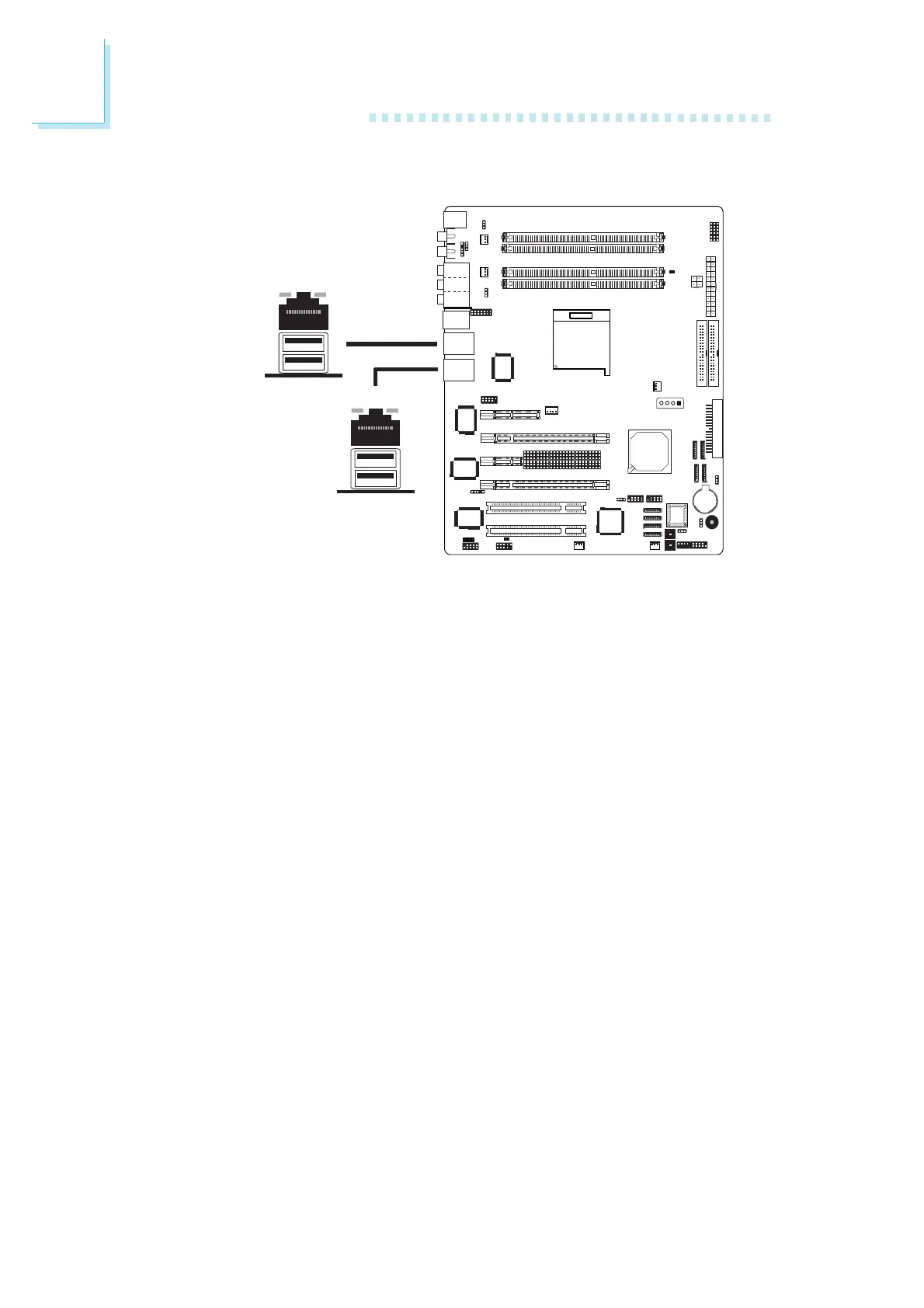
RJ45 LAN Port
LAN 1 which is controlled by the Vitesse VSC8201 Gigabit Phy chip
is at location CN4 and LAN 2 which is controlled by the Marvell
88E8001 Gigabit PCI chip is at location CN6.
LAN 2 is present on the “nF4 SLI” and “nF4 Ultra” models only.
LAN allows the system board to connect to a local area network
by means of a network hub.
BIOS Setting
Configure the onboard LAN in the Genie BIOS Setting submenu of
the BIOS. Refer to chapter 3 for more information.
Driver Installation
Install “NVIDIA Windows nForce Drivers”. Refer to chapter 4 for
more information.
W
W
LAN 1
LAN 2













 To Next Page