52
2
Hardware Installation
1
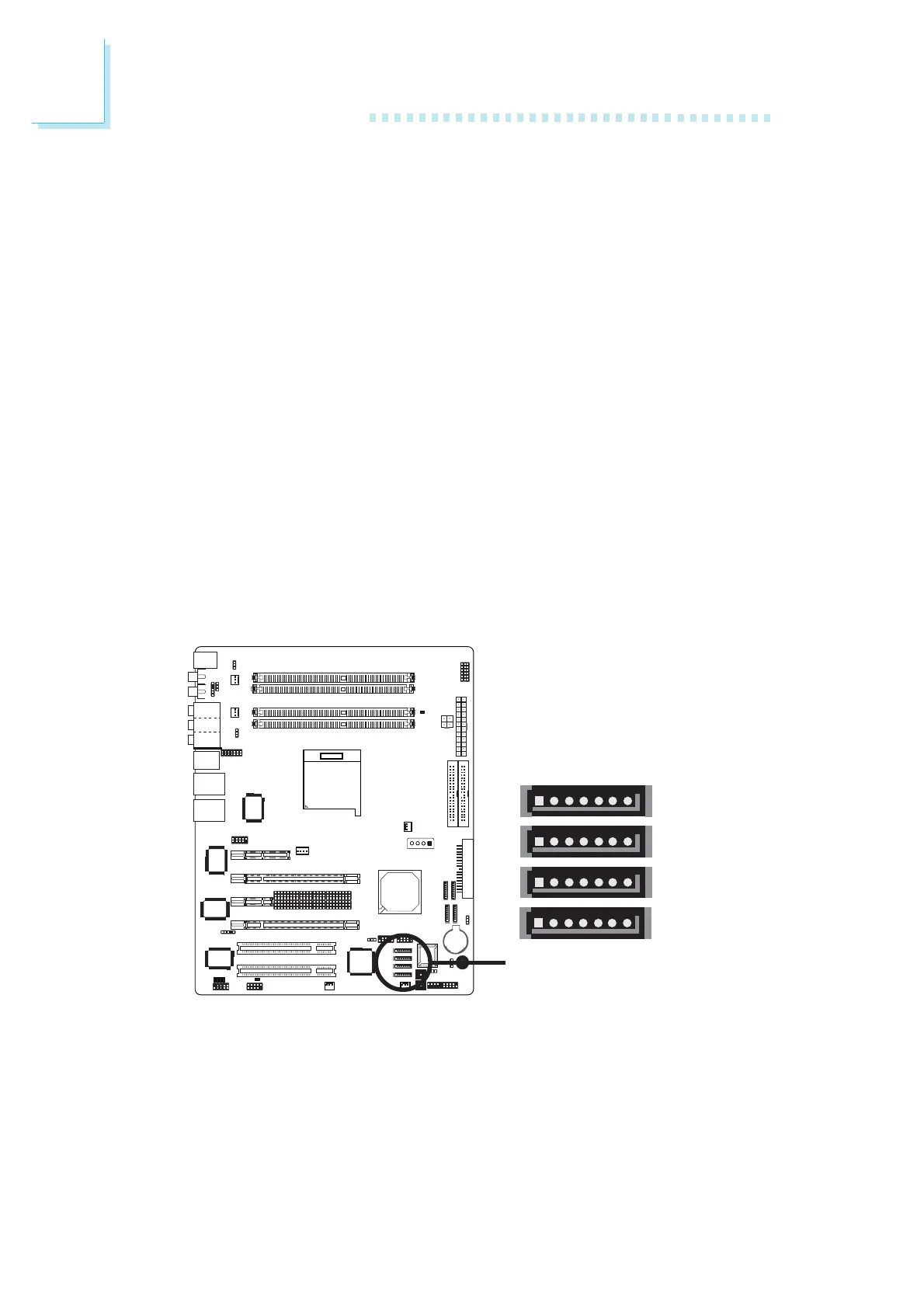
Four Serial ATA ports supported by the Silicon Image Sil 3114
chip (for “DR” models only)
X
SATA 5
(J26)
SATA 6
(J27)
17
GND
TXP
TXN
GND
RXN
RXP
GND
17
SATA 7
(J28)
17
SATA 8
(J29)
17
4. When the system powers-up, the NVRAID BIOS status message
screen will appear. Press the <F10> key to enter the utility. The
utility allows you to build a RAID system on Serial ATA drives
and Parallel ATA drives.
5. Install the NVRAID driver.
If you are in the process of installing Windows
®
XP or
Windows
®
2000 on RAID configured Serial ATA drives, you will
need the provided nVRAID driver floppy diskette. If you are
installing the driver on existing Windows
®
XP or Windows
®
2000, install the NVIDIA Windows nForce Drivers that is in the
provided CD.
For steps 1 to 4, refer to chapter 3 for more information. For step
5, refer to chapter 4 for more information.
- SATA speed up to 1.5Gb/s
- RAID 0, RAID 1, RAID 0+1 and RAID 5
Connecting Serial ATA Cables
Connect one end of the Serial ATA cable to the Serial ATA
connector and the other end to your Serial ATA device.













 To Next Page