EasyManua.ls Logo

Diamond Diagnostics Prolyte - Troubleshooting Guide

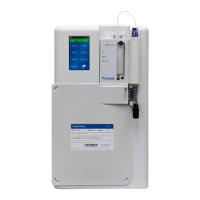
Diamond Diagnostics Prolyte
41 pages
Print Icon
To Next Page IconTo Next Page
To Previous Page IconTo Previous Page
Loading...
PROLYTE ANALYZER
2.b Troubleshooting Guide
Refer to the chart below to help determine the problem and corrective action needed.
Problem
Description
Problem
Source
Corrective Action Steps
Blank Display Power Malfunction or
Defective Display
AC Power Verification
DC Power Verification
Display Verification
No Response
to YES/NO
buttons
Power Malfunction or
Defective Display
Connection
Display Assembly
Verification
DC Power Verification
Blank Display,
Beeping
Faulty
EEPROM
Installation or
Power Malfunction
Inspect EPROM
Installation
DC Power Verification
“PRB” Errors Probe Motor
Malfunction
Probe Motor Verification
“PMP” Errors or No
Pump Movement
Pump Motor
Malfunction
Perform PUMP CAL test
In DIAGNOSTICS?
Menu Pump Motor
Verification
Printer Does
Not Print
Printer
Malfunction
Printer Verification
Sample
Detector Test
Failure Result
255 Or 000
Sample
Detector/Circuit
Malfunction
Sample Detector
Verification
Bad Electrode
Voltages
Electrodes or Signal
Input Malfunction
Check Electrode Installation
And Performance
Signal Input Verification
Serial Transmission
Failure
Serial Cable or
Transmission
Protocol
Serial Communication
Verification
12