PROLYTE ANALYZER
3.c Rear Housing Removal
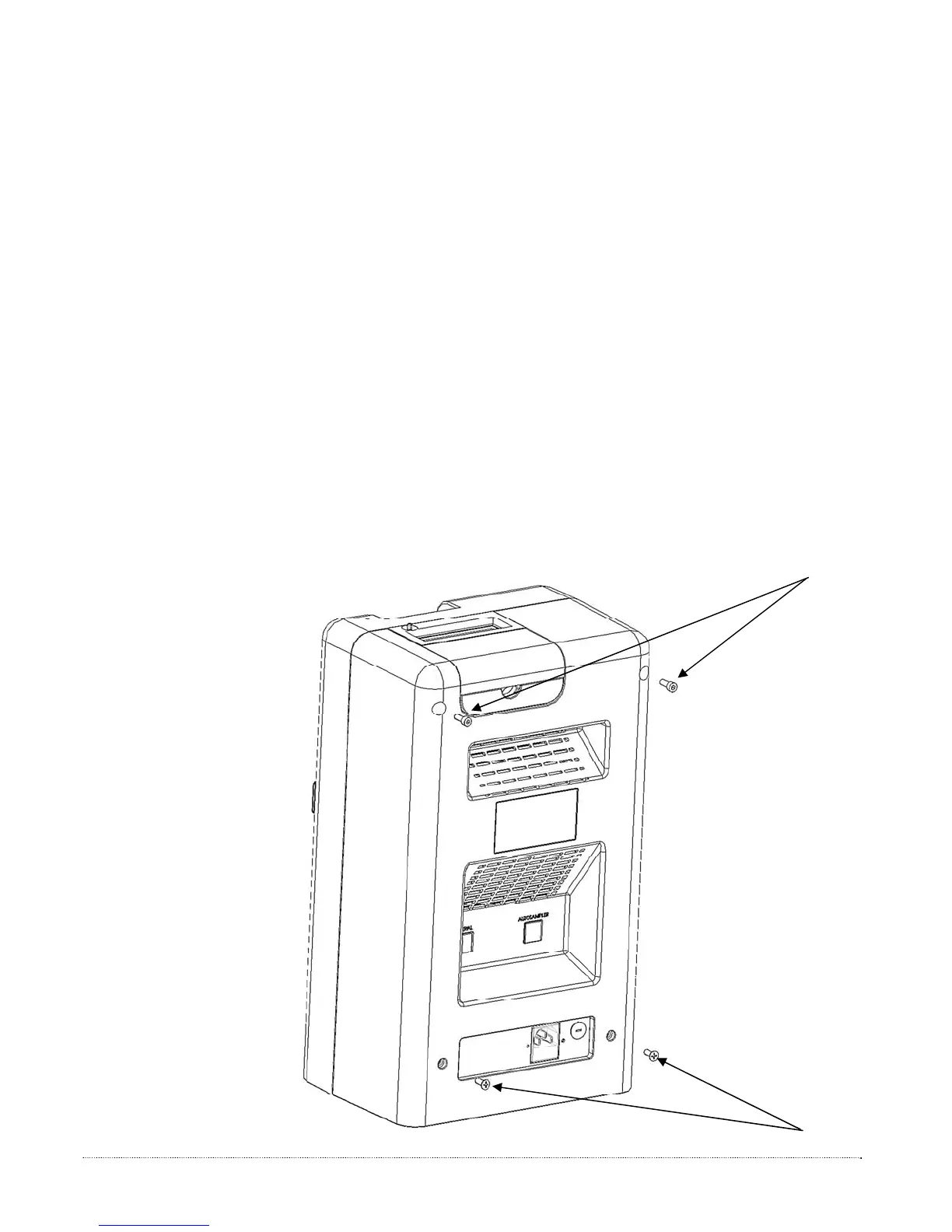
1. Disconnect the power cord from the entry module, see figure below.
2. Detach the four screws from the rear housing using a Phillips head screw driver, as
shown below.
3. Separate the front and back housing. See Figure P5.
3.d Rear Housing Installation
1. Align and attach the front and back housing. See figure below. Verify that all cable
connectors are attached properly. Refer to figures in the PRODUCT DESCRIPTION
SECTION for detail. Verify that all wires are contained within the front housing
before proceeding.
2. Perform steps 1 and 2 from Rear Housing Removal in reverse .
Figure P5 –
Rear Housing
Removal
19


 To Next Page