PROLYTE ANALYZER
3.e Power Supply Removal
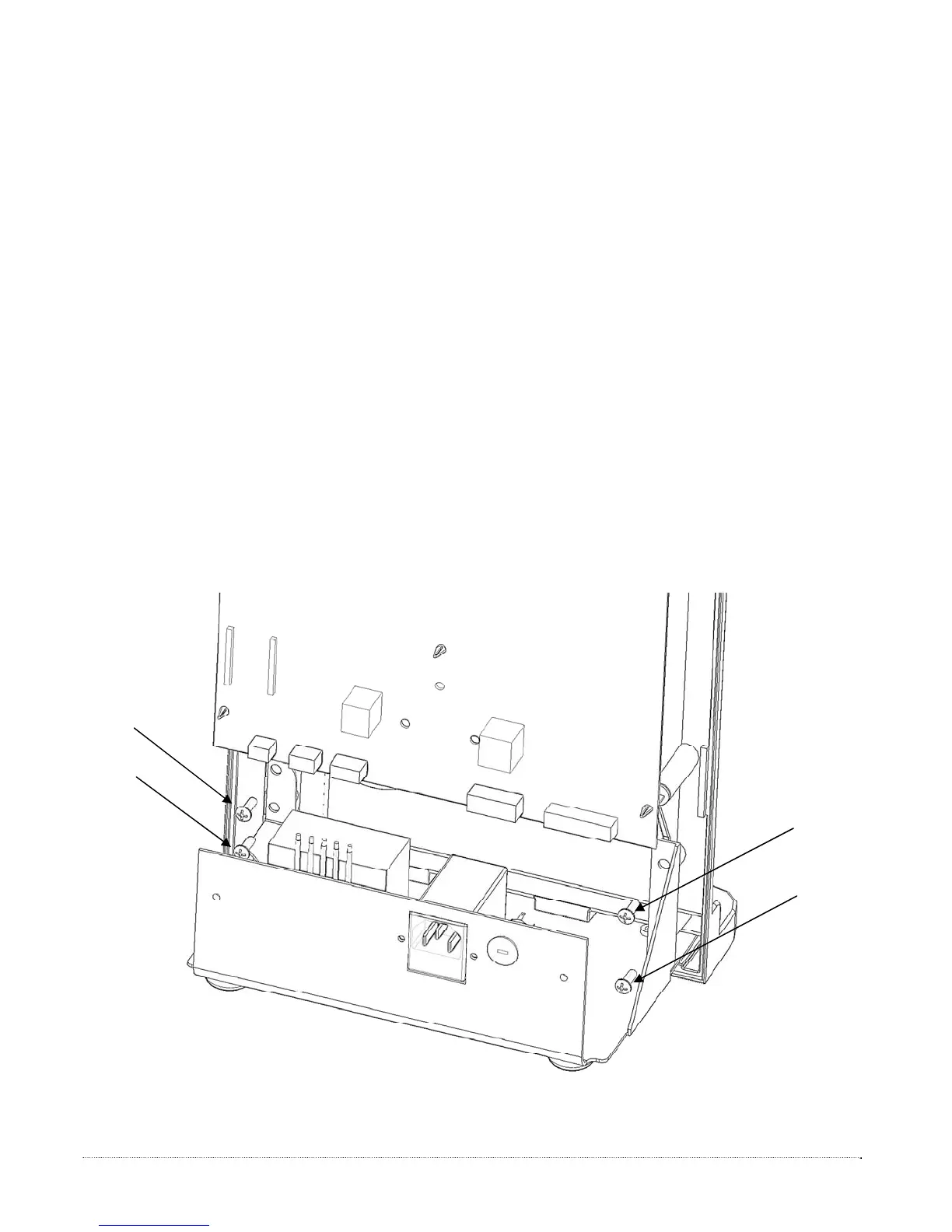
1. Disconnect the power supply cable from the CPU board, see Figure P6.
2. Detach the four screws from front housing, using a Phillips head screw driver.
3. Remove the four screws holding the power supply.
4. Lift and remove the power supply assembly from under the CPU board.
▲ Support analyzer when power supply is removed to avoid tipping.
3.f Power Supply Installation
1. Slide the power supply assembly under the CPU board, as shown in figure below. Fit
into the alignment holes in the bottom of the front housing.
2. Perform steps 1,2 and 3 from Power Supply Removal in reverse.
Figure P6 – Power Supply
Removal/Installation
21


 To Next Page