DV300/DV301B 30" Multimedia Information Display
Icon Menu Name and Sub-menus Description
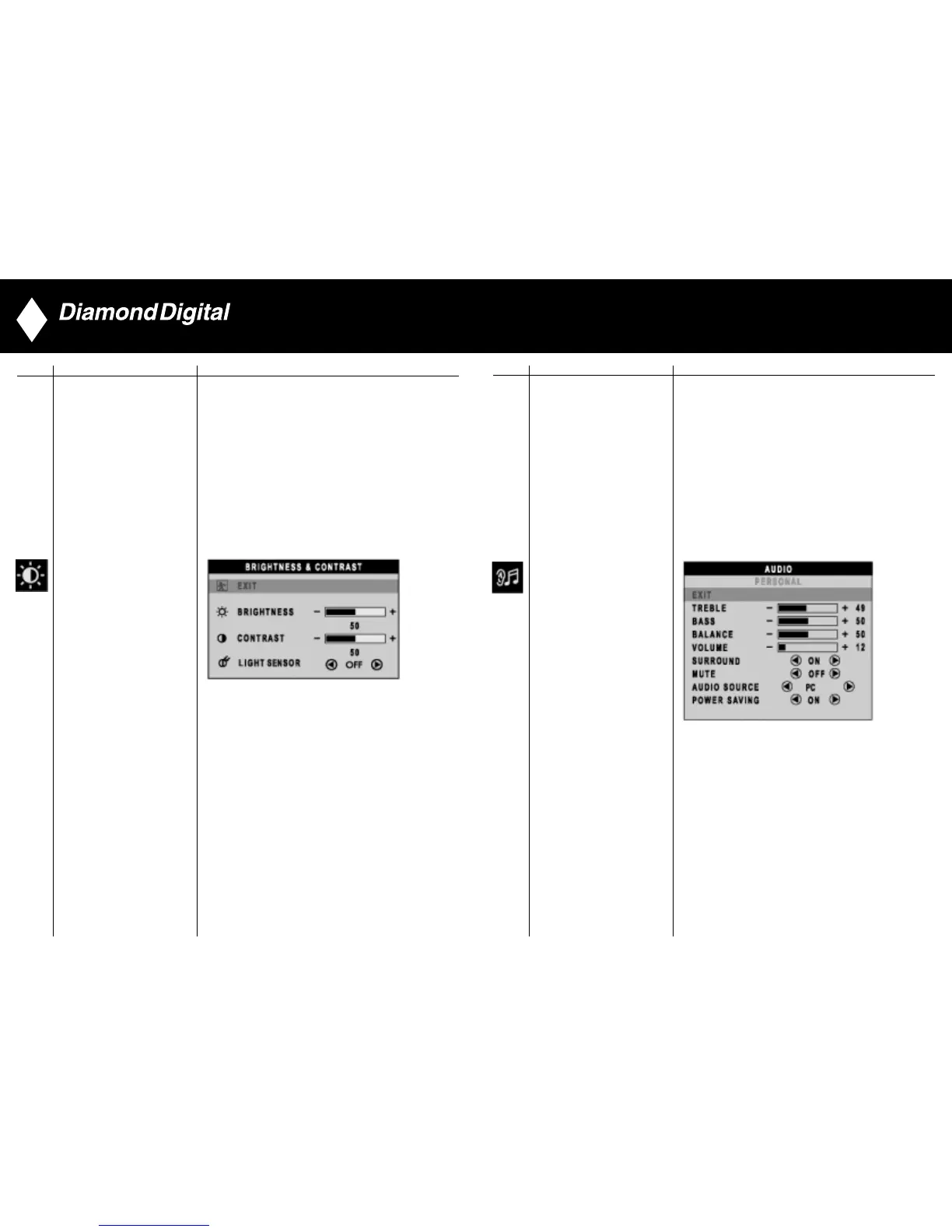
Select your preferred function.
EXIT: Exit this menu
TREBLE: Adjustable from 0 to 100
BASS: Adjustable from 0 to 100
BALANCE: Adjustable from 0 to 100
VOLUME: Adjustable from 0 to 100
SURROUND: ON/OFF
MUTE: ON/OFF
AUDIO SOURCE: Only in PC TV/VIDEO mode
POWER SAVING: ON/OFF
AUDIO
24
Icon Menu Name and Sub-menus Description
The Brightness function:
Push the button to increase luminance;
push the button to decrease luminance (min 0 ~ max. 100).
The Contrast function:
Push the button to increase the contrast;
push the button to decrease the contrast (min 0 ~ max. 100).
The Light Sensor function:
Push the buttons to toggle Light Sensor function.
This function automatically fine tunes the brightness of the
monitor according to the environment.
BRIGHTNESS/CONTRAST
23
▲
▼
▲
▼
▲
▼



 To Next Page