DV300/DV301B 30" Multimedia Information Display
14
6. Setting up your TFT Monitor
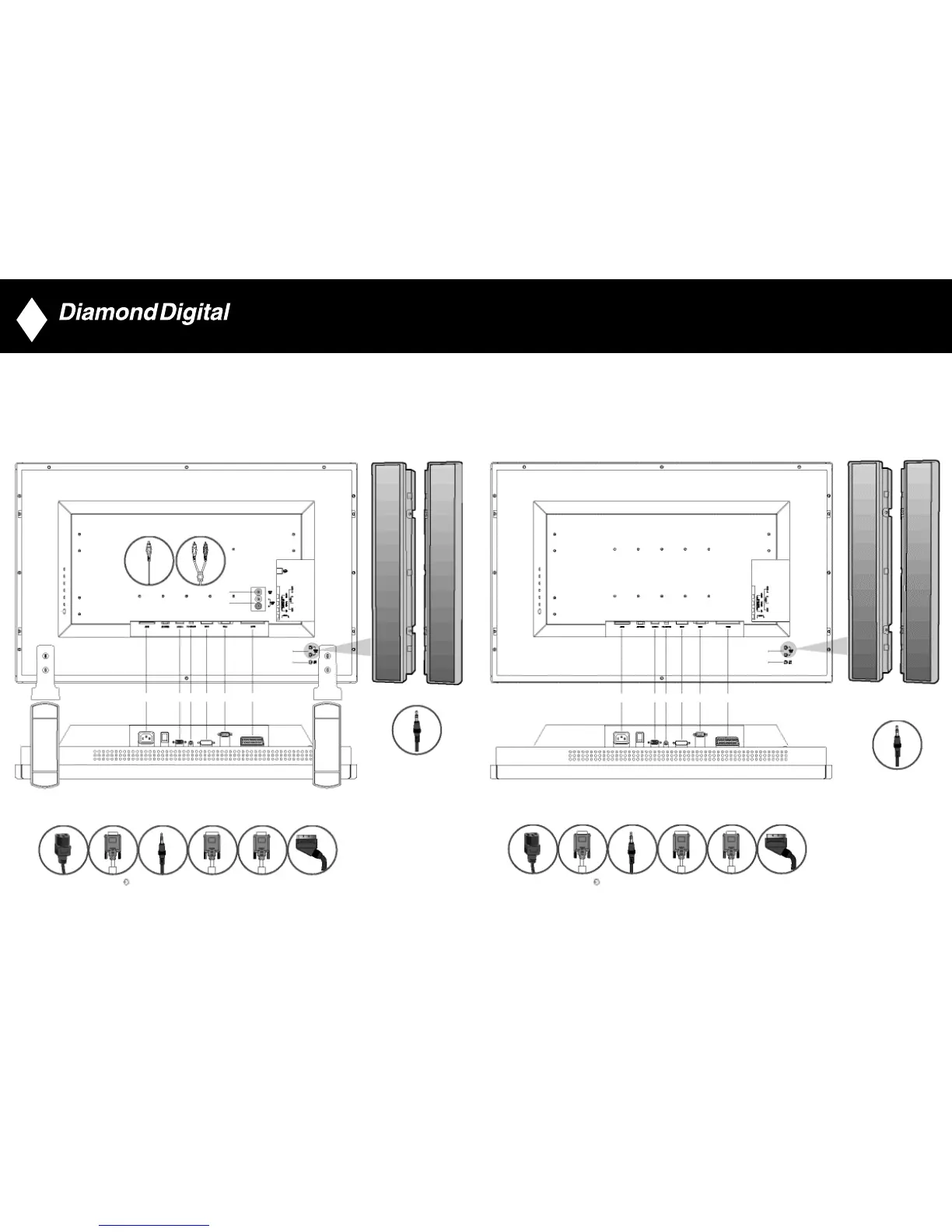
Connecting the monitor/TV
• Connect the cables to the rear of your monitor/TV according to the numbers:
DV300
13
DV301B
AC IN DC-SUB PC AUDIO IN DVI-D RS232 SCART
• •
7 8
•
•
7
8
•
•
•
•
9
10
7
8
• •• • • •
1 2 3 4 5 6
• •• • • •
1 2 3 4 5 6
EXTERNAL SPEAKERS
• • • • • •
• • • • • •
1 2 3 3 4 5 6
•
•
9
10
EXTERNAL SPEAKERS
•
•
7
8
AC IN DC-SUB PC AUDIO IN DVI-D RS232 SCART
1 2 3 3 4 5 6
(Optional)



 To Next Page