DV300/DV301B 30" Multimedia Information Display
Icon Menu Name and Sub-menus Description
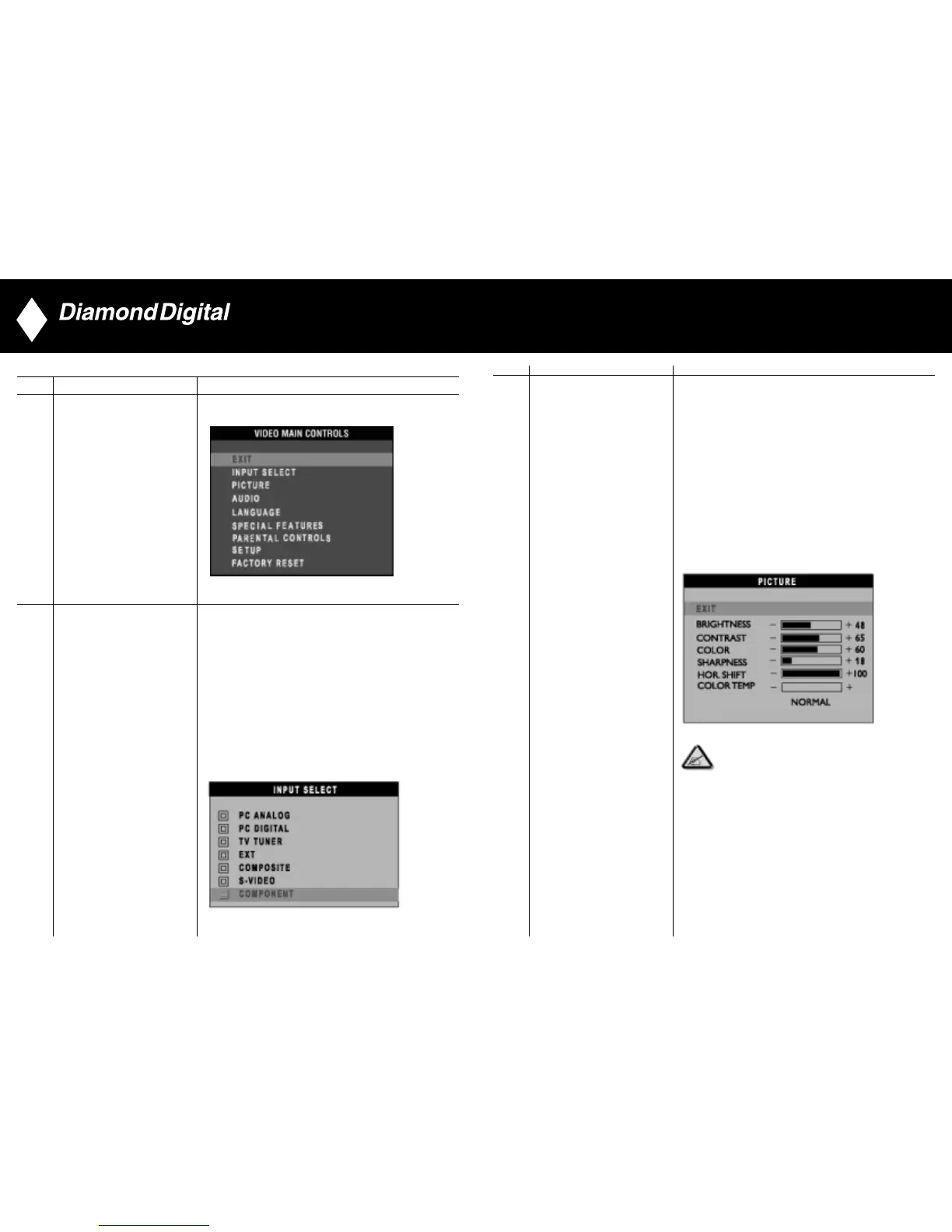
Adjust picture characteristics to suit personal preference.
EXIT: Exit from this menu
BRIGHTNESS: Adjustable from 0 to 100
CONTRAST: Adjustable from 0 to 100
COLOUR: Adjustable from 0 to 100
SHARPNESS: Adjustable from 0 to 100
TINT: Available in overseas models only.
Adjustable from 0 to 100
HORIZONTAL SHIFT: Adjustable from 0 to 100
COLOUR TEMP: Select from Normal, Cool or Warm
by “-” and “+” buttons.
PICTURE
NOTE:
1. “TINT” is not available in component input in all models.
2. “TINT” is available in NAFTA model only.
3. “HOR SHIFT” only function in component input.
32
Audio/Video Mode
Icon Menu Name and Sub-menus Description
Exit from this menu
EXIT
Use up and down arrow button to highlight the “INPUT SELECT”.
Select video source for main display:
• PC ANALOG: PC VGA input
• PC DIGITAL: PC DIGITAL input
• TV TUNER: Antenna or cable TV input (For DV300 only)
• EXT: Scart input (Europe Only)
• COMPOSITE: Composite video input
• S-VIDEO: S-video input
• COMPONENT: Component video input
INPUT SELECT
31



 To Next Page