DV300/DV301B 30" Multimedia Information Display
Icon Menu Name and Sub-menus Description
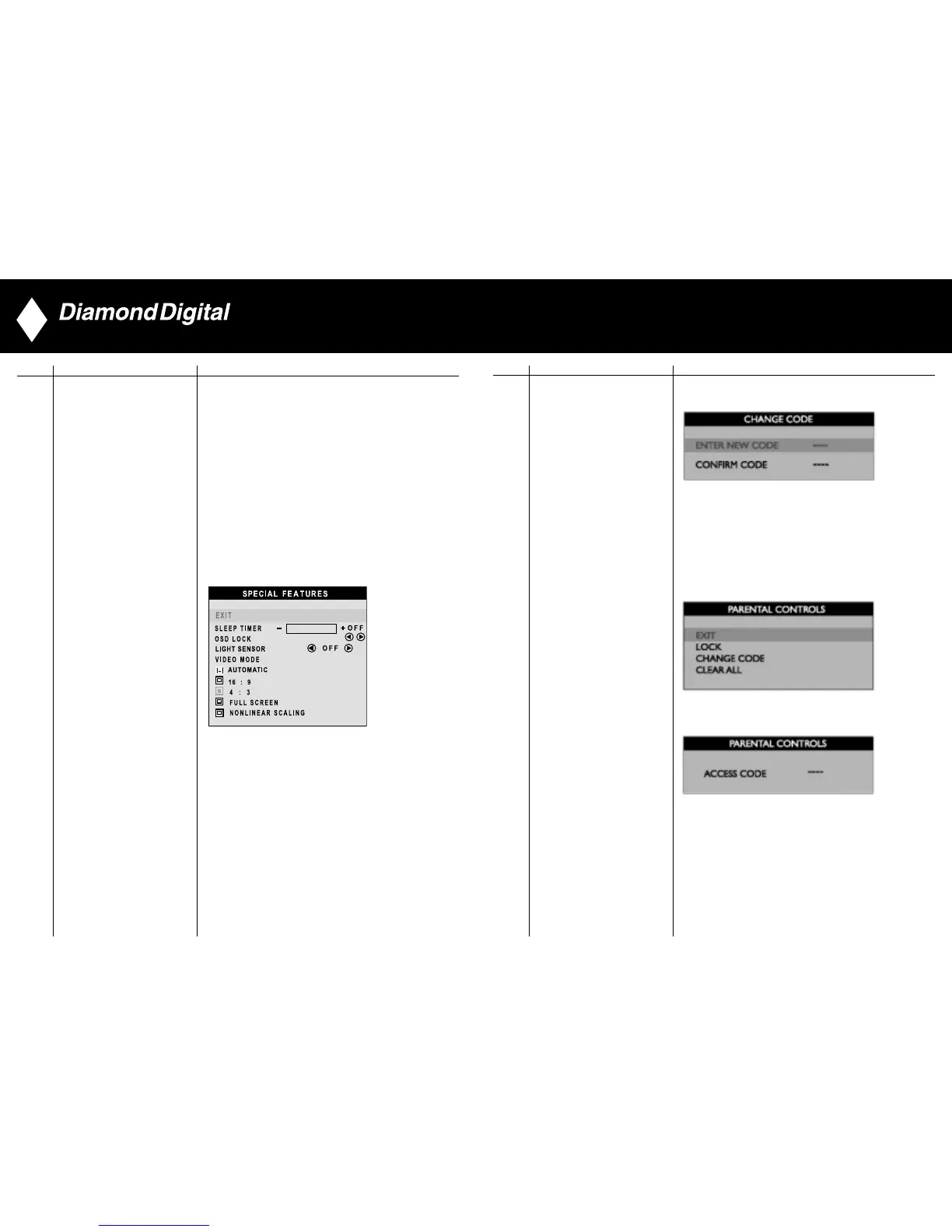
1) When users first enter the PARENTAL CONTROL, the
screen will show the window asking user key in the code.
PARENTAL CONTROLS 2) Users will see the window” Access code” when they
enter this foundation.
• EXIT
• LOCK
• CHANGE CODE
• CLEAR ALL
3) Enter Master code “0711” twice or the code entered in step 1.
42
Icon Menu Name and Sub-menus Description
Activate special control features:
EXIT: Exit from this menu.
SLEEP TIMER: Slide bar to select
off/15/30/60/90/120/150/180.
OSD LOCK: Show key icon after selecting lock.
LIGHT SENSOR: Push the buttons to toggle
Light Sensor function.
VIDEO MODE: Set the screen scaling mode to suit
personal preference:
• AUTOMATIC • 16:9
• 4:3 • FULL SCREEN
• NONLINEAR SCALING
SPECIAL FEATURES
41
▼
▲



 To Next Page