6
Right Arrow – Accept the choice or value currently displayed and proceed to the next screen.
The up and down arrow keys have three modes of operation: single step, slow repeat, and fast
repeat. This behavior is in effect for jogging motion and data entry, allowing both precise and
efficient control/input. A quick tap (less than 1/2 second) on either key results in a single step or
value change. Hold the key for more than 1/2 second and the value begins to change continuously
at a slow rate of speed. Release the key very briefly and resume pressing it and the action
accelerates and continues at a higher rate. Release the key very
briefly; resume pressing it and the action reverts to the slower
rate. Release the key altogether and the action ceases.
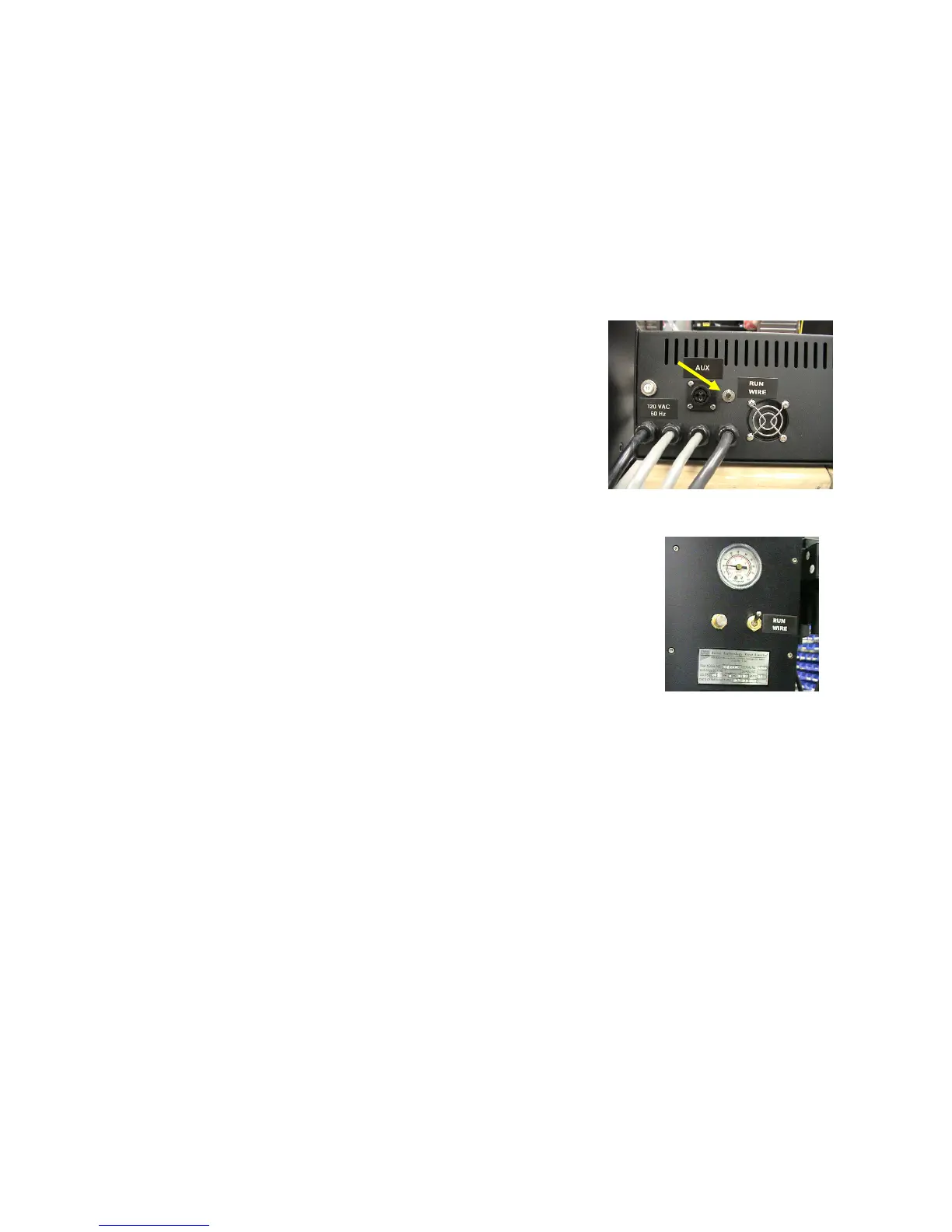
Capstan RUN/WIRE Switch – Located on the back panel, this
switch should be in the RUN position for normal operation. Set
this switch to WIRE only when wiring the saw.
Control Box Rear
Tensioner RUN/WIRE Switch – Located adjacent to the air controls,
this switch should be in the RUN position for normal operation. Set this
switch to WIRE for wiring the saw or for adjusting the tensioner pulleys.
Power On
Apply power to the saw by flipping the Power switch upwards. A red section of the rocker appears.
When power is first applied, the LCD screen displays a welcome message, including the program
version number. Press any of the four arrow keys on the keypad beneath the display to proceed.
The screen that follows depends on whether the controller mode switch is set to MANUAL or
AUTOMATIC.
Manual Mode
The saw allows both manual and programmed control of the yoke, table, and wire drive. Manual
control (jogging) of the yoke and table is useful during setup and initial positioning of the wire
prior to beginning an automatic cut program. Running the wire drive in Manual mode is useful to
ensure the drive is running properly before automatic mode is begun, determining the optimum
cutting speed of the wire, and to wire the saw.



 To Next Page