Peripherals (optional)
10.2
10.2 Magnetic Swipe Card Reader (MSR)
The MSR module supports reading of standard ISO 3-track magnetic swipe card. Card reading is bi-di-
rectional.
The MSR module can be mounted either on the right or left side of the display.
10.2.1
10.2.1 How to operate
NOTE
For guide on software application programming, please refer to BA9x MSR/Waiter Lock
Programming Manual.
Run the swipe card through the slit of the swipe card reader from top to bottom in a quick and steady
movement. Make sure that the magnetic strip is to the right. When using swipe cards, the following
should be observed:
• Swipe cards should never be allowed to come into contact with liquids.
• Swipe cards should not be bent or folded in any way.
• Swipe cards should not be allowed to come into close contact with a magnetic field.
Swipe cards should only be inserted in the top of the specially designed slit of the reading device. If the
card is inserted in another place, this could damage the reading head.
10.2.2
10.2.2 Cleaning instructions
In order to guarantee good reading results, the swipe card reader should be cleaned from time to time.
This is carried out by using a special cleaning card that can be purchased from Diebold Nixdorf.
10.2.3
10.2.3 Installation
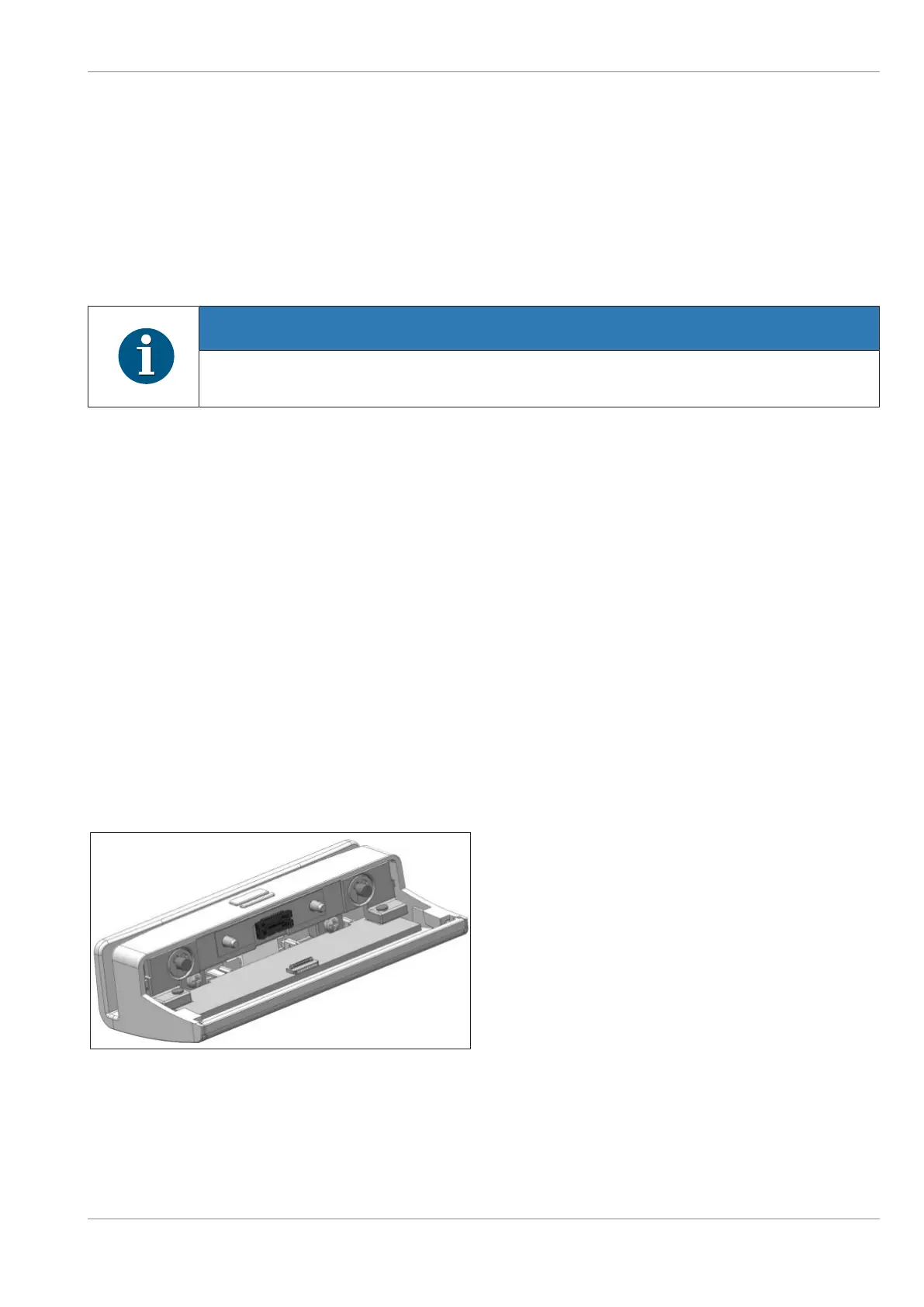
Figure10-10: MSR kit
1. The MSR kit as seen. Containing the MSR
module and two M3x4 screws.
Confidential External
Copyright © 2023, Diebold Nixdorf
01750368517 B
10-6


 To Next Page