Peripherals (optional)
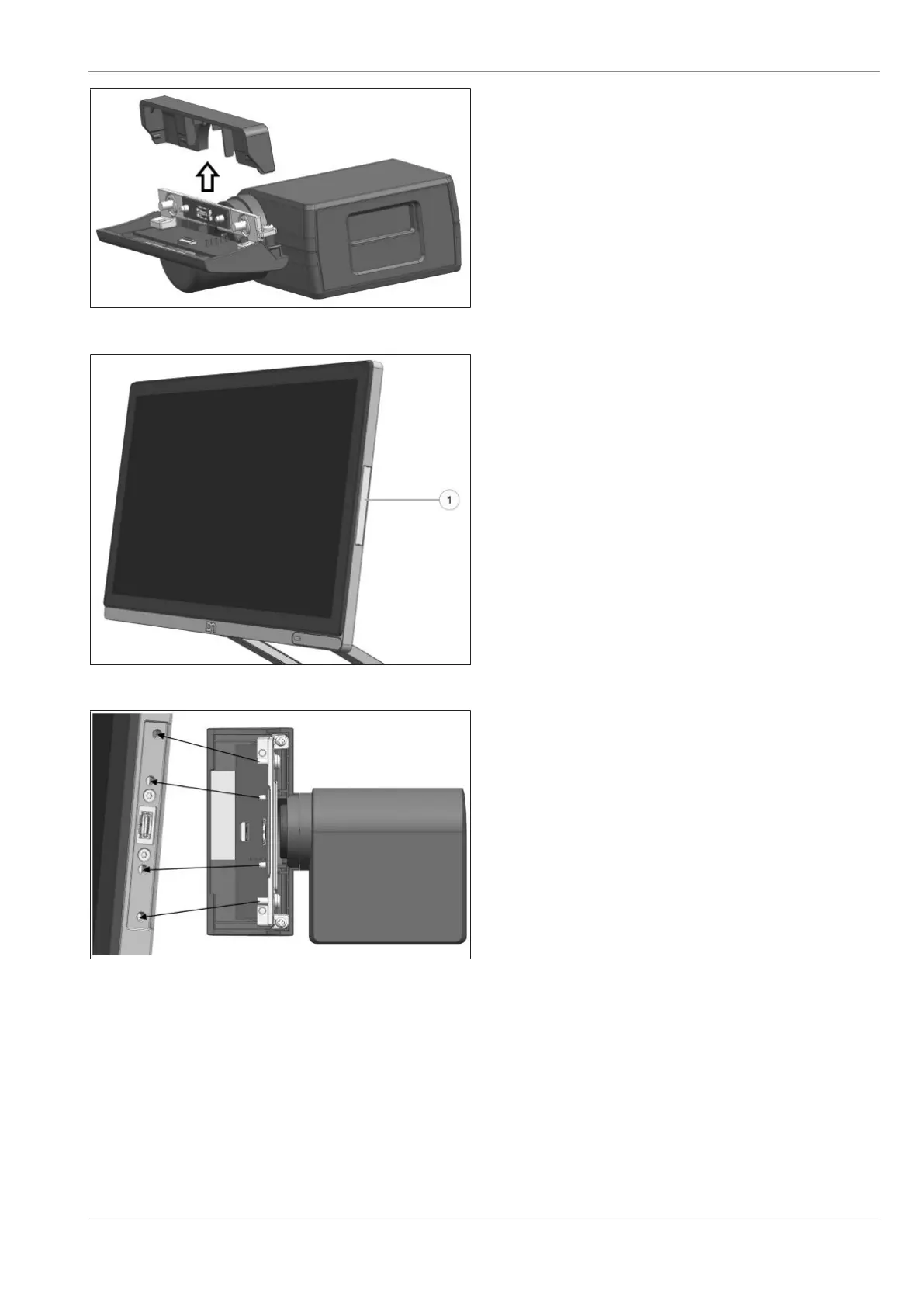
Figure10-31: Sliding out the BCR top cover
3. Slide out the BCR top cover in the direction
indicated by the arrow.
Figure10-32: Removing the peripheral connection cover
4. To attach the BCR module, remove the pe-
ripheral connection cover (1) on the system.
Figure10-33: Docking the BCR to the system
5. Dock the BCR module to the system. Align
the locating pins and screws (see arrows).
Confidential External
Copyright © 2023, Diebold Nixdorf
01750368517 B
10-15


 To Next Page