STORE
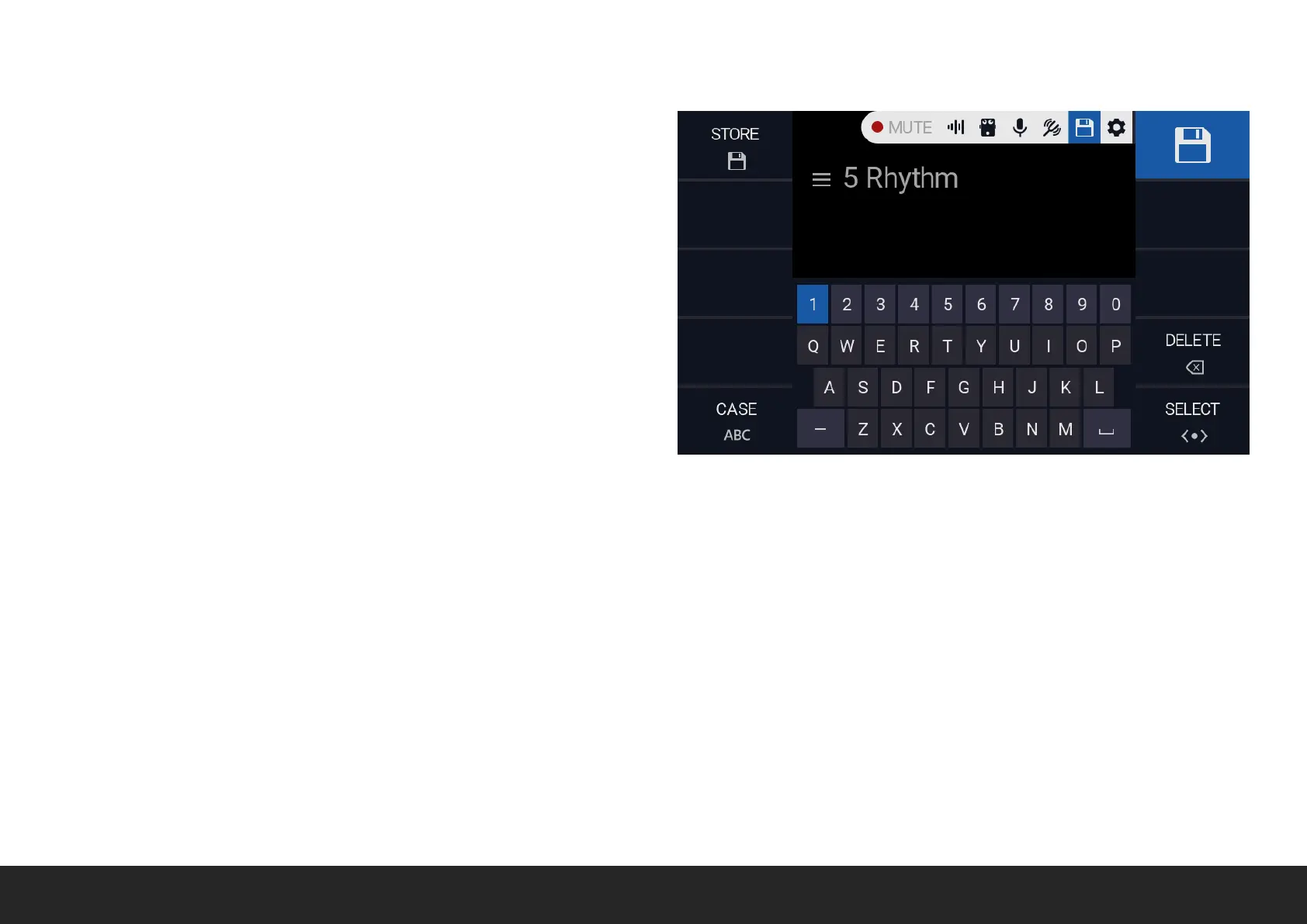
The STORE screen allows to store the current preset, preset name and
display colour.
If the current preset has been MODIFIED from the previous state, the
STORE icon on the navigation bar will show a RED DOT.
STORE Push the relative encoder to store the current preset, together
with name and display colour.
CASE Push the relative encoder to toggle between LOWERCASE and
UPPERCASE.
DELETE Push the relative encoder to delete the last character from
the preset name.
SELECT Rotate the relative encoder to MOVE the selector over the
displayed keyboard. Push the relative encoder to add the selected
character.


 To Next Page