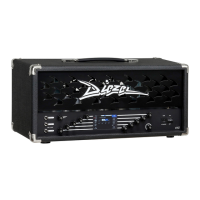
FRONT PANEL
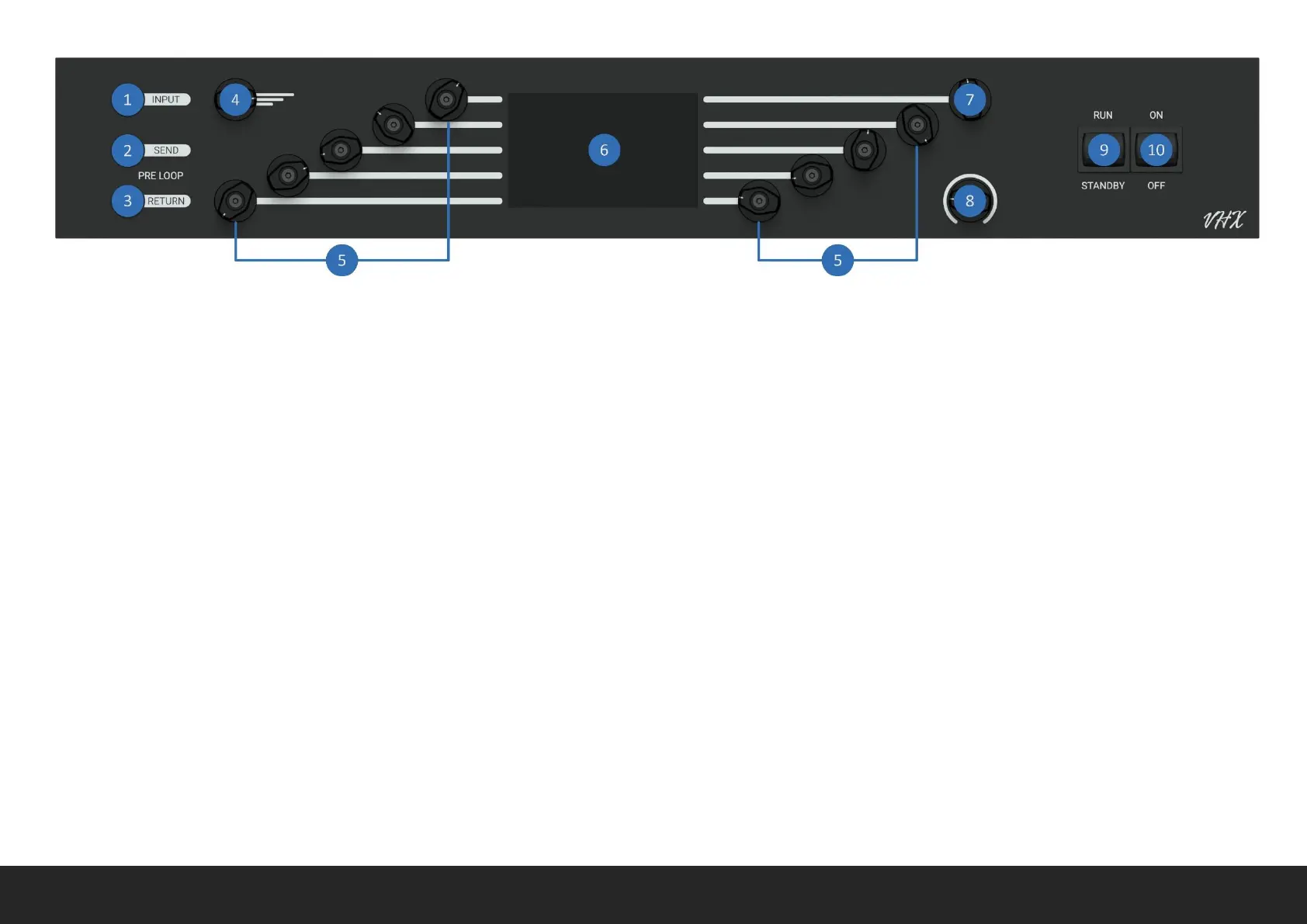
1 INPUT Connect your guitar here trough a good quality ¼”
Instrument cable.
2 PRE LOOP SEND Pre Loop SEND (output). Connect here the input
of one or a chain of effects. PRE LOOP is internally wired before the
PREAMP.
3 PRE LOOP RETURN Pre Loop RETURN (input). Connect here the
output of the same effects used form PRE LOOP SEND. PRE LOOP is
internally wired before the preamp.
4 PRESET MANAGER Rotate the encoder to scroll between all the
available presets, from 1 to 99. Push to open Preset Manager.
5 ENCODERS This group of encoders will let you edit, by rotating,
pressing, or holding the relative function shown on DISPLAY. Follow
the lines.
6 DISPLAY This is the Display where all the parameters will be
visualized. Each encoder will control the respective parameter on
display, follow the lines.
7 SCREEN MANAGER / MUTE Rotate the encoder to scroll between
all the available screens. Push the encoder to MUTE or UNMUTE the
POWER AMP so connected cabinets. POWER AMP cannot be
UNMUTED if no cabinet is connected.
8 MASTER VOLUME This is the POWER AMP Master Volume, it only
affects POWER AMP so connected cabinets.
9 STANDBY SWITCH Make sure the switch is on STANDBY mode
before powering on the VHX. Let the tube warm up for at least 40
seconds.
10 POWER SWITCH Make sure STANDBY is set to OFF before
powering ON the VHX. Before powering OFF the VHX set STANDBY
switch OFF and wait at least 30 second to avoid POWER AMP bump.


 To Next Page