DISPLAY
The display is the heart of the VHX. It has been developed to give as
much as possible the feel and the simplicity of an analog UI.
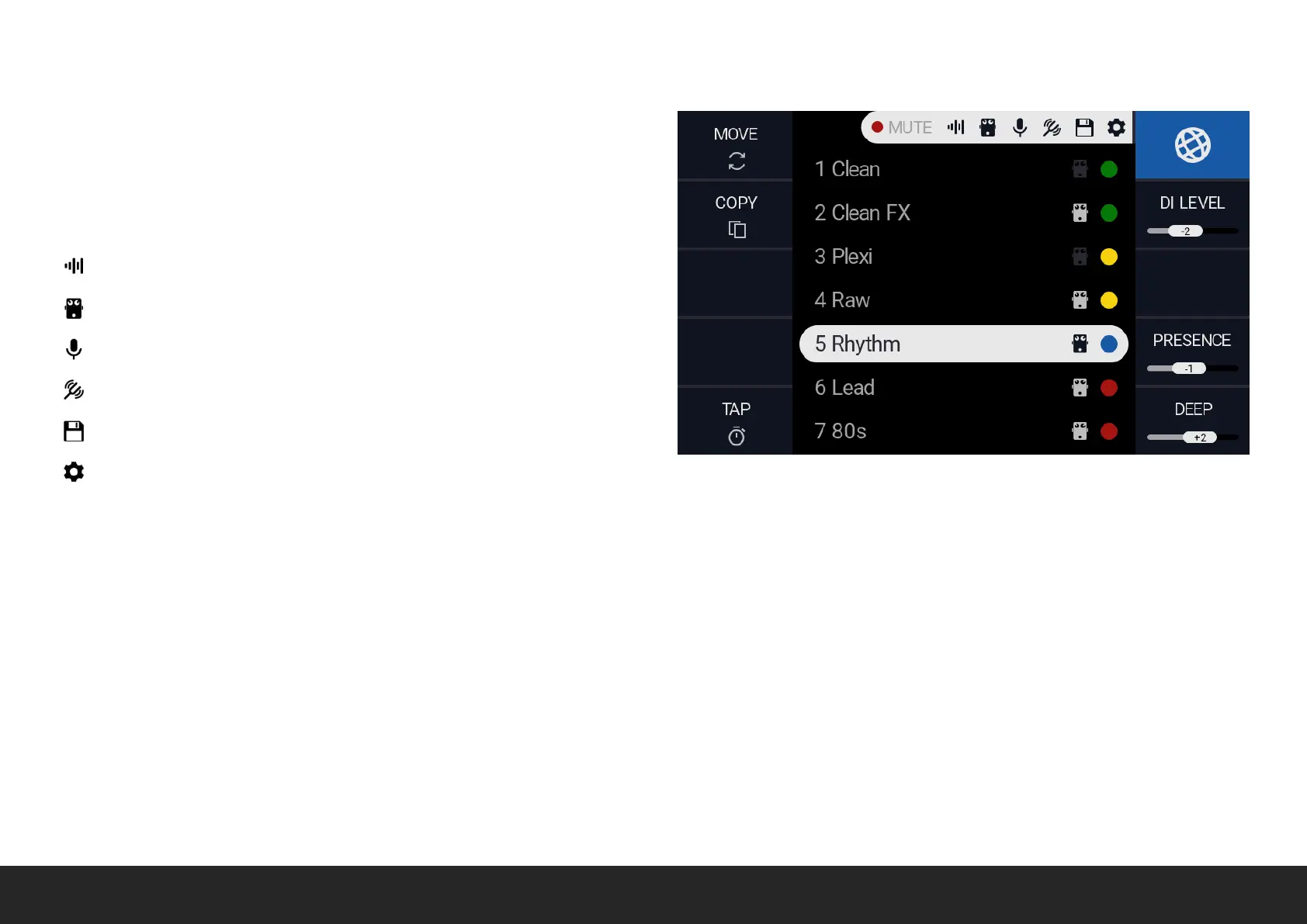
Starting from the top, the navigation bar will display the POWER AMP
MUTE STATUS and the current SCREEN:
PREAMP
FX
RECORD
TUNER
STORE
SETTINGS
The SIDES display the parameters relative to the current screen, and could be edited by rotating, pushing or holding the relative ENCODER.
To open the PRESET MANAGER, push the preset knob. Preset Manager would give an overview of all the current presets, with the gain and effects
associated with. It would be possible to select, move and copy/paste the presets to arrange them easily.
The PRESET MANAGER screen allow GLOBAL DEEP, GLOBAL PRESENCE, GLOBAL LEVEL and GLOBAL TAP to be edited. The parameters are relative
to the PER PRESET ones, where the value “0” means no change.


 To Next Page