22
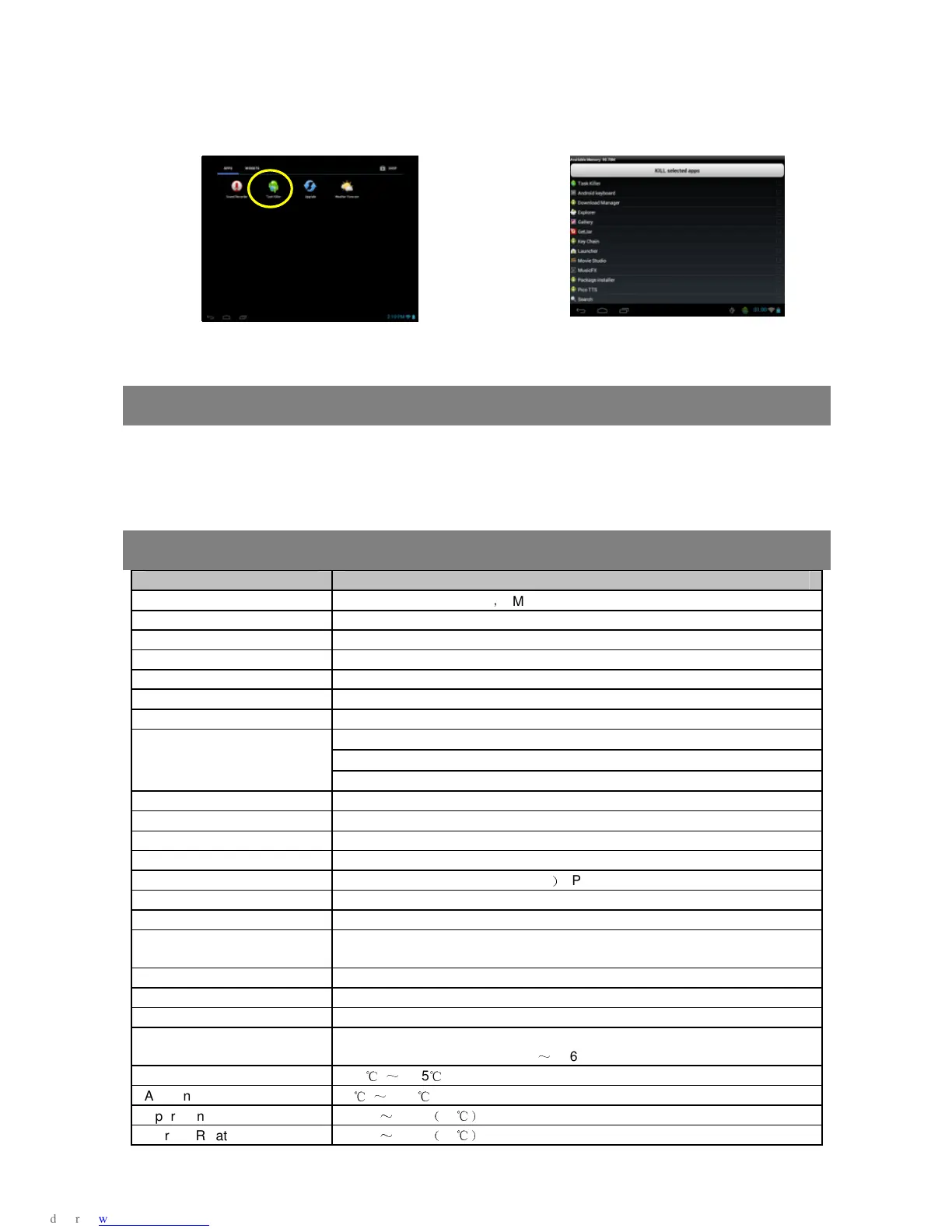
many tasks are running. In order to save system memory and enhance system
performance, you can end some tasks that you don’t use at the moment.
(1) Tap “Advanced Task Killer” application.
(2) Tap the task that you want to end.
(3) Tap “KILL selected apps” to end the task.
Troubleshooting
Reset this device
In the event that the device freezes, you can force the device to shut down by pushing
down the Reset button on the back of the device, and then restart the device.
Specifications
Item Description
CPU AML8726-MX Cortex A9
,
Main CPU frequency: 1.5 GHz
DDR3 1GB
Built-in operating system Android OS 4.0.4
Hardware IBM PC or compatible PC, Note-book or Macintosh with USB port
Internal Memory 4GB/8GB/16GB/32GB(Optional)
Memory Card type Micro-SD card: 2GB, 4GB (SDHC), 8GB (SDHC), 16GB, 32GB(optional)
Operation System Windows2000/XP/Vista/windows 7/Linux2.4/ MAC OS 10.6.7 above
USB2.0 High speed
SD (compatible SDHC)
Interface
3.5mm Earphone
Connection Agreement WiFi (802.11 b/g/n)
Bluetooth support
G-sensor Support 360 rotation
E-Book support
Photo Format JPEG(Baseline)/ BMP/ GIF (Static
)
/ PNG
Audio Format MP3/WAV/OGG/FLAC/APE/AAC/WMA
Video Format
AVI/3GP/MP4/RM/RMVB/FLV/ MKV/MOV/MPG/VOB/DAT/WMV/ ASF
Battery Life
About 5.5 hours of music playback; About 5 hours of video playback;
About 5 hours of web browsing.
Display 8.0-inch TFT LCD, Touchpad (capacitive touch pad), 800X600 pixels.
SNR >=75dB
Frequency Response Range 20Hz—20KHz
Power Supply
Rechargeable lithium-ion polymer battery;
AC Adapter: AC Input 100-240V
~
50/60Hz, DC Output 5V/2A
Storage Temp. -20
℃
~
+65
℃
Ambient Temp. 0
℃
~
+50
℃
Operation Relative Humidity 20%
~
90%
(
40
℃)
Storage Relative Humidity 20%
~
93%
(
40
℃)



 To Next Page