8
the desired location, and release it.
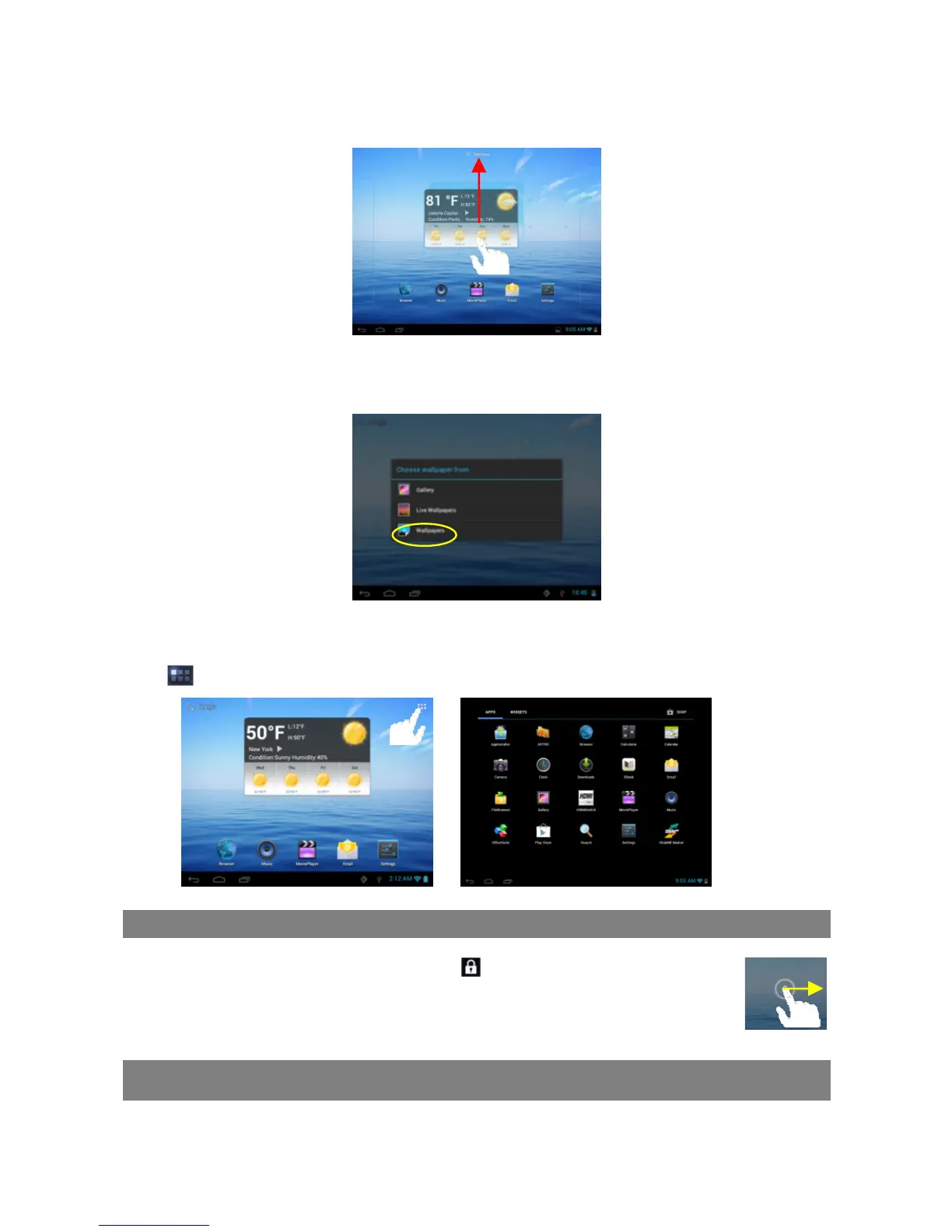
To remove a Home Screen item, hold your finger onto it until it is highlighted, drag it to the
recycle bin “Remove” and then release your finger.
Changing the wallpaper
Hold your tap on the Home screen until a menu appear. Tap on “Wallpaper” and then
choose a picture as the desktop wallpaper.
Preset Applications
The device has many useful applications pre-installed. You can tap the Application
Tab to display them.
Unlocking the Screen
The screen will be locked after the device is idle for a few seconds. You need to
unlock the screen by dragging the lock icon rightwards before you continue
to use the device.
Tips on touching screen
Click: Briefly click on an item can open an application or page.
Drag: When watching a video or listening to music, you can tap on the progress



 To Next Page