5
Feature Summary
Wi-Fi and 3G Connectivity
This device provides you access to the Internet through WiFi and 3G network.
8.0” Touch Screen
Touch or slide your finger on the screen, the screen responds instantly.
Third-party Application Support
With the built-in Android
TM
OS, you can install a large number of third-party
applications in this device.
Built-in Camera Lens
Equipped with the built-in camera lens, this unit can function as a webcam or video
recorder.
Built-in G-sensor
The screen changes to landscape or portrait automatically when the device rotates.
Entertainment
You can enjoy music, movies or pictures with the device.
Accessories
Main Unit
●
USB cable
●
AC Adaptor
User Manual
●
Warranty Card
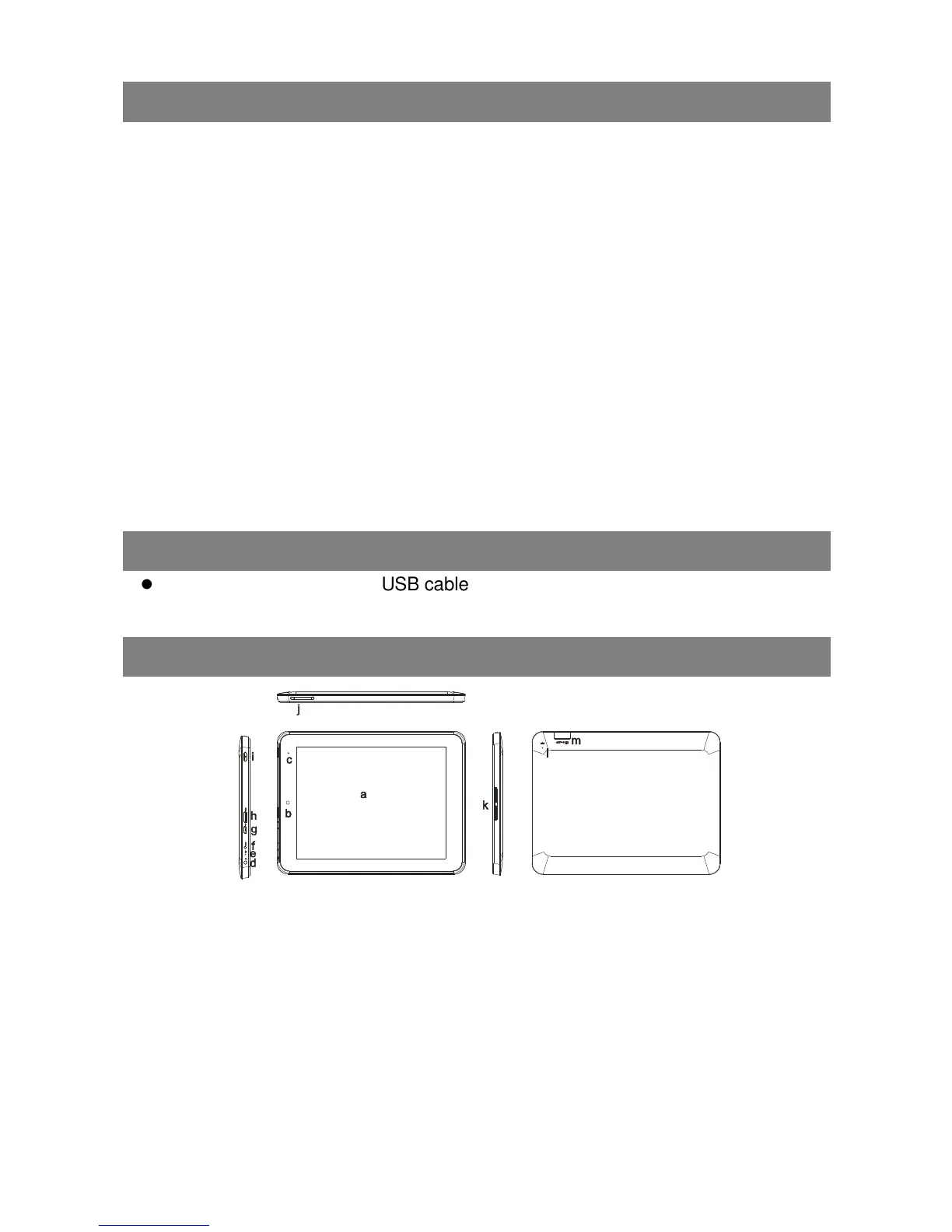
Buttons & Ports
a. Touch Screen
b. Built-in webcam
c. Charging indicator– Lights red during charging,
and lights orange as charging completes.
d. Earphone socket – Connects to stereo
earphones.
e. Microphone
f. DC-IN port – Connects to standard electric source
through the AC adaptor.
g. Micro USB Port – Connects to PC via USB cable;
connects to USB memory device, keyboard, or
mouse; connects to 3G dongle via USB host cable.
h. HDMI jack – Connects to HD TV
that supports HDMI connection.
i. Power –Press and hold to turn on
or off the unit; briefly press to lock
or unlock the screen.
j. VOL+/- – Increase/ decrease the
volume.
k. Built-in Speakers
l. Reset pin hole – Reset your
device if it freezes.
m. Micro SD card slot



 To Next Page