PortServer TS 8/16 Troubleshooting
17-5
Running PortServer TS 8/16 POST
Use these topics to run PortServer TS 8/16 power on self test to validate the PortServer TS 8/16
hardware.
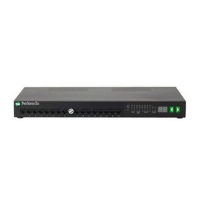
Procedure: Running the POST Using the LEDs
1. Power on the PortServer TS 8/16.
2. Use the following table to interpret the output from the LEDs.
Procedure: Running the POST from a Terminal
1. Connect a terminal to the first serial port on the PortServer 8/16.
2. If the port configuration was changed, configure the terminal to match the port settings. If the
port is still using the default configuration, configure the terminal to use the following settings:
• VT-100 emulation
• 9600 baud
• 8-bit characters
• 1 stop bit
• No parity
3. Reboot the PortServer TS 8/16 and press v when the LEDs begin to blink.
POST output appears on the terminal screen.
If ... Then...
The power LED blinks immediately
after POST
A DHCP error has occurred and the
PortServer TS 8/16 was not assigned an
IP address.
Any of the other four LEDs blink
immediately after POST,
A hardware component failed.





 To Next Page